Make typing optional.
Start writing 5x faster with voice.
AI-powered voice dictation that lets you write faster without giving up your keyboard.
macOS app launching soon

Typing is slow. Voice is fast.
Write Faster With Your Voice
You open Slack. You type a quick update. Then Gmail. Another follow-up. Then iMessage. One more check-in.
What if your voice could help you write it all 5x faster?

Slow, Manual

Fast, Voice, Productive
Meet LumeVoice
Simple, fast, and intelligent voice dictation that works alongside your keyboard
See how easy it is to use LumeVoice anywhere on your computer.
Coming soon on Mac
Press a hotkey
Activate voice dictation instantly

Speak naturally
Just talk like you normally would

Perfect text appears
AI converts your speech to text instantly
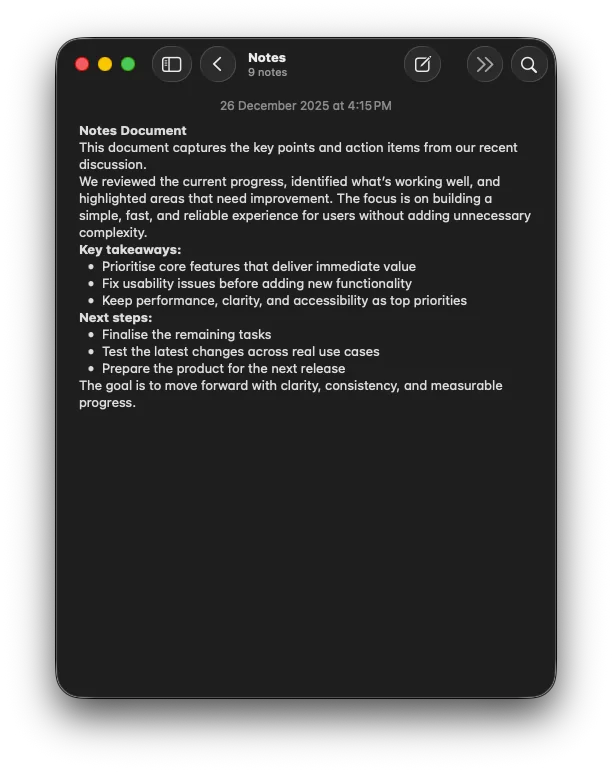
Will Work Everywhere You Write
LumeVoice will work in any application on your Mac. No setup required, just start dictating.
 Gmail
Gmail Slack
Slack Apple Notes
 Notion
 VS Code
 Word
Word Google Docs
 Messages
 Discord
 Teams
Teams Cursor
 IntelliJGmailSlackApple NotesNotionVS CodeWordGoogle DocsMessagesDiscordTeamsCursorIntelliJGmailSlackApple NotesNotionVS CodeWordGoogle DocsMessagesDiscordTeamsCursorIntelliJGmailSlackApple NotesNotionVS CodeWordGoogle DocsMessagesDiscordTeamsCursorIntelliJGmailSlackApple NotesNotionVS CodeWordGoogle DocsMessagesDiscordTeamsCursorIntelliJGmailSlackApple NotesNotionVS CodeWordGoogle DocsMessagesDiscordTeamsCursorIntelliJ
FAQ
LumeVoice uses advanced AI-powered voice recognition to convert your speech to text in real-time. Simply press a hotkey, speak naturally, and your words appear as text in any application on your Mac. Write 5x faster with voice while keeping your keyboard as an option. It works everywhere—email, Slack, documents, and more.
Yes! LumeVoice will offer a free tier to get you started. Join our waitlist to be notified when we launch, and you can use it for free with basic features. We also offer premium plans with additional features for power users.
Currently, LumeVoice is available for Mac. We're working on expanding to other platforms. The app works with any application on your Mac, including email clients, messaging apps, text editors, and more.
LumeVoice uses state-of-the-art AI models to provide highly accurate transcription. Accuracy can vary based on audio clarity, background noise, and speaking pace, but we continuously improve our models to deliver the best possible results.
Absolutely. Privacy is our top priority. You can choose between Private Mode (default) where we collect minimal data, or opt-in to help improve LumeVoice with anonymized data. All data is encrypted in transit and at rest. See our Privacy Policy for more details.
Join our waitlist to be notified when LumeVoice launches for macOS. Once available, you'll receive an email invite to download and start using the app immediately.
Yes! LumeVoice allows you to customize your activation hotkey to whatever works best for your workflow. You can set it up in the app settings.