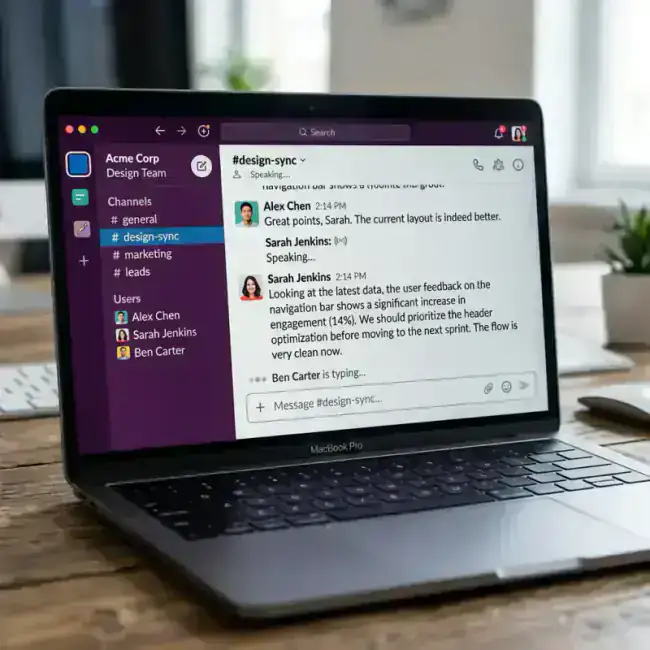
Slack is supposed to be a collaboration tool, but for most people, it's a typing treadmill. You spend your whole day replying to messages, which leads to "Slack Fatigue"—a state where you're so busy chatting that you never actually do any work.
But since early 2026, the best teams have stopped typing. They're using AI-driven voice dictation to get their points across in seconds, not minutes.
Here is why your team needs a "Voice-First" Slack strategy.
The Efficiency Problem with Typing on Slack
Think about your last 10 Slack messages. How many of them were simple updates, questions, or brainstorms?
The Old Way (Slow)
- Stop work: Break your focus to read a Slack message.
- Type: Hunt and peck on the keyboard to formulate a reply.
- Edit: Fix the typos and rethink your tone.
- Send: Total time: 2-3 minutes per message.
The Voice-First Way (Fast)
- Listen/Read: Read the message.
- Speak: Simply say your reply naturally.
- LumeVoice Magic: The AI removes your "uhhs," fixes your grammar, and matches your natural professional tone.
- Send: Total time: 10-15 seconds per message.
3 Ways to Use LumeVoice for Slack
1. The "Brain Dump" to Polish
If you have a complex idea to explain, don't try to type a wall of text. Just speak for 30 seconds. LumeVoice will turn that long, rambling thought into a concise, bulleted list of actions.
2. The "Quick Reply" Mode
For simple "Yes," "No," or "On it" replies, you can use a custom LumeVoice mode that keeps things short and executive. This prevents you from over-explaining and saves you time.
3. The "Voice to Thread" Strategy
Threads are great, but typing in them is annoying. Use a voice shortcut to dictated your thread replies. It keeps the conversation organized without the effort of typing.
Ready to Get Out of Slack Faster?
Join the LumeVoice waitlist and start speaking to your teammates. It’s faster, more human, and much more productive than typing.
For macOS 13+ (Apple Silicon recommended)
Is Speaking "Too Personal" for Slack?
Some people worry that speaking into their Mac in an open office is strange. But by 2026, voice-to-text is as common as wearing AirPods.
Actually, using your voice makes you more human on Slack. Typing often leads to a "flat" tone that can be misinterpreted. Voice-driven AI captures your intent, ensuring your messages always sound friendly and professional.
Final Tip: The "Summary" Shortcut
In LumeVoice, you can create a shortcut that says:
"Turn this into a 2-sentence summary for Slack."
This is the ultimate hack for long-winded talkers. It forces the AI to be brief, which your teammates will appreciate!
?Frequently Asked Questions
Does it work with Slack Huddles?
LumeVoice is for typing into the Slack message bar. For Huddles, Slack has its own built-in transcription, but LumeVoice is far better for drafting those "follow-up" messages after the Huddle ends.
Is it faster than Slack’s built-in voice clips?
Yes, because most people prefer reading a message to listening to an audio clip. LumeVoice gives them the text they want with the effort of a voice clip.