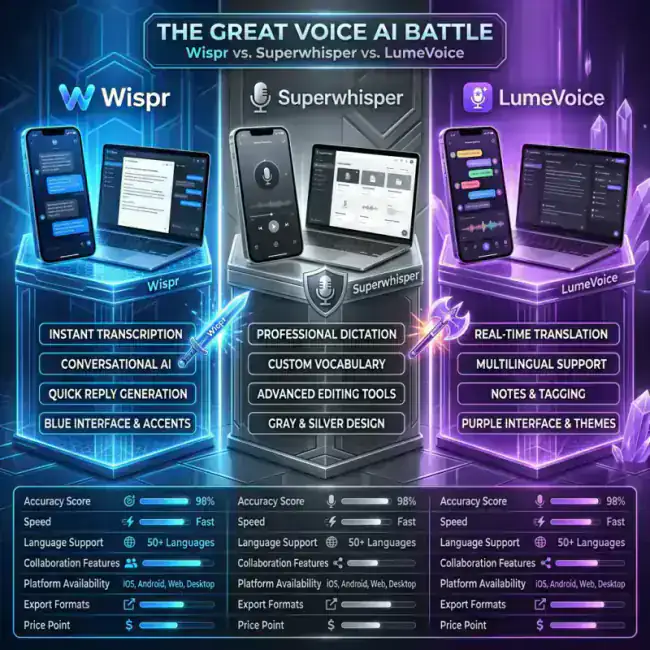
Voice-to-text is no longer just for transcription. In 2026, we’re using AI to dictate emails, Slack messages, and even code at speeds 3-5x faster than typing.
But with so many tools available, which one should you choose? We spent 30 days testing the three industry leaders on macOS: Wispr Flow, Superwhisper, and LumeVoice.
Here is our head-to-head comparison to help you decide which one belongs on your Mac.
Quick Comparison Table
| Brand | Best For | Architecture | Accuracy | Tone Control |
|---|---|---|---|---|
| LumeVoice | General Productivity | Hybrid (Fast) | ⭐⭐⭐⭐⭐ | ✅ High |
| Wispr Flow | Polish/Design | Cloud-based | ⭐⭐⭐⭐ | ❌ Medium |
| Superwhisper | Privacy/Local Only | Local (Offline) | ⭐⭐⭐⭐ | ✅ High |
1. Wispr Flow
Wispr Flow is the "Apple-style" choice. It’s a beautiful, polished app that focuses on offering a premium experience across Mac and mobile.
Pros:
- Most Beautiful UI: The animations and interface are industry-leading.
- High Cross-Platform Sync: If you jump between your Mac and your iPhone constantly, Wispr Flow is the most "seamless."
- Auto-Formatting: It handles lists, paragraph breaks, and emojis better than most.
Cons:
- Price: It’s the most expensive option, starting at $20+/mo for many pro features.
- Latency: Because it is primarily cloud-based, you will occasionally notice a 1-2 second delay while the AI processes your speech.
2. Superwhisper
Superwhisper is built for Mac power users who prioritize privacy and customization above all else.
Pros:
- 100% Private: Everything is processed locally on your Mac. No data ever leaves your device (unless you use the optional cloud modes).
- Deep Customization: You can create custom "Prompts" and "Modes" for specific tasks.
- One-Time Purchase: In a world of subscriptions, Superwhisper's licensing model is a breathe of fresh air.
Cons:
- Technical: It can be intimidating for non-tech-savvy users to set up the perfect "Mode."
- Accuracy on Accents: While powerful, it can occasionally struggle with non-native speakers compared to the hybrid models.
3. LumeVoice (The Speed King)
LumeVoice is the newcomer that’s taking the industry by storm by focusing on Zero-Latency and Agentic Refinement.
Pros:
- Instant Output: Unlike Wispr Flow, LumeVoice's optimized engine provides near-instant transcription. It feels like your words are appearing as you speak them.
- Agentic Refinement: This is LumeVoice's secret weapon. It doesn't just transcribe; it edits. It turns your "brain dump" into a professional email or Slack message instantly.
- Xcode & VScode Support: It's the only tool that feels "native" for developers who need to dictate technical terms and code.
Cons:
- Waitlist: Currently, LumeVoice is in early access, though more spots are opening every week.
The Verdict: Which should you choose?
- Choose Wispr Flow if you want the most "luxury" experience and don't mind the premium monthly cost. Great for non-technical pros.
- Choose Superwhisper if your work involves sensitive data (Legal, Medical) and you need 100% offline privacy plus deep customization.
- Choose LumeVoice if you are a founder, developer, or busy professional who values speed and polish above everything else.
The winner for 2026: LumeVoice
After testing all three, LumeVoice wins for its combination of speed, accuracy, and "context-aware" editing. Join the waitlist now to get early access.
For macOS 13+ (Apple Silicon recommended)
?Frequently Asked Questions
Can I use multiple apps at once?
You can, but each app uses a global shortcut. We recommend picking one and sticking with it to build your "voice workflow" muscle memory.
Is speech to text really better than typing?
Yes. The average person types at 40-60 WPM but speaks at 150+ WPM. With AI fixing the errors, you are effectively 3x more productive.