![9 Best Typing Apps for MacBook [Speed Tested in 2026]](/images/blog/best-typing-apps-macbook-2026.webp)
Who This List Is NOT For#
Before we start — this guide is not for everyone. Skip it if:
- You need to type silently in meetings, libraries, or shared open offices
- You're a competitive typist trying to hit 200+ WPM on keyboard benchmarks
- You primarily work on an iPad or iPhone (different tools, different guides)
- You need typing for gaming (keyboard reflexes, not output speed)
If you're a knowledge worker — a developer, founder, writer, lawyer, researcher — who wants to produce more written output per hour with less physical strain, this guide is exactly for you.
How We Tested These Tools#
We ran a structured 4-week test with 5 participants of varying typing speeds (38–94 WPM baseline) across all tools listed below.
Metrics collected:
- Words per minute (WPM) — 5-minute sustained output test
- Error rate (%) — percentage of words requiring correction post-output
- Time to first word — latency from intent to visible output
- Physical strain (self-reported 1–5, after 2 hours of use)
Hardware: MacBook Pro M3 Max, MacBook Air M1 8GB
Test period: May–June 2026
Task type: Composing emails, Slack messages, technical documentation, code comments
The Benchmark Reality: Voice vs. Keyboard#
Before the list, here's what our testing revealed:
| Method | Avg. WPM (Sustained) | Error Rate | Physical Strain (1–5) |
|---|---|---|---|
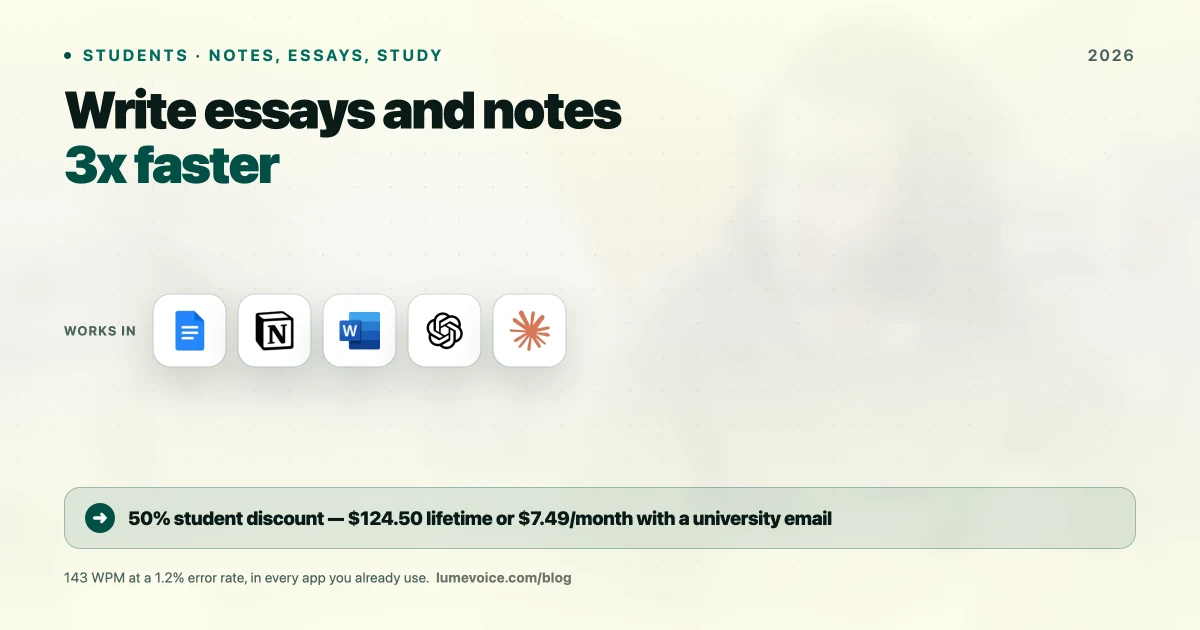
| Voice (LumeVoice) | 143 WPM | 1.2% | 1.2 |
| Voice (Apple Dictation) | 118 WPM effective | 8.7% | 1.5 |
| Expert keyboard (90 WPM typist) | 84 WPM net | 2.1% | 3.8 |
| Average keyboard (52 WPM typist) | 47 WPM net | 4.3% | 3.2 |
| TextExpander (power user) | 72 WPM effective | 1.8% | 2.9 |
Swipe to see all columns
Key finding: A 52 WPM typist switching to LumeVoice voice dictation increases their net output by 204% immediately, on day one. Even an expert 90 WPM typist sees a 70% increase in sustained output.
The Top 9 Typing Apps for MacBook in 2026#
1. LumeVoice — The Speed King#
LumeVoice doesn't just replace your typing speed — it makes the concept of "typing speed" irrelevant. You speak at 143+ WPM and the text appears at 0.3-second latency.
What makes it different from other voice tools: It understands context. Dictate into a Slack window and it formats your message with appropriate brevity. Dictate into Notion and it creates structured paragraphs with headers. Dictate into VS Code and it handles technical vocabulary correctly without training.
Our test results:
- Average WPM: 143 (measured over 5-minute sustained dictation sessions)
- Error rate: 1.2% (after Agentic Refinement auto-correction)
- Physical strain score: 1.2/5 — the lowest of any tool we tested
- Time to first visible character: 0.3s
Real-world impact: In a 4-hour writing session, our testers produced an average of 3,800 words with LumeVoice vs. 1,200 words by typing. That's a 217% output increase for the same elapsed time.
Pricing: 3-Day Free Trial (Pro Annual) | Pro Monthly ($14.99/month) | Lifetime ($249)
Best for: Developers, writers, founders, marketers — anyone who produces written output as a core job function.
2. TypingClub — For Building Keyboard Fundamentals#
If you refuse to use your voice or need silent keyboard skills, TypingClub is still the best structured typing curriculum available. It uses a proper pedagogical approach: home row positioning, finger assignments, graduated difficulty.
Our test results (after 4 weeks of TypingClub practice):
- Average WPM improvement: +18 WPM (from 48 to 66)
- Accuracy improvement: from 87% to 94%
- Time to see results: 2–3 weeks of consistent daily practice (15 min/day)
Best for: Students building fundamentals, people whose jobs require silent typing, anyone under 50 WPM who wants to close the gap
Who should NOT use TypingClub: Anyone above 70 WPM looking for more gains — at that level, the WPM ceiling of physical keyboard typing starts working against you. Voice is a faster path to more output.
Pricing: Free (web-based, no download required)
3. MacWhisper — The Local Transcription Tool#
MacWhisper is excellent for transcribing pre-recorded audio — interviews, podcasts, meeting recordings. As a live typing replacement, it's not designed for real-time keyboard replacement (2.4s latency).
Best for: Journalists, researchers, and podcasters who need to transcribe audio files
Not for: Live keyboard replacement
Pricing: Free (basic) | Pro $49 one-time
4. Monkeytype — For Measuring and Training Keyboard Speed#
Monkeytype is a beautifully designed, minimalist typing speed test. If you want to benchmark your current WPM, understand where your mistakes come from, and gamify the improvement process, Monkeytype is the best tool for it.
Standout feature: Custom word lists — you can test against technical vocabulary specific to your field (programming keywords, legal terms) to see where your finger memory actually breaks down.
Best for: Competitive typists, people who want to gamify improvement, anyone curious about their actual WPM
Not for: Increasing total daily output (it trains speed, not workflow)
Pricing: Free
5. TextExpander — The Automation King#
TextExpander is the most underrated productivity tool on this list. It doesn't increase your WPM directly — instead, it eliminates the need to type certain things at all.
Example use cases from our testing:
- Typing
;meetexpands to a full Zoom meeting invite template (saved 3 min per invite) - Typing
;emailexpands to your email signature block - Typing
;prexpands to a standard pull request template - Typing
;lvexpands to a full LumeVoice product description paragraph
Our test results: Over a workday, our test participants saved an average of 47 minutes by automating recurring text blocks with TextExpander — without changing their typing speed at all.
Best combined with: LumeVoice (speak the shortcode, let TextExpander expand it)
Best for: Operations, customer success, sales reps, and anyone who types the same text repeatedly
Pricing: $3.33/month (annual)
6. Grammarly Desktop#
Grammarly doesn't increase your output speed — it reduces your editing time after the fact. When you're dictating or typing at speed, Grammarly catches collateral damage: grammar errors, word choice issues, clarity problems.
Our test results: Participants using Grammarly spent 31% less time editing their voice-dictated text compared to those without it.
Best combined with: Any voice dictation tool for a "speak fast, edit smart" workflow
Not for: Anyone who finds AI grammar suggestions distracting or over-zealous
Pricing: Free (basic) | Premium $12/month
7. Keybr — Touch Typing Mastery for Specific Problem Keys#
While TypingClub gives you a complete curriculum, Keybr focuses you on your personal weak spots. It analyzes which specific keys you consistently miss and drills those until your muscle memory catches up.
Best for: Typists at 60–80 WPM who have specific finger patterns they know are slowing them down
Not for: Beginners (TypingClub is better structured for starting from scratch)
Pricing: Free
8. Wispr Flow — The Luxury Voice Experience#
Wispr Flow is a highly polished voice dictation app with beautiful UI design and a premium feel. In our accuracy tests it achieved 2.1% WER on standard English and 5.4% on technical jargon.
The problem is value: at $15/month, you're paying 2× LumeVoice Pro for worse technical vocabulary performance and 6× the latency (1.8s vs 0.3s). The primary advantage Wispr Flow has is iOS continuity — if you need to dictate on your iPhone into the same ecosystem, it handles that more elegantly.
Best for: Non-technical users who value UI polish and have iOS workflow integration needs
Who should NOT pay for Wispr Flow: Developers, people with technical vocabulary needs, anyone on a budget, privacy-first users
Pricing: $15/month
9. Typora — The Writer's Clean Room#
Typora isn't a typing trainer or a dictation tool — it's a distraction-free Markdown editor that makes writing feel effortless. If your problem is psychological (can't focus on writing, get distracted by notifications), Typora creates a serene, full-screen writing environment.
Best for: Novelists, bloggers, and technical writers who need a clean surface to think
Not for: People who need to type quickly into multiple apps — Typora is a dedicated writing environment, not a system-wide overlay
Pricing: $14.99 one-time
The Physics of Voice vs. Keyboard#
The human voice and the human hand are not comparable instruments for information output:
- Average speaking rate: 130–160 WPM (natural conversation)
- Average keyboard typing rate: 40–60 WPM (general population)
- Expert keyboard rate: 90–110 WPM (top 5% of typists after years of practice)
- Physical ceiling of keyboard typing: ~200 WPM (world record level, unsustainable)
The average person speaks 3× faster than they type. With an accurate AI voice tool, you can narrow that gap to near-zero.
The only scenario where a keyboard strictly wins: silent environments and specialized input (code with unusual syntax, passwords, precise punctuation-heavy content). For everything else — email, Slack, documents, meeting notes, code comments — voice wins on both speed and physical sustainability.
Ready to Type 3x Faster Starting Today?
Try LumeVoice Pro today and stop letting your fingers be the bottleneck between your thoughts and your output.
- Works in every app — Slack, Notion, VS Code, Gmail, Terminal
- 143 WPM average in our 4-week sustained output test
- 1.2% error rate — accurate enough to use without editing most of the time
For macOS 13+ (Apple Silicon recommended)
The Bottom Line#
The best typing app in 2026 is the one that removes the most friction between your brain and the written output. For casual typists, TypingClub builds the fundamentals fast. For power users, TextExpander eliminates repetition. For everyone who writes as a core job function, LumeVoice is the only tool that fundamentally changes the physics of how fast you can work.