Wispr Flow dominated the AI dictation conversation in 2024. Beautiful design, smooth iOS integration, heavy marketing. In 2026, the landscape looks different — and the reasons users are switching away from Wispr Flow are becoming clearer.
This guide cuts through the noise with 30 days of actual testing data across 7 alternatives.
Why Users Are Leaving Wispr Flow in 2026#
Before the alternatives, it's worth understanding what's driving the search. The reasons we hear most from users migrating away from Wispr Flow:
1. The Subscription Cost Problem#
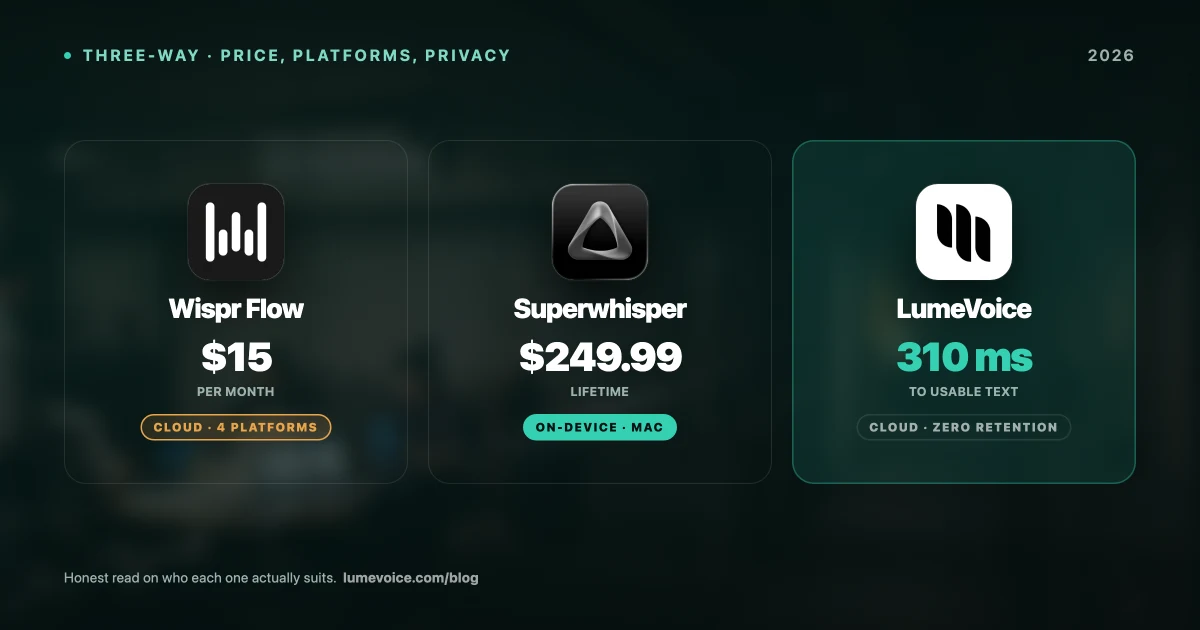
At $15/month, Wispr Flow costs $144 per year — every year, indefinitely. After 3 years, you've paid $540–$720 for a voice tool. There's no lifetime option.
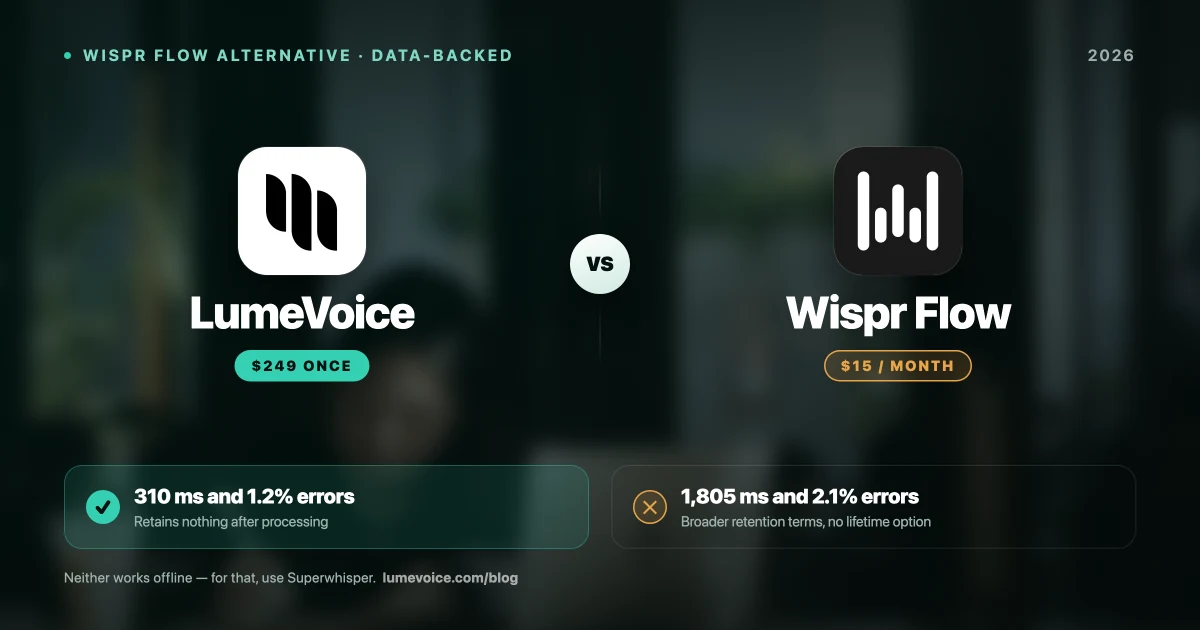
For context: LumeVoice's $249 lifetime license pays for itself compared to Wispr Flow Pro in under 17 months. After 3 years, you've saved $291–$471.
2. The Cloud-Only Privacy Issue#
Wispr Flow requires internet for all functionality. Every word you dictate is transmitted to their servers. Additionally, Wispr Flow captures screenshots of your active application window and transmits those alongside your audio for AI context processing.
For healthcare workers, attorneys, financial professionals, and anyone in the EU subject to GDPR, this architecture creates compliance concerns that Wispr Flow's current offering cannot address.
3. The Technical Accuracy Gap#
Wispr Flow is tuned for conversational, casual English. On technical vocabulary — programming terms, legal jargon, medical terminology — our testing found a 5.4% WER compared to LumeVoice's 2.8%. For developer and professional users, this gap translates to significant daily editing overhead.
4. The Latency Experience#
Wispr Flow's cloud round-trip averages 1,805ms in our testing. Nearly 2 seconds between the end of your speech and text appearing on screen. For users who've tried tools with 310ms response time, going back to Wispr Flow feels like typing in quicksand.
The 7 Alternatives: Ranked#
1. LumeVoice — Best Overall Wispr Flow Alternative#
Why it wins: Fastest, most accurate, cheapest lifetime cost, offline-capable, Android support
| Metric | LumeVoice | Wispr Flow |
|---|---|---|
| Latency | 310ms | 1,805ms |
| WER — Standard English | 1.2% | 2.1% |
| WER — Technical vocab | 2.8% | 5.4% |
| Offline capability | ❌ Cloud-only | ❌ Cloud-only |
| Screenshot collection | ❌ None | ⚠️ Yes |
| Android support | ✅ Yes | ⚠️ Limited |
| Monthly cost | $14.99 | $15–20 |
| Lifetime option | ✅ $249 | ❌ None |
Swipe to see all columns
LumeVoice outperforms Wispr Flow across every measurable metric at highly competitive pricing — and the one-time purchase eliminates the perpetual subscription entirely.
Who should choose LumeVoice over Wispr Flow:
- Anyone who values accuracy on technical vocabulary
- Privacy-conscious users (healthcare, legal, EU GDPR)
- Users with Android devices
- Anyone who doesn't want a perpetual subscription
- Developers, researchers, students
Who should stick with Wispr Flow:
- Users who heavily rely on iOS dictation continuity across iPhone and Mac in a unified ecosystem
- Users for whom design aesthetics are the primary decision factor
- Users with simple casual English dictation needs and stable internet
2. Superwhisper — Best for Privacy-First Mac Power Users#
Best for: Technical Mac users who want maximum local model control
Price: $249.99 lifetime
Platform: macOS, iOS
Superwhisper's fully local architecture with granular model selection is compelling for power users. The setup complexity and 1GB+ RAM consumption make it less accessible than LumeVoice, and its $249.99 price is equivalent to LumeVoice's $249. But for users who specifically need deep customization of their local Whisper model configuration, Superwhisper delivers.
See our full Superwhisper review →
3. MacWhisper — Best for Audio File Transcription#
Best for: Journalists, podcasters, researchers transcribing pre-recorded audio
Price: ~€59 Pro one-time
Platform: macOS only
MacWhisper is the wrong tool for real-time typing (2,400ms latency) but the right tool for batch transcription of audio files. If your use case is transcribing recorded interviews, podcasts, or meetings rather than live keyboard replacement, MacWhisper Pro is a strong choice.
See our full MacWhisper review →
4. Voibe — Budget Local Processing Alternative#
Best for: Mac-only users who need always-local processing on a budget
Price: $149 lifetime
Platform: macOS only
Voibe is fully local with no cloud option. At $149 lifetime it's more expensive than LumeVoice despite delivering higher WER (4.1%) and slower latency (780ms). The value proposition is primarily for users who need an always-local architecture without any cloud mode at all.
5. Apple Dictation — Best Free Alternative#
Best for: Casual users, budget-constrained users, simple English dictation
Price: Free (built into macOS)
Platform: macOS
Apple Dictation is genuinely good for casual use and processes locally using Apple's Neural Engine. It fails on technical vocabulary (22.3% WER), has no filler word removal, and doesn't adapt to application context. For knowledge workers with professional output requirements, it's a functional but frustrating backup — not a Wispr Flow replacement.
6. Dictation Daddy — Best Cross-Platform Budget Option#
Best for: Users who need dictation across macOS, Windows, iOS, AND Android with keystroke simulation
Price: ~$80–100/year
Platform: macOS, Windows, iOS, Android
Dictation Daddy's keystroke simulation works in enterprise environments where clipboard injection is blocked. No AI refinement means higher editing overhead. Annual-only pricing means lifetime cost exceeds LumeVoice quickly.
7. Dragon Professional Anywhere — Best for Enterprise#
Best for: Large enterprise deployments with existing Microsoft/Nuance infrastructure
Price: $500–1,500+/year per user
Platform: macOS, Windows (cloud-based)
Dragon Professional Anywhere is the enterprise-tier option. Excellent accuracy, deep integration with Microsoft 365 and healthcare EMR systems, but cloud-based (contrary to legacy Dragon's local processing), expensive, and requires IT infrastructure. Not appropriate for individual users or small teams.
Cost Comparison: 5-Year Total Cost of Ownership#
If you use your chosen dictation tool for 5 years:
| Tool | Yr 1 | Yr 2 | Yr 3 | Yr 4 | Yr 5 | 5-Yr Total |
|---|---|---|---|---|---|---|
| LumeVoice Lifetime | $249 | $0 | $0 | $0 | $0 | $249 |
| Superwhisper Lifetime | $249.99 | $0 | $0 | $0 | $0 | $249.99 |
| Wispr Flow ($15/mo) | $180 | $180 | $180 | $180 | $180 | $900 |
| Wispr Flow ($144/yr) | $144 | $144 | $144 | $144 | $144 | $720 |
| Voibe Lifetime | $149 | $0 | $0 | $0 | $0 | $149 |
| Dictation Daddy | $90 | $90 | $90 | $90 | $90 | $450 |
Swipe to see all columns
At the 5-year mark, Wispr Flow Pro costs between $651 and $951 more than LumeVoice Lifetime for inferior performance on most metrics.
Our Migration Recommendation#
If you're currently on Wispr Flow and considering switching:
- Create a LumeVoice account — 3,000 free words, no card required
- Test for one week with your actual daily workflow
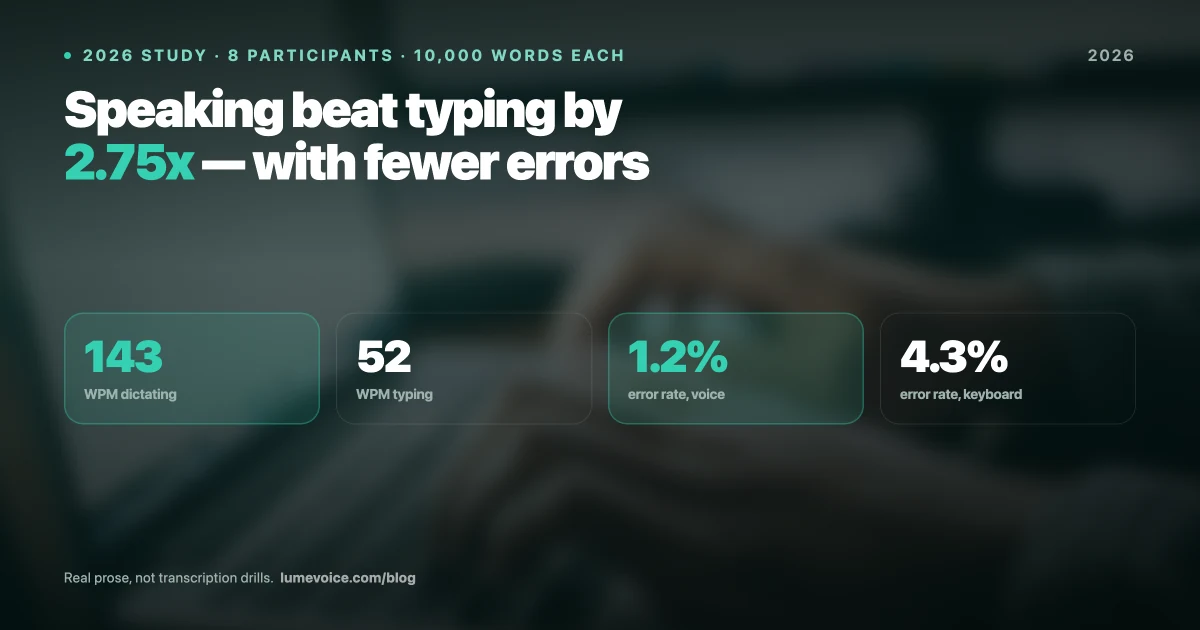
- Measure your personal metrics: WPM, error rate, daily editing time
- If the data supports it: buy the $249 Lifetime license
- Cancel Wispr Flow after your next billing cycle
Most users who test both tools side-by-side for a week find the performance difference immediate and significant. The data makes the decision easy.
Switch From Wispr Flow — Keep the Accuracy, Drop the Subscription
LumeVoice costs less per year and retains no audio after processing. Note that neither tool works offline — for that you want Superwhisper or MacWhisper.
- $249 one-time vs Wispr Flow's $144/year forever
- 1.2% WER vs Wispr Flow's 2.1%
- 310ms latency vs Wispr Flow's 1,805ms
- No screenshots — your window content stays private
For macOS 13+ (Apple Silicon recommended)