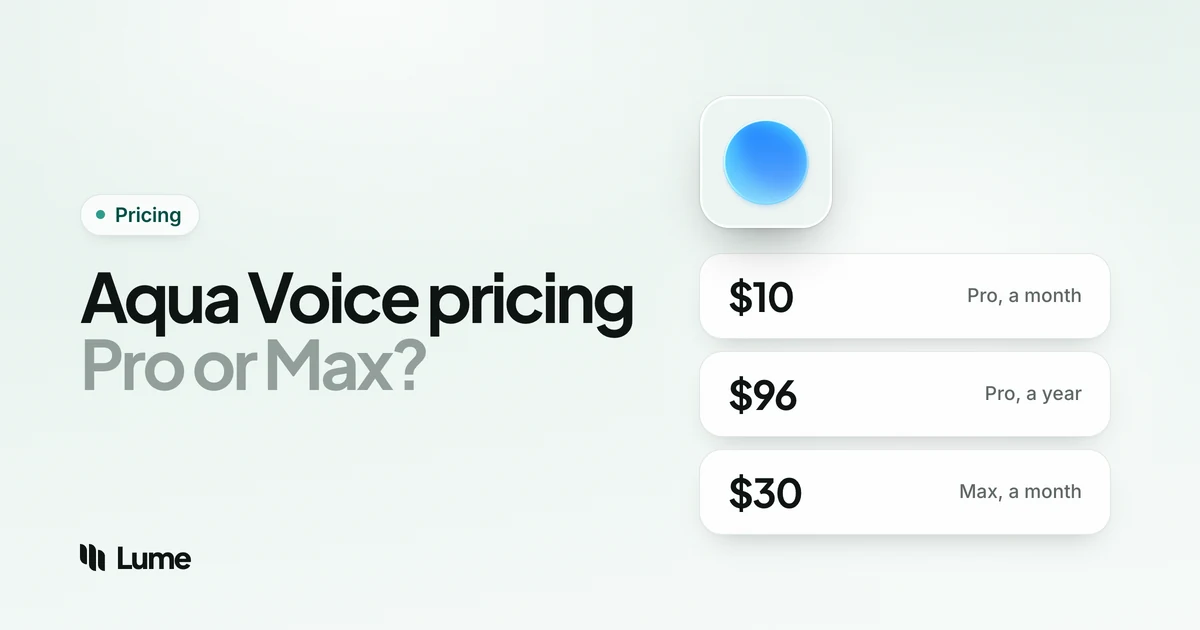
Aqua Voice costs $8 a month for Pro on annual billing ($96 a year), or $10 if you pay month to month. Max, which adds live text and a spoken send command, is $24 a month billed annually or $30 month to month. Teams pay $19 per seat a month on annual billing, students get 70% off, and everyone starts with 1,000 free words. That's Aqua's pricing in one paragraph, as of October 2026.
Below is every plan, what the free tier covers, what Max adds, why the iPhone app costs more, and what Aqua adds up to over three years next to LumeVoice and three other dictation apps. A disclosure first: LumeVoice is our product. We haven't used Aqua Voice ourselves, so everything here comes from Aqua's pricing page, FAQ, terms, changelog and app store listings, checked on October 20, 2026.
Aqua Voice plans and prices#
| Plan | Price | What you get |
|---|---|---|
| Free | $0 | 1,000 words, Aqua's Avalon speech model, no card |
| Pro | $10/month, or $8/month billed annually ($96/year) | Unlimited words, Custom Instructions, an expanded custom dictionary |
| Max | $30/month, or $24/month billed annually ($288/year) | Everything in Pro, plus Realtime Mode, the "send it" command and early access to new features |
| Business | $24 per seat a month, or $19 billed annually ($228 per seat a year); two-seat minimum | Everything in Max, plus centralized billing, SSO/SAML and SCIM, advanced reporting, zero data retention and team-wide dictionaries |
| Students | 70% off Pro and Max | Pro $2.40/month billed annually or $3 monthly; Max $7.20 or $9 |
Swipe to see all columns
Web prices as of October 2026, from Aqua's pricing page and its FAQ.
What the table doesn't show:
- One subscription covers every device. Aqua says a single plan works on Mac, Windows, iPhone and Android when you sign in with the same account (Aqua for Android).
- Some features come with every plan. Edit Mode, which rewrites selected text by voice on Mac and Windows, is included on Free too, and edits count toward your words just as dictation does (Edit Mode). Aqua Pet, a pixel pet that lives in the desktop app, is also free on every plan.
- You pick monthly or annual at checkout. Aqua's FAQ says you can see which billing changes are available later under Billing & Subscription, and support can help if the period you want isn't offered.
- Bigger teams negotiate. Teams of more than 20 are invited to contact sales for volume discounts and billing by active user (contact sales).
Is Aqua Voice free?#
Only for a test drive. The free plan gives you 1,000 words with the Avalon model, and no credit card is needed (Aqua FAQ). Aqua's Mac page estimates that's about seven minutes of talking at a normal pace, and says that once you hit it you upgrade to Pro to keep dictating (Aqua for Mac). Its FAQ answers "Does Aqua have a free trial?" by pointing to the same 1,000 words.
A few details:
- You can sample Max for free. Free accounts can try Realtime Mode within their first 1,000 words (Realtime Mode).
- Edits use the same allowance, so voice editing eats into your free words too.
- Reviewers have noticed. In August 2025, 9to5Mac's reviewer called the free plan "effectively just a very brief free trial" (9to5Mac review).
A thousand words goes quickly, so use them on real work: the replies, notes and prompts you'd type anyway.
Pro vs Max: what the extra money buys#
Max costs three times as much as Pro: $288 a year against $96 on annual billing, or $30 against $10 month to month. The difference buys three things:
- Realtime Mode. You see the text forming in Aqua's toolbar while you're still talking, not just at the end, and you can fix a detail on the fly ("change Thursday to Friday") before the message goes anywhere. It switches on when you go hands-free by double-pressing your Aqua key.
- "Send it". End a hands-free dictation with "send it" and Aqua inserts your message and sends it, pressing the right key for the app (Enter in Slack, Cmd+Enter or Ctrl+Enter for email). Aqua only treats the phrase as a command when it ends your dictation (Send It).
- Early access to new features.
Both Realtime Mode and "send it" run in the desktop app; Aqua's iPhone and Android apps insert your text when you finish. Realtime also used to be part of Pro, and Aqua says subscriptions from before the change kept it.
Max makes sense if you send a lot of chat messages or AI prompts hands-free and want to watch the words before they land. For everyday dictation, Pro covers the essentials: unlimited words, your own writing rules and a bigger dictionary.
Monthly or annual: when yearly pays off#
Paying monthly for Pro costs $10 × 12 = $120 a year, against $96 on annual billing: a saving of $24, or 20%. Nine monthly payments come to $90; the tenth takes you to $100, past the annual price. So if you'll use Aqua for ten months or more, annual billing is cheaper.
Max follows the same pattern: $360 a year month to month against $288 billed annually, a $72 difference, with the same ten-month crossover.
App Store and Google Play prices#
Aqua's iPhone and Android pages both carry the same note: the prices shown are web prices, and store billing may differ. In the US App Store, it does. Aqua's iPhone app lists these in-app purchases (App Store listing):
| In-app purchase (US App Store) | App Store price | Web price |
|---|---|---|
| Aqua Voice Pro (Annual) | $119.00 | $96 a year |
| Aqua Voice Max (Annual) | $374.99 | $288 a year |
| Aqua Voice Pro | $12.99 | $10 a month |
| Aqua Voice Max | $39.99 | $30 a month |
Swipe to see all columns
Apple's listing doesn't state a billing period for the two items without "(Annual)" in their names; the web prices beside them are Aqua's monthly plans. Either way, the annual plans cost about 24% (Pro) and 30% (Max) more in the app. Since one subscription covers all four platforms, subscribe on Aqua's website and sign in on your phone. Google Play's listing doesn't show prices, so check in the Android app before buying there.
Student discount#
Aqua's student offer is the deepest in this category: 70% off Pro and Max, monthly or annual, when you sign up with a school email. Aqua accepts .edu addresses and international academic domains such as .ac.uk, .ac.jp, .ac.kr and .ac.in.
| Student plan | Month to month | Billed annually |
|---|---|---|
| Pro | $3/month | $2.40/month ($28.80/year) |
| Max | $9/month | $7.20/month ($86.40/year) |
Swipe to see all columns
Three years of student Pro on annual billing comes to $86.40. For comparison, Wispr Flow gives students new to Pro three months free and then 50% off, Superwhisper takes 40% off for verified students and educators, and LumeVoice gives students and teachers 50% off (email hello@lumevoice.com from your school address; see student pricing).
Aqua doesn't list a discount for people with disabilities. LumeVoice gives 50% off to anyone who finds typing hard because of a disability, injury or health condition, with no proof needed (the accessibility discount).
Aqua Voice Business for teams#
Business costs $19 per seat a month on annual billing ($228 per seat a year), or $24 month to month, with a minimum of two seats. A team of two on annual billing pays $456 a year. It includes everything in Max, plus centralized billing, single sign-on (SAML), SCIM provisioning, advanced reporting, zero data retention and team-wide dictionaries. For security reviews, Aqua has a SOC 2 Type II report and ISO 27001 certification, both available through its Trust Center (SOC 2).
How that compares, as of October 2026: Wispr Flow's Pro plan works for teams with no seat minimum at $12 per user per month billed annually, and its Growth plan, which adds single sign-on and a signed BAA, is $18 on the same terms. Voicy for Teams is $6.79 per user per month with a three-user minimum. LumeVoice doesn't sell a team plan.
Weighing the Price? Weigh the Writing Too
LumeVoice turns your speech into clean text in whatever app you're using, on Mac, Windows, iPhone and Android.
- Cleanup as you talk: filler words and stutters removed, self-corrections applied, spoken lists turned into lists.
- 100 languages, detected automatically.
- Pricing: $14.99/mo, $79.99/year or $249 once, with 50% off for students and 50% off for accessibility.
- The tradeoff: it needs an internet connection, and it doesn't rewrite text you've selected the way Aqua's Edit Mode does.
Every new account starts with 3,000 free words, no card required.
Aqua Voice's 3-year cost#
| Aqua plan | Year 1 | Year 2 | Year 3 | 3-year total |
|---|---|---|---|---|
| Pro, paid monthly | $120 | $120 | $120 | $360 |
| Pro, paid yearly | $96 | $96 | $96 | $288 |
| Pro (Annual) in the iPhone app (US) | $119 | $119 | $119 | $357 |
| Max, paid monthly | $360 | $360 | $360 | $1,080 |
| Max, paid yearly | $288 | $288 | $288 | $864 |
| Pro yearly, student rate | $28.80 | $28.80 | $28.80 | $86.40 |
| Business, two seats, yearly | $456 | $456 | $456 | $1,368 |
Swipe to see all columns
Web prices as of October 2026 unless noted; the totals assume prices don't change.
The cheapest way to keep unlimited Aqua for three years is Pro, billed yearly through the website: $288. Buying the same plan in the iPhone app adds $69 over that time. Max on annual billing triples the cost to $864, so it only pays off if Realtime Mode and "send it" are central to how you work.
The fine print#
These details sit in Aqua's terms, FAQ and developer pages rather than on the pricing page:
- Refunds. Aqua's terms, last updated October 1, 2025, say payment obligations are non-cancelable and fees paid are non-refundable, except where the terms say otherwise (terms). Cancel any time to stop the next renewal.
- Canceling. Manage a web subscription from Aqua's account page; manage one bought in the iPhone or Android app through Apple or Google. Deleting your account doesn't cancel billing; Aqua treats the two separately (Aqua FAQ).
- File transcription is billed separately. Transcribing audio files goes through Aqua's API or command-line tool with an API key: $0.39 per hour of audio, billed per second, and the first $1.00 of usage is free (Avalon API, Aqua API).
- Referral credit. Every account has a referral link worth $10 in account credit per signup, according to Aqua's creator program page.
How Aqua Voice's price compares#
| App | Free start | Monthly | Yearly | Lifetime | 3 years, yearly billing | Students |
|---|---|---|---|---|---|---|
| Aqua Voice Pro | 1,000 words | $10 | $96 | None | $288 | 70% off |
| LumeVoice | 3,000 free words, no card required | $14.99 | $79.99 | $249 | $239.97 | 50% off |
| Wispr Flow | 2,000 words a week on desktop | $15 | $144 | None | $432 | 3 months free, then 50% off |
| Superwhisper | Unlimited with local models | $8.49 | $84.99 | $249.99 | $254.97 | 40% off |
| Voicy | 30-minute trial | $8.49 | $82 | $260 | $246 | 20% off |
Swipe to see all columns
Prices as of October 2026, from each company's pricing page; check before you buy.
On annual billing, Aqua Pro ($96) costs more than Voicy ($82), Superwhisper ($84.99) and LumeVoice ($79.99/year), and $48 less than Wispr Flow ($144). Month to month it's $10, against $15 for Wispr Flow and $14.99 for LumeVoice, while Voicy and Superwhisper charge $8.49. Aqua and Wispr Flow are the two in the table with no lifetime option.
Discounts reshuffle the order. For students, Aqua's 70% is the best deal here by some distance. For people who find typing hard because of a disability, LumeVoice's 50% off brings its yearly plan to $39.99, and Aqua lists nothing comparable.
Price isn't the whole story either. Superwhisper and Voicy can work without an internet connection, Voicy runs on Linux, and Aqua's Edit Mode comes with every plan. Our LumeVoice vs Aqua Voice comparison covers the features side by side.
Is Aqua Voice worth the money?#
Aqua is good value if you:
- are a student with a school email: unlimited Pro for $2.40 a month on annual billing
- edit by voice a lot, since Edit Mode is included on every plan
- dictate code and AI prompts and want file tagging in AI code editors, a command-line tool and an MCP server
- need security paperwork at work: a SOC 2 Type II report, ISO 27001 and a BAA path for healthcare
- want unlimited cloud dictation for $10 month to month, a third less than Wispr Flow
Look elsewhere if you:
- want a free plan you can keep using: Wispr Flow's free words renew every week, and Superwhisper's free plan has no cap with local models
- would rather pay once: LumeVoice, Superwhisper, Voicy and VoiceInk all sell lifetime licenses
- need to dictate without an internet connection
- dictate in a language outside Aqua's 49
- were planning to subscribe in the iPhone app, where annual Pro is $119 instead of $96
The bottom line#
Aqua's pricing is simple on the web: $96 a year or $10 a month for unlimited Pro, $288 a year for Max, $19 per seat a month for teams, and 70% off for students. Buy on the website rather than in the iPhone app, pay yearly if you'll use it for ten months or more, and step up to Max only if you'll use Realtime Mode every day.
The bigger questions are about fit. If you edit by voice, dictate code or are a student, Aqua earns its price. If you want more languages, offline use or a license you buy once, see our list of Aqua Voice alternatives, or how Aqua compares with Wispr Flow and Superwhisper.