Mac users are spoiled for choice when it comes to AI-powered voice dictation. Two of the most talked-about premium tools on the market are SuperWhisper and Wispr Flow. Both use OpenAI's Whisper model to deliver high-accuracy speech-to-text.
However, their underlying architectures, performance footprints, and pricing strategies are completely different. Here is our detailed 2026 head-to-head comparison to help you choose the right app for your workflow.
The Key Architectures: Cloud vs. Local#
The biggest difference between SuperWhisper and Wispr Flow is where the transcription actually happens:
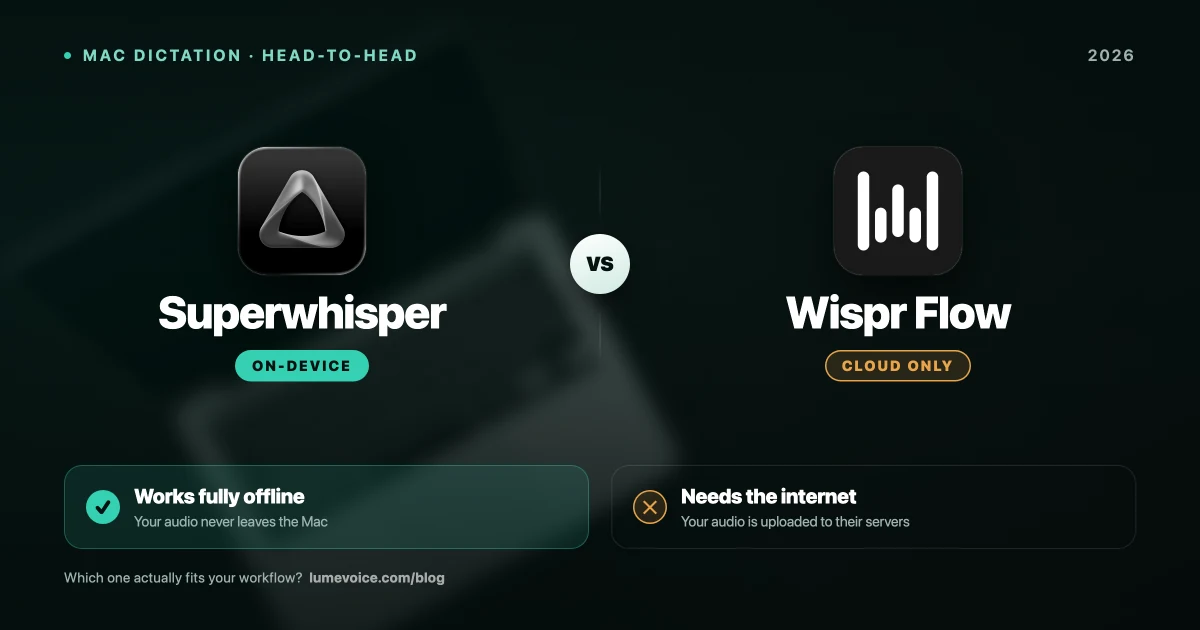
- Wispr Flow (Cloud-First): Your voice recordings are sent to Wispr's cloud servers, transcribed, and sent back to your screen. This requires a stable internet connection.
- SuperWhisper (Local-First): The AI models run directly on your Mac's Apple Silicon (M1/M2/M3/M4 chip). No audio leaves your computer, and you can dictate completely offline.
Head-to-Head Comparison#
1. Speed and Latency#
Because Wispr Flow relies on the cloud, its speed is limited by your internet connection. On high-speed office fiber, it feels incredibly fast. But on public Wi-Fi or tethering, there is a noticeable lag. SuperWhisper runs on your device, giving you consistent, low-latency performance as long as your Mac has a powerful GPU/Neural Engine.
2. Accuracy and Formatting#
Wispr Flow features highly tuned "smart formatting" that automatically adds punctuation, removes filler words, and structures paragraphs. SuperWhisper allows you to write custom instructions to guide the formatting, but it requires more tweaking to get it working perfectly out of the box.
3. Pricing and Value#
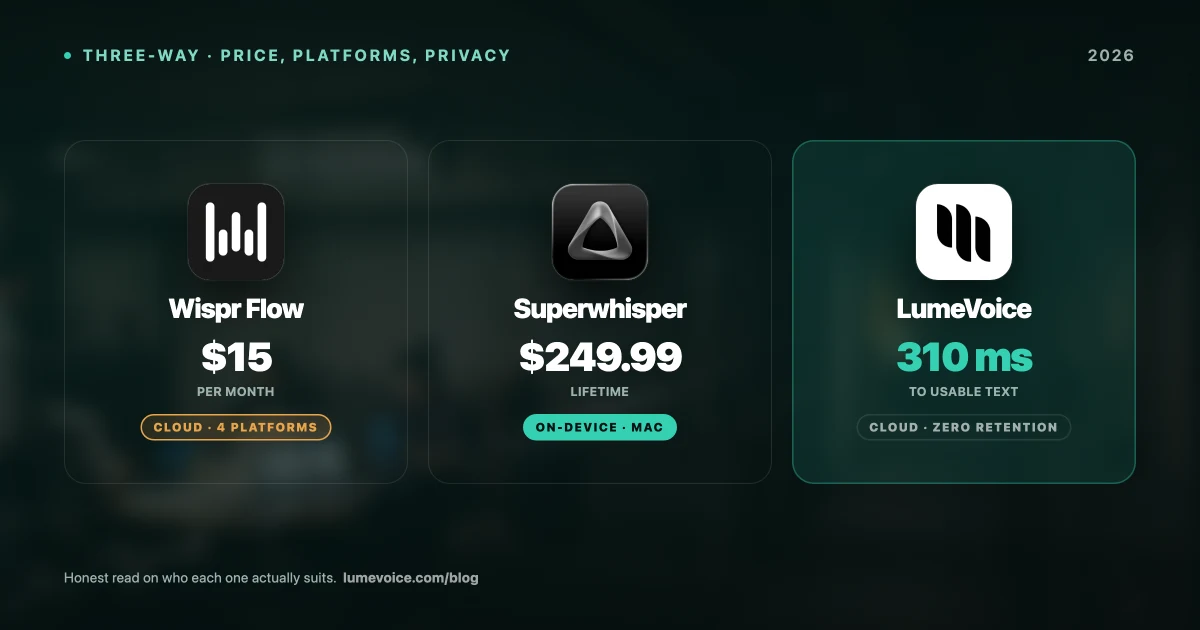
- Wispr Flow is subscription-only, costing $15 per month or $144 per year. This can feel expensive for a tool that is purely a utility.
- SuperWhisper offers a mix of free tiers, one-time licenses for smaller models, and a subscription for larger cloud/local configurations.
The Verdict: Summary Table#
| Feature | Wispr Flow | SuperWhisper | LumeVoice (Alternative) |
|---|---|---|---|
| Processing | Cloud | Local (On-Device) | Cloud, zero retention |
| Offline Mode | ❌ No | ✅ Yes | ❌ No |
| Pricing Model | Expensive Sub ($15+/mo) | One-time / Subscription | Affordable Pro plans |
| Custom Prompts | ❌ Limited | ✅ Advanced | ✅ Easy & Built-in |
| Live Typing | ✅ Excellent | ✅ Good | ✅ Zero-latency (Everywhere) |
Swipe to see all columns
Why LumeVoice is the Best Choice
Want the polished live dictation of Wispr Flow without the open-ended subscription?
- Zero-latency live typing in VS Code, Notion, Slack, and Chrome.
- Zero data retention — nothing stored after processing, nothing used for training.
- No subscription fatigue — $249 one-time lifetime licence.
If your requirement is that audio never leaves your Mac, SuperWhisper is the right pick — LumeVoice transcribes in the cloud.
For macOS 13+ (Apple Silicon recommended)
?Frequently Asked Questions
Does SuperWhisper require Apple Silicon?
Yes. To run SuperWhisper's local AI models efficiently, you need an M-series Mac (M1, M2, M3, or M4). Intel-based Macs will experience significant lag and high CPU usage.
Is Wispr Flow's cloud model secure?
While Wispr secures data transmission, your audio recordings are still uploaded to their servers. If you are bound by HIPAA or corporate NDAs, SuperWhisper's local processing is the safer choice.
Can I import pre-recorded audio files into these apps?
Both apps are primarily designed for real-time dictation into other text fields. If you need to transcribe long pre-recorded MP3/WAV files, dedicated tools like MacWhisper are better suited.