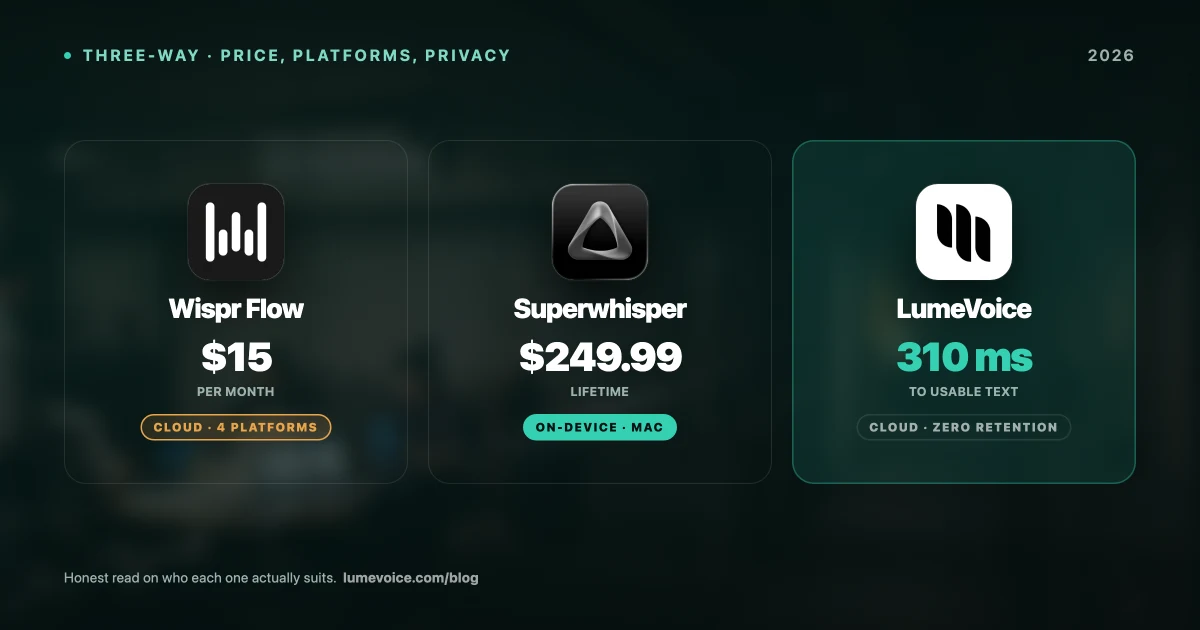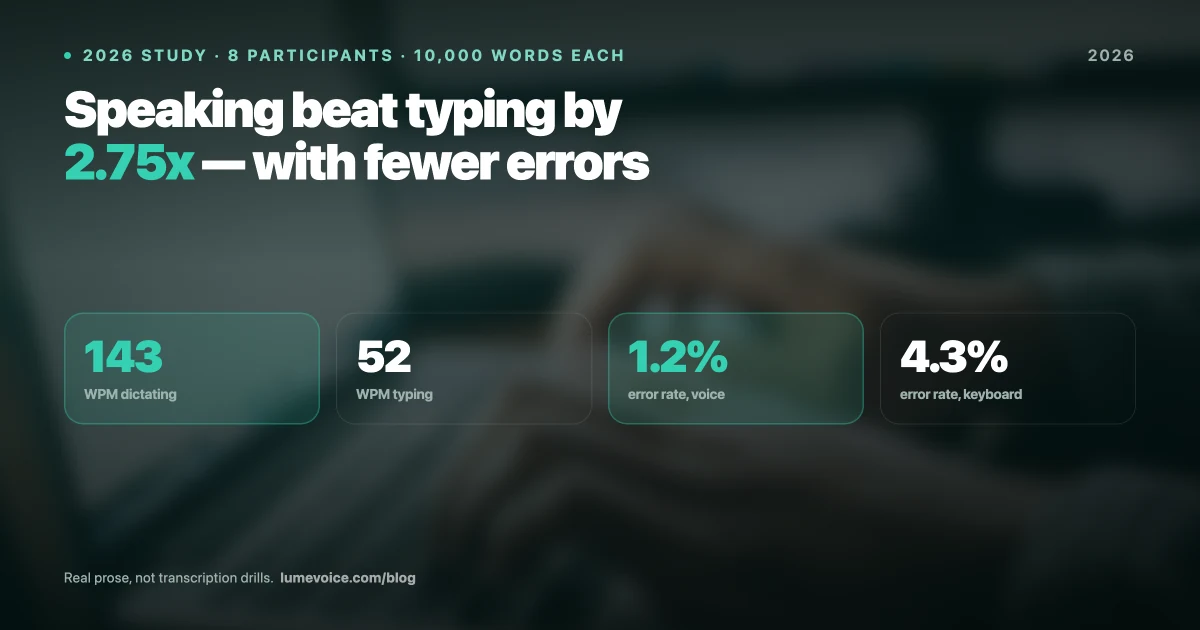
Wispr Flow has a polished app and smart marketing. But at $15/month, or $144/year on annual billing, it's also one of the pricier dictation subscriptions, and it needs an internet connection to work.
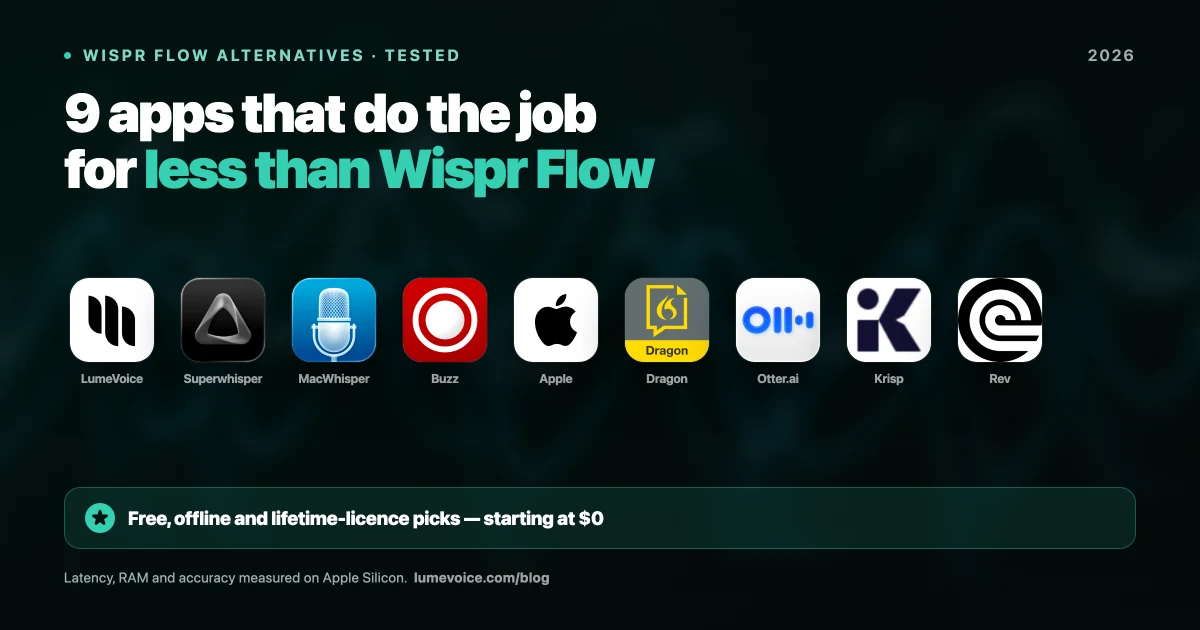
Here are nine alternatives, what each one is actually built for, and what it costs as of October 2026. LumeVoice is our product; we've listed its tradeoffs as plainly as everyone else's.
Why Look for a Wispr Flow Alternative?#
The reasons tend to be the same few, and each one points to a different kind of tool:
- Cost. Pro is $15 a month or $144 a year, with no lifetime option. Over three years, that's $432 to $540.
- Cloud only. Wispr Flow has no offline mode, so it stops working without a connection, and every dictation goes to its servers. If that's your problem, you need a local tool; LumeVoice is cloud-based too, so it isn't the answer here.
- The free plan's cap. Flow Basic gives 2,000 words a week on Mac and Windows and 1,000 on iPhone (Android is unlimited for now, possibly as a promotion). At a conversational pace of about 120–150 words a minute, that's roughly a quarter of an hour of talking a week.
- A different job. If you mainly transcribe recordings or want meeting notes, a file transcriber or a note-taker fits better than any dictation keyboard.
How We Compared Them#
This list is based on what each vendor documents and charges, not on a lab test. For each tool, we looked at:
What it's built for: live dictation into any app, transcribing recorded files, or meeting notes. These are different jobs, and most "alternatives" lists mix them up.
Where it runs: Mac, Windows, iPhone, Android.
Where your audio goes: processed on your device, in the cloud, or either.
Price: free plan, subscription and one-time licence, as listed on each vendor's site in October 2026.
Cleanup: whether it removes filler words and fixes grammar, or hands you the raw transcript.
We don't publish speed or accuracy scores. Both depend heavily on your microphone, accent, vocabulary and (for cloud tools) your connection, and we haven't found an independent benchmark that covers these apps under the same conditions. The most reliable test is your own voice, and almost every tool here has a free plan, a free version or a trial.
Quick Comparison Table#
| Tool | Built for | Runs on | Works offline | Price |
|---|---|---|---|---|
| LumeVoice | Typing by voice in any app; file transcription on desktop | Mac, Windows, iPhone, Android | ❌ Cloud only | 3,000 Free Words, then $14.99/mo, $79.99/yr or $249 once |
| Wispr Flow | Typing by voice in any app | Mac, Windows, iPhone, Android | ❌ Cloud only | Free plan (2,000 words/week on desktop); $15/mo or $144/yr |
| Superwhisper | Typing by voice, with local or cloud models | Mac, Windows, iPhone | ✅ With local models | Free tier with limits; $8.49/mo, $84.99/yr or $249.99 once |
| MacWhisper | Transcribing audio and video files | Mac | ✅ | Free version; Pro €59 once (Gumroad) |
| Apple Dictation | Quick, casual dictation | Mac, iPhone | ✅ On Apple Silicon, in many languages | Free |
| Dragon | Professional dictation | Windows (Professional v16); iPhone and Android (Dragon Anywhere) | — | About $699 once (v16); Anywhere $14.99/mo or $149.99/yr |
| Buzz | Transcribing files | Mac, Windows, Linux | ✅ | Free, open source |
Swipe to see all columns
Prices as of October 2026; vendors change them, so check their sites.
How to read this table: if you want to replace typing, compare the first three rows. If you mainly transcribe recordings, MacWhisper or Buzz fit better. Krisp, Otter.ai and Rev (below) are meeting and recording tools rather than dictation keyboards.
Where LumeVoice Fits
LumeVoice is for people who like how Wispr Flow works but want a lower annual price or a one-time licence.
- Works in any app: hold a key (fn on Mac, Right Ctrl on Windows) and talk; Lume types the finished text where your cursor is. Double-press for hands-free mode.
- Cleans up as it goes: filler words removed, self-corrections applied ("seven, actually no, nine" becomes "nine"), spoken lists turned into numbered lists.
- Every device: Mac, Windows, iPhone and Android.
- Your audio isn't kept: it isn't stored after processing, your history stays on your device, and nothing you say is used to train a model.
- The tradeoff: it's cloud-only, with no offline mode.
1. LumeVoice#
LumeVoice
Verdict: Best All-Round Replacement (Cloud)
LumeVoice does the same job as Wispr Flow: you hold a key, talk, and finished text appears in whatever app has your cursor. Every new account starts with 3,000 free words, no card required.
Speech is transcribed in the cloud by Whisper large-v3-turbo (running on Groq), with Mistral's Voxtral as a fallback. A language model then cleans up the text: it removes filler words, applies your self-corrections, turns spoken lists into numbered lists, converts spoken punctuation commands, and fixes grammar and spelling.
- Platforms: Mac (menu bar app, macOS 11.5+), Windows 10 and 11, iPhone (Lume keyboard), Android (a floating bubble over your keyboard)
- Extras: custom dictionary, snippets, writing styles, hands-free mode, audio and video file transcription on desktop, 100 languages
- Privacy: audio isn't stored after processing, transcription history stays on your device, and nothing you say is used to train a model
- Offline: no. LumeVoice is cloud-only and needs a connection
- Pricing: 3,000 Free Words to start | Pro Monthly $14.99/mo | Pro Annual $79.99/year | Lifetime $249. Pro Monthly and Pro Annual start with a 7-day free trial when you first upgrade in the app (card required).
Who this is for: people who write in many apps all day (email, Slack, docs, editors) and want one tool across their devices, with the option to pay once instead of subscribing forever.
Who should NOT choose LumeVoice:#
- You need dictation that works offline, or audio that never leaves your machine (choose Superwhisper with local models, or another local tool)
- You mainly transcribe long recordings and want that done offline (MacWhisper is built for it)
- You rely on Wispr Flow's Command Mode to edit highlighted text by voice
2. MacWhisper#
MacWhisper
Verdict: Best for File Transcription
If your main job is transcribing recorded audio or video files (interviews, podcasts, Zoom recordings), MacWhisper is built for exactly that. It runs Whisper models locally on your Mac, so files never leave your computer and it works offline.
The free version uses Whisper's Small and Base models for single files. Pro is a one-time purchase of about €59 on Gumroad. The Mac App Store edition, called Whisper Transcription, is sold separately at $6.99/month, $29.99/year or $99.99 lifetime.
- Best use case: turning a 90-minute interview into text, then editing it
- Live dictation: available, but secondary to file work
- Platform: macOS only
- Pricing: Free version | Pro €59 one-time (Gumroad) | App Store edition $6.99/mo, $29.99/yr or $99.99 lifetime
Who should NOT choose MacWhisper:#
- You want to dictate emails, Slack messages or documents live, all day
- You use Windows, an iPhone or Android
- You want a dictation tool that's always one key away in every app
3. Apple Dictation#
Apple Dictation
Verdict: Good for Quick, Casual Messages
Apple Dictation is free and built into macOS and iOS. On Apple Silicon Macs it runs on-device in many languages, so it keeps working without a connection.
What it doesn't have is the layer that makes AI dictation apps worth paying for: there's no custom vocabulary and no AI cleanup. You get a plain transcript, so filler words, unusual names and technical terms are yours to fix.
- Pros: free, built in, works offline on Apple Silicon
- Cons: no custom vocabulary, no AI cleanup, Apple devices only
Who should NOT choose Apple Dictation:#
- You use specialist vocabulary (engineering, law, medicine) and want it spelled right without fixing it by hand
- You want filler words removed and your text formatted for you
- You work on Windows or Android
4. Superwhisper#
Superwhisper
Verdict: Best for Offline and Privacy-Focused Tinkerers
Superwhisper can run fully on your device with local models (no cloud, no connection needed) and also offers cloud models when you want them. It gives you more control than most: you choose the model, and with it the balance between speed, accuracy and privacy.
Every paid plan has the same features; you only choose how to pay. There's also a free tier with limits.
- Platforms: macOS, Windows (10 and 11) and iOS; no Android
- Privacy: fully local and offline-capable with local models
- Pricing: Free tier with limits | Pro $8.49/mo, $84.99/yr or $249.99 lifetime
- Hardware: larger local models need more memory and processing power, so older computers are better off with smaller ones
Who should NOT choose Superwhisper:#
- You use Android
- You want plug-and-play simplicity without choosing models
- You'd rather not manage model downloads and settings
5. Dragon Professional Anywhere#
Dragon Professional
Verdict: Enterprise / Compliance Choice
Dragon, from Nuance (a Microsoft company), is the long-standing name in professional dictation. Today it comes in three forms:
- Dragon Professional v16: desktop software for Windows only, about $699 one-time. Dragon for Mac was discontinued in 2018.
- Dragon Anywhere: the mobile app for iOS and Android, $14.99/month or $149.99/year.
- Dragon Professional Anywhere: the cloud version for organisations, sold by quote or through resellers.
It's built for heavy professional use and priced accordingly. For an individual who mostly wants clean emails and messages, it's a lot of software.
Who should NOT choose Dragon:#
- You're on a Mac (Dragon for Mac was discontinued in 2018)
- You're paying out of pocket for everyday emails and messages
- Your organisation isn't buying and deploying it for you
6. Buzz (Open Source)#
Buzz
Verdict: Best Free Open-Source Option
Buzz is a free, open-source (MIT) app that runs OpenAI's Whisper models on your own computer (Mac, Windows or Linux) and works offline. It's made for transcribing files, and it's a good zero-cost choice if you're comfortable with a plainer interface. A separate, paid build exists on the Mac App Store; the open-source version is free.
- Pros: free and open source, fully offline, runs on Mac, Windows and Linux
- Cons: built for files rather than typing into other apps as you speak; plainer interface than the paid tools
7. Krisp AI Notetaker#
Krisp
Verdict: Best for Meeting Notes
Krisp is noise cancellation plus a meeting note-taker, not a live keyboard replacement. If your main workflow is "clean up my call audio, then transcribe and summarise the meeting", it's built for that. For general-purpose dictation, it's the wrong tool. Krisp has a free plan; its paid plans change names often, so check krisp.ai for current pricing.
8. Otter.ai#
Otter.ai
Verdict: Best for Team Meeting Summaries
Otter.ai is a meeting transcription and notes tool. Its Basic plan is free with 300 minutes a month; Pro is $16.99/month (or $8.33/month billed annually), and Business is $30/month (or $19.99/month billed annually). It isn't designed to replace your keyboard, so if you're looking for a Wispr Flow alternative for daily writing, Otter is not the right fit.
9. Rev AI#
Rev AI
Verdict: Best for High-Stakes, Human-Verified Transcription
Rev transcribes recordings, either by AI or by people. You pay per minute of audio: about $0.25 a minute for AI transcription and $1.99 a minute for human transcription. It's designed for one-off jobs where you need a checked transcript, not for live typing.
Also Worth a Look#
A few more tools that come up in the same searches:
- Aqua Voice: cloud dictation on Mac, Windows and iPhone. The free Starter plan has 1,000 words (one time); Pro is $8/month billed annually ($96/year).
- Spokenly: free, unlimited local models (Whisper and Parakeet) on Mac and iPhone; Pro, for managed cloud transcription, is $9.99/month or $99.99/year.
- VoiceInk: local dictation for Apple Silicon Macs (macOS 14+), with one-time licences from $25. It's open source (GPLv3), so it's free if you build it yourself.
- Voibe: local dictation for the Mac, sold as a subscription or a lifetime licence ($59/year or $149 lifetime, per Voibe's site).
- Handy: free and open source (MIT), for Mac, Windows and Linux, and works offline.
- Dictation Daddy: a paid subscription with a trial; see their site for current plans.
The Real Cost Comparison Over 2 Years#
| Tool | Year 1 | Year 2 | 2-Year Total |
|---|---|---|---|
| LumeVoice Lifetime | $249 | $0 | $249 |
| LumeVoice Pro Annual | $79.99 | $79.99 | $159.98 |
| Superwhisper Lifetime | $249.99 | $0 | $249.99 |
| Superwhisper Annual | $84.99 | $84.99 | $169.98 |
| Wispr Flow (annual billing) | $144 | $144 | $288 |
| Wispr Flow (monthly billing) | $180 | $180 | $360 |
| Dragon Professional v16 | about $699 | $0 | about $699 |
Swipe to see all columns
Over two years, Wispr Flow costs $288 on annual billing or $360 month to month. The annual plans from Superwhisper and LumeVoice cost less over the same period, and a one-time licence costs nothing more after the first year, as long as you're still using the tool.
How to Switch From Wispr Flow#
- Start with the free allowance of the tool you're considering: 3,000 free words, no card required for LumeVoice, the free tier for Superwhisper, the free version for MacWhisper.
- Add your names and jargon first, if the tool has a custom dictionary (LumeVoice does), so you're comparing like with like.
- Use it on real work for a few days alongside Wispr Flow, and notice how much you edit afterwards.
- Upgrade only if it works for you. LumeVoice's Pro Monthly and Pro Annual start with a 7-day free trial when you first upgrade in the app (card required); Lifetime is $249, once.
- Cancel Wispr Flow before your next billing date.
Final Verdict#
Best all-round Wispr Flow replacement (cloud): LumeVoice: every major platform, automatic cleanup, 3,000 free words to start, and a one-time option
Best for file transcription: MacWhisper
Best for offline dictation and privacy: Superwhisper
Best free option for casual use: Apple Dictation (or Windows voice typing on a PC)
Best for enterprise deployments: Dragon Professional
If you only try one, let your hard requirement decide. Need offline? Superwhisper. Mostly transcribing recordings? MacWhisper. Want Wispr Flow's way of working for less per year, or with a one-time licence? LumeVoice, keeping in mind that, like Wispr Flow, it needs a connection.