If you think best out loud, the keyboard is a bottleneck.
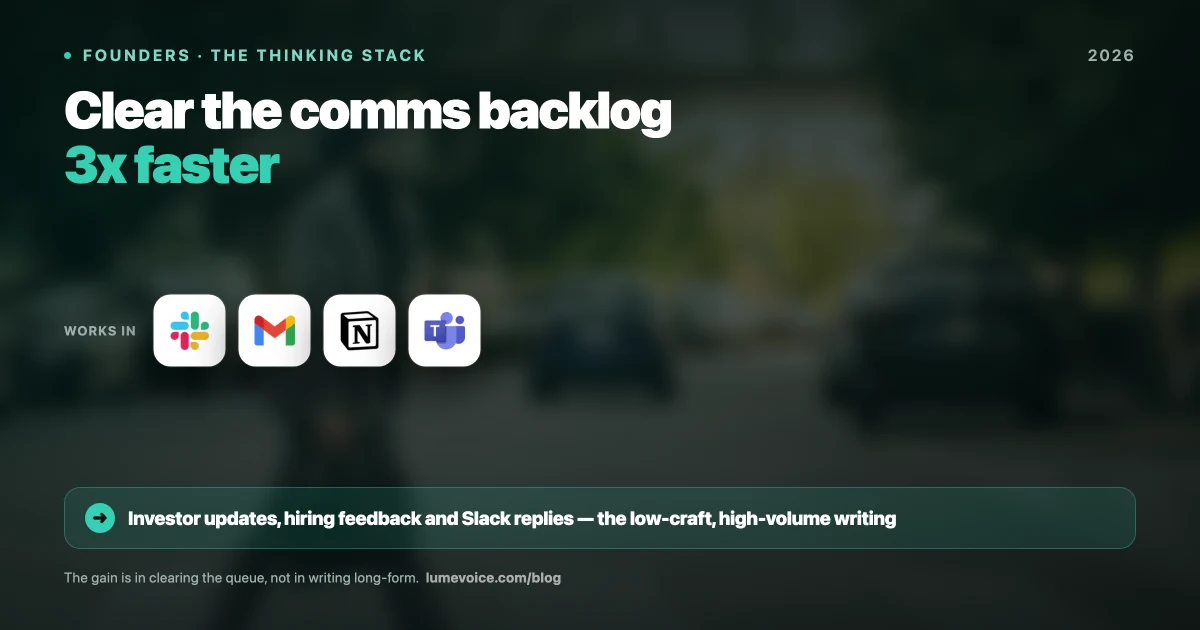
Every founder, CEO or engineering lead eventually notices how much of the day goes on producing written English: investor updates, PR reviews, one-on-one feedback, strategy memos, product decisions and Slack threads. It never ends.
Typing faster only goes so far. Voice dictation offers a different route: you say what you mean, and software turns it into clean, structured text in whatever app you're using.
This guide breaks down that approach: which tools, which workflows, and what changes when you make the switch.
The Real Problem: Typing as Leadership Tax#
As a founder, your value is your context. You hold the map: why a feature needs to exist, how a customer should be handled, what the strategy is, why the architecture needs to evolve.
But communicating that context through a keyboard is slow, lossy and tiring.
The typing bottleneck creates three specific failure modes:
1. Idea Dilution
You simplify complex thoughts because typing the full nuance takes too long. A two-minute thought becomes a two-sentence message that loses the critical "why". Your team decides without context, gets it wrong and comes back to you, doubling your communication load.
2. Communication Debt
Messages pile up in drafts waiting for "a good time to reply". Your team gets blocked waiting on you, and over time you get a reputation: "She takes forever to respond." Often it isn't unresponsiveness; it's the friction of composing.
3. Asynchronous Degradation
Written communication tends to get worse as the day goes on. Morning emails are thoughtful; afternoon Slack messages are terse; end-of-day replies are one word long. Part of that is fatigue, and typing everything adds to it.
The Quantified Opportunity: Estimate Your Own Numbers#
Generic statistics won't tell you much about your own day, so measure it. It takes ten minutes.
1. Count a typical day's writing. Look back at one ordinary workday and estimate the words you wrote in each channel:
| Channel | What to count |
|---|---|
| Slack / Teams | Messages and thread replies |
| Replies and new emails | |
| Jira / Linear / GitHub | Issue comments and descriptions |
| Strategy docs / Notion | Memos, plans, meeting notes |
| PR and design reviews | Review comments |
Swipe to see all columns
2. Measure your typing speed. A free test such as Monkeytype or Keybr gives you a number in a couple of minutes. For reference, an Aalto University analysis of 136 million keystrokes found an average of about 52 words a minute.
3. Compare with speaking speed. Conversational speech usually runs at about 120–150 words a minute. A Stanford, University of Washington and Baidu study found speech input about three times faster than typing on a smartphone keyboard, with fewer errors.
4. Do the arithmetic, then be honest about editing. Per 1,000 words, typing at 52 words a minute takes about 19 minutes; speaking at 120–150 words a minute takes about 7–8 minutes. Real gains are smaller than that difference, because you still read, fix and sometimes rephrase what you dictated. The pattern holds, though: the more of your day goes on messages and first drafts, the more dictation gives back.
Building the Founder Voice Stack#
The voice stack has three layers. You don't need all three on day one, but knowing what's available lets you build towards full adoption.
Layer 1: Capture (Dictation Everywhere)#
Tool: LumeVoice on your computer and phone
Setup: Hold fn on a Mac or Right Ctrl on Windows (or a key you choose in settings), speak, and let go. On the go, use the Lume keyboard on iPhone or the floating bubble on Android.
Use: The text appears in whatever field has the cursor
This is the core layer. Once it's set up, you don't change applications or workflows. You're dictating instead of typing: same apps, same structure, different input method.
Day 1 goals:
- Compose Slack messages by voice
- Compose email replies by voice
- Keep the keyboard for passwords, precise code and anything you can't say out loud where you are
Layer 2: Structure (Cleanup and Styles)#
Tool: LumeVoice's cleanup, dictionary, snippets and writing styles
Use: Speak naturally; let Lume tidy the text
Once the capture habit is in place, the cleanup layer does more of the work. Lume doesn't only transcribe:
- Cleanup: it removes filler words ("um", "uh", "you know"), applies self-corrections ("Tuesday, actually no, Wednesday" becomes "Wednesday"), turns spoken lists into numbered lists, converts spoken punctuation and fixes grammar and spelling.
- Writing styles: you choose how text should read in each kind of app (casual messaging, work messaging, email and everything else), from Lume's standard formatting to more casual options.
- Custom dictionary: add the names of your company, products, customers, investors and teammates once, so they're spelled right every time.
- Snippets: say a short cue and Lume types the whole thing: your calendar link, a standard intro email, your sign-off.
Layer 3: Amplify (Strategic Output)#
Use: Long-form strategic documents, investor updates, board prep, OKR narratives
Once voice is your default capture method, you start reaching for it for work you used to dread because of the writing effort. The investor update you'd postpone for a week becomes one talking session and an edit.
The 7 Founder Voice Workflows in Practice#
1. The Walking Slack Sweep#
When: Transition time between meetings
What: Open Slack on your phone and reply by voice through the Lume keyboard (iPhone) or bubble (Android)
Short replies are where dictation feels quickest, and walking time is otherwise dead time. Answer the threads that only need a sentence or two, and leave the ones that need a screen for your desk.
The key habit: don't sit down to respond to Slack. Voice-reply while standing, walking or between meetings.
2. The Post-Meeting Decision Capture#
When: Within a minute of leaving any meeting
What: Open a new Notion page, hold your dictation key, and speak for 60–90 seconds
Decision context fades fast. What you remember a minute after the meeting is far sharper than what you'll remember six hours later. Capturing it by voice straight away is a quick way to create a searchable, shareable record.
Example of a 60-second post-meeting note (illustrative):
Decision: We're moving to GraphQL for the customer portal API. Reason: the mobile team is blocked on REST endpoint deliverables, and maintaining two data shapes is unsustainable. Timeline: phase 1 by end of Q3. Owners: Sarah (schema design), James (migration plan). Risk: billing integration is still REST and needs a wrapper or a flag for Q4 review.
Speak in a fixed order (decision, reason, timeline, owners, risks) and the note comes out structured.
3. The Voice PR Review#
When: GitHub or Linear review in your browser
What: Click the comment field, hold your dictation key, and dictate your review
When producing words costs less, it's easier to write the specific, constructive comment instead of the terse one.
A rushed typed review:
"This function is doing too much."
A dictated review:
"This function is carrying authentication, data fetching and error handling at the same time. For testability and separation of concerns, I'd split it into three modules: auth closer to the middleware, data fetching as a service layer, and error handling centralized. Happy to pair on scoping the refactor."
The second review unblocks the engineer. The first creates ambiguity and a follow-up meeting.
4. The Investor Update Sprint#
When: Monthly, scheduled as a short block
What: Open your investor update template and dictate each section
Many founders put off investor updates because they feel like writing assignments. Dictation turns the first draft into a talking exercise, and editing a draft is easier than facing a blank page.
Suggested dictation structure:
- "Metrics this period:" about 45 seconds of numbers
- "What's working:" about 90 seconds of specific wins
- "What's not working and our response:" about 2 minutes of honest assessment
- "What we need from investors:" about 45 seconds of specific asks
Then read it through, check every number against your dashboard, and send.
5. The 1-on-1 Feedback Loop#
When: Before a one-on-one, while reviewing notes
What: Open a Notion page for the person and dictate your prepared feedback points
Speaking your feedback points is quicker than typing them, and it can keep more of the nuance that gets lost when you're trying to type fast.
6. The Async Engineering Decision#
When: When you'd normally record a Loom video to explain something complex
What: Dictate a detailed Notion doc instead
Videos are hard to skim, can't be searched easily, and need full attention to watch. A dictated text version is scannable, searchable, linkable and respectful of engineering time.
Rule of thumb: if you're reaching for Loom, try dictating into Notion first.
7. The Board Memo First Draft#
When: Two weeks before a board meeting
What: Dictate the full narrative for the board materials
Board preparation at the narrative level ("here's where we are and why") is where founder time goes. Dictation lets you get the raw narrative down in one session, then refine it with a co-founder or an executive assistant.
The Tool Stack Comparison for Leaders#
| Criteria | LumeVoice | Wispr Flow | Superwhisper | Apple Dictation |
|---|---|---|---|---|
| Processing | Cloud | Cloud | Local models (offline) or cloud models | On-device on Apple Silicon Macs, in many languages |
| Works offline | ❌ | ❌ | ✅ With local models | ✅ On Apple Silicon Macs |
| Platforms | Mac, Windows, iPhone, Android | Mac, Windows, iPhone, Android | macOS, Windows, iOS | macOS, iOS |
| Free option | 3,000 free words, no card required (one-time) | Flow Basic: 2,000 words a week on Mac and Windows, 1,000 on iPhone | A free tier with limits | Free, built in |
| Paid plans | $14.99/mo, $79.99/yr, or $249 lifetime | Pro: $15/user/month, or $12/month billed annually | $8.49/month, $84.99/year or $249.99 lifetime | Free |
Swipe to see all columns
Prices as of October 2026; vendors change them, so check their sites: Wispr Flow, Superwhisper.
On LumeVoice, Pro Monthly and Pro Annual also come with a 7-day free trial when you first upgrade in the app (card required).
If you want dictation in every app on every device, with the clean-up done for you, LumeVoice and Wispr Flow are the two to compare. If your requirement is that audio never leaves the device, choose a local option: Superwhisper's local models, or Apple Dictation on an Apple Silicon Mac.
The Adaptation Curve: Week by Week#
A realistic adoption plan, rather than a promise:
Week 1: Expect it to feel awkward. You'll self-edit as you speak and type "important" messages because you don't trust the output yet. Use voice for Slack only.
Week 2: Stop self-editing. Lume removes filler words and applies your corrections, so speak the way you'd talk to a colleague. Start using voice for email replies.
Week 3: Add longer pieces: meeting notes, PR reviews, the first draft of a memo.
Week 4: Review what stuck. Keep voice for the channels where it saves you effort, and keep typing where it doesn't.
Who Should NOT Make The Switch (Yet)#
Open offices with no private space: dictation means speaking out loud. If you have no quiet corner, phone booth or office, this workflow needs a space first.
If you're writing in a language you're still learning: dictation types what you say, and recognition is best with clear speech. LumeVoice supports 100 languages, so you can also dictate in the language you think in. Try it on your own voice with the free words before committing.
When you need to type code: voice is not the right input for precise syntax, nested brackets or code blocks that need exact characters. Use voice for the narrative around code and the keyboard for the code itself.
When audio must stay on the device: Lume processes speech in the cloud. If a contract or regulation says recordings can't leave your machine, use a local tool.
Stop Typing, Start Leading#
Typing is a low-leverage activity that looks like work. Your real job is to set direction, unblock your team and share the context that only you have.
Voice dictation doesn't change what you do. It changes how quickly the routine writing gets done, so more of your day goes on the decisions only you can make.
Ready to Clear Your Backlog?
LumeVoice turns what you say into clean text in any app, on Mac, Windows, iPhone and Android. Audio isn't stored after processing, and your history stays on your device.