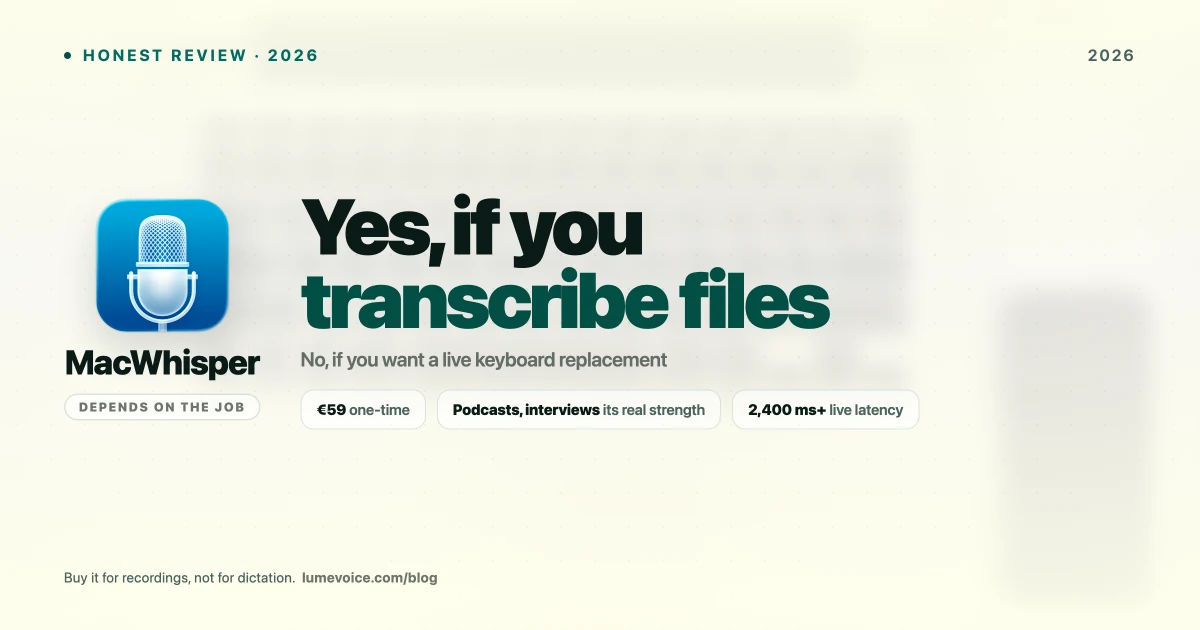
MacWhisper is one of the most recommended Mac apps for turning recordings into text. Whether it's worth paying for depends almost entirely on one question: are you transcribing files, or trying to type with your voice?
This guide answers that from how the app works, what each edition includes and what it costs. It isn't based on benchmarks or stopwatch timings, so where the answer depends on your Mac or your recordings, we say so.
Two Kinds of Buyer#
MacWhisper serves two kinds of user very differently:
The file transcriber: a podcast producer, journalist, researcher or student with hours of recordings to turn into text.
The live dictator: someone who wants to talk instead of type in Slack, email, documents and code comments.
This distinction matters enormously, because MacWhisper is built for the first and only partly for the second.
How MacWhisper Handles Each Job#
Audio File Transcription (the File Transcriber)#
This is MacWhisper's home ground. You drop in a recording, pick a Whisper model and get a transcript back, processed locally on your Mac. What comes out depends mostly on four things:
| Factor | What it means for you |
|---|---|
| Model size | The free Small and Base models are quick; Pro's larger models are slower but make fewer mistakes on difficult audio |
| Your Mac | Larger models need more memory and processing power, so a recent Mac with plenty of memory handles them more comfortably than an 8 GB MacBook Air |
| Audio quality | Clear audio, a decent microphone and one speaker at a time matter more than any setting |
| Vocabulary | Names, jargon and rare terms are worth proofreading in any transcript |
Swipe to see all columns
OpenAI's Whisper paper is a useful reference here. It shows the models getting more accurate as they get larger, which is exactly the trade-off MacWhisper's free and Pro versions are built around.
Verdict for file transcription: a strong fit. It's private (local and offline), the Gumroad license is a one-time purchase, and the free version lets you check it on your own recordings before you pay.
Live Dictation (the Live Dictator)#
This is where the honest assessment diverges.
MacWhisper does include dictation, but it's a secondary feature in an app designed around files. If talking instead of typing is your main goal, you'll get more from an app designed for it: one that runs in the background, starts with a hold-to-talk key, types where your cursor is and tidies the text as you go.
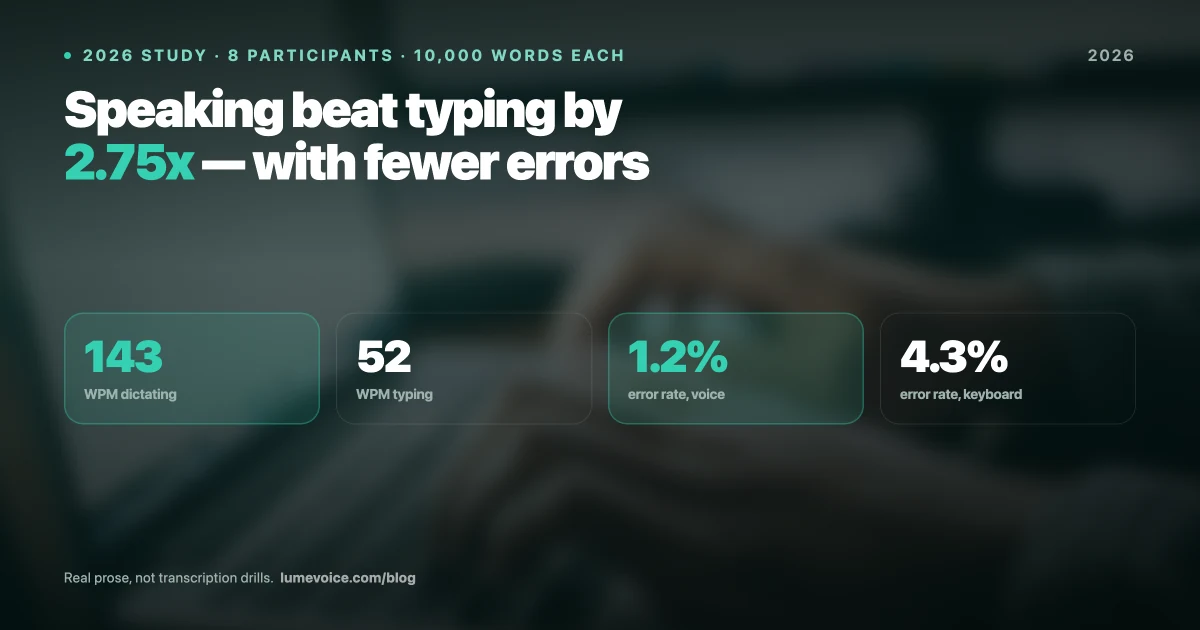
That matters because the payoff of dictation is speed. A Stanford University, University of Washington and Baidu study found speech input about three times faster than typing on a smartphone keyboard, with fewer errors (Ruan et al., 2016). You only keep that advantage if the tool fits the way you write instead of adding steps to it.
| MacWhisper | A dedicated dictation app (LumeVoice) | |
|---|---|---|
| Built around | Transcribing files; dictation is secondary | Typing with your voice in any app |
| Processing | Local, offline | Cloud only, no offline mode |
| Cleanup as you dictate | Not its focus | Filler words removed, self-corrections applied, lists formatted |
| File transcription | Its core job | Audio and video files on desktop (in the cloud) |
| Platforms | macOS | Mac, Windows, iPhone, Android |
Swipe to see all columns
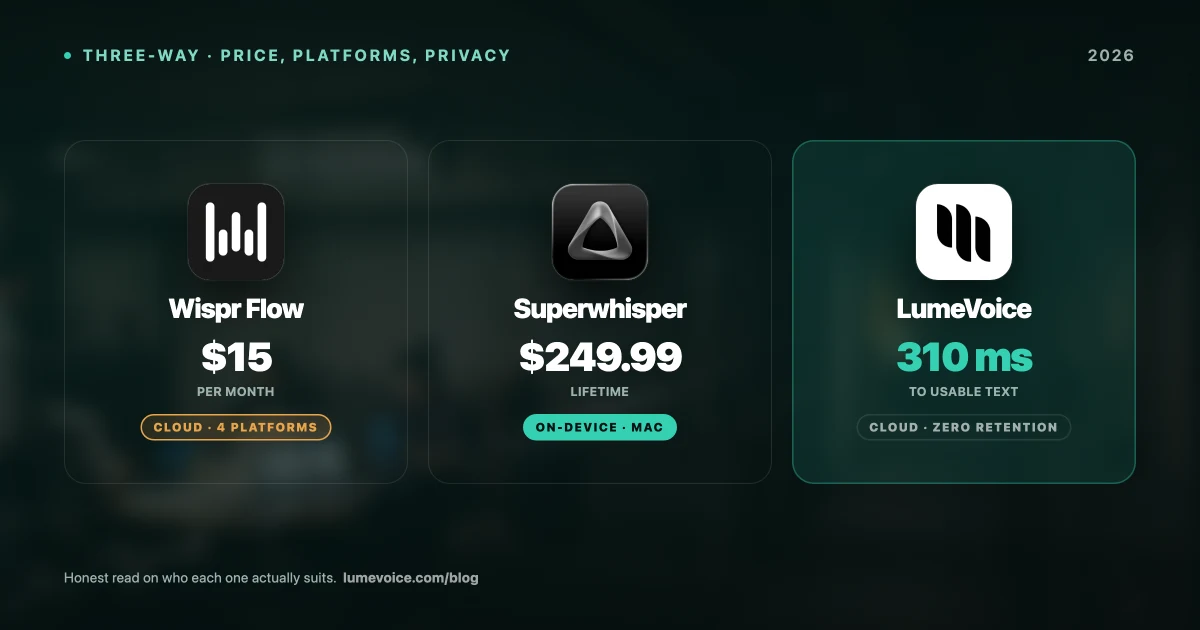
Verdict for live dictation: buy a dictation app instead. If offline processing is essential, Superwhisper's local models are the better fit; if it isn't, LumeVoice gives you cleanup by default.
The Core MacWhisper Design Philosophy#
Understanding why MacWhisper suits one job better than the other means understanding what it was built for.
MacWhisper was designed as a file transcription application. The workflow it was built around:
- Record audio (on a phone or computer, or a Zoom or Meet recording)
- Save it as an audio file (MP3, M4A, WAV)
- Drag the file into MacWhisper
- Wait for processing
- Copy or export the transcript
Everything about MacWhisper serves this workflow:
- You choose a model for each job, trading speed against accuracy
- Accuracy can win over speed, because nobody is waiting at a cursor
- The transcript lives in MacWhisper's window until you copy or export it
When you use it as a keyboard replacement, you're using the secondary half of an app built for files. It can handle the odd note, but it isn't designed to be your keyboard.
MacWhisper Pro Features: Free vs Pro#
What Pro Unlocks vs Free#
| MacWhisper Free | MacWhisper Pro (Gumroad) | App Store edition | |
|---|---|---|---|
| Price | $0 | €59 one-time | $6.99/mo, $29.99/yr or $99.99 lifetime |
| Whisper models | Small and Base | The larger models too | See its listing |
| Files | One at a time | More than one at a time | See its listing |
| Processing | Local, offline | Local, offline | Local |
| Platform | macOS | macOS | macOS |
Swipe to see all columns
Prices as of October 2026; vendors change them, so check their sites.
MacWhisper adds features regularly, so check the Gumroad page for the full, current Pro list.
What to Check Before You Pay#
- Run your own recordings through the free version. If the Small model already handles your audio well, you may not need Pro at all.
- Confirm the Pro feature you're buying it for. If you need something specific, such as subtitles in a particular format or speaker labels for interviews, make sure it's on the current list.
- Check your Mac. The larger models need memory and time; transcribe one long file before you queue a backlog.
- Pick the storefront. Gumroad for a one-time €59 license; the App Store edition if you'd rather pay monthly, yearly or through Apple.
Recordings with one or two clear speakers are the easy case. Meetings where people talk over each other are hard for any transcription tool, so expect to spend longer tidying those, whichever app you use.
MacWhisper in Your Workflow: 5 Decision Scenarios#
Scenario 1: You produce a podcast and need transcripts for show notes.
→ ✅ Buy MacWhisper Pro, or start free if your audio is clean. It's built for this job, it runs locally, and it's a one-time purchase.
Scenario 2: You interview clients or sources and need to transcribe recordings.
→ ✅ Buy MacWhisper Pro. Drop the file in, get text back, and the recording never leaves your Mac, which helps when the conversation is confidential.
Scenario 3: You want to type faster in Slack, email and your code editor.
→ ❌ Don't buy MacWhisper for this. Its dictation is secondary. Get a dictation app: LumeVoice if you want cleanup by default (cloud-based), or Superwhisper if you need to work offline.
Scenario 4: You want to stop paying for cloud transcription.
→ ✅ Buy MacWhisper Pro. If you pay for Otter.ai Pro ($16.99 billed monthly) mainly to transcribe recordings, €59 once is less than half a year of it. Otter is a meeting transcription and notes tool, though, so check you don't rely on its meeting features first. And at Rev's AI rate of about $0.25 a minute ($15 per hour of audio), a handful of hours costs as much as MacWhisper Pro.
Scenario 5: You need real-time dictation AND occasional file transcription.
→ Consider both, or just one. LumeVoice ($14.99/mo or $249 lifetime, starting with 3,000 free words, no card required) for live typing plus MacWhisper's free version for occasional files, or LumeVoice on its own, since its desktop apps transcribe audio and video files too (in the cloud).
Is MacWhisper Safe? Privacy Explained#
MacWhisper transcribes locally on your Mac and works offline, so your recordings don't have to be uploaded to anyone's server to be transcribed. That's one of its most significant advantages over cloud transcription services and cloud dictation apps, LumeVoice included.
What that means in practice:
- ✅ Recordings stay on your Mac while they're transcribed
- ✅ Transcription keeps working without an internet connection
- ✅ No per-minute fees, because your Mac does the work
- ⚠️ Your Mac's speed and memory decide how quickly long files are processed
For professionals with confidentiality requirements (legal, healthcare, government), local processing is a sensible default for sensitive audio. You still need to store the recordings and transcripts themselves safely and follow your organisation's rules.
Verdict: Is MacWhisper Worth It in 2026?#
YES — buy MacWhisper Pro if:
- You transcribe pre-recorded audio files (podcasts, interviews, recordings)
- Your recordings are difficult enough to need the larger models, or numerous enough to need batches
- You currently pay for cloud transcription (Otter, Rev, etc.) mainly to transcribe files
- Privacy and local, offline processing are a requirement
NO — don't buy MacWhisper if:
- You want to replace your keyboard for live typing
- You want to dictate into Slack, Gmail, VS Code or any other app all day
- You need cross-platform support (MacWhisper is macOS only)
- You want filler words and self-corrections cleaned up automatically as you dictate
The MacWhisper price: €59 one-time on Gumroad, or $6.99/month, $29.99/year or $99.99 lifetime for the App Store edition. For the audio transcription it was designed for, that's excellent value.
The LumeVoice price for live typing: $14.99/mo, $79.99/yr, or $249 lifetime. Every account starts with 3,000 free words, no card required, and you get a 7-day free trial when you first upgrade in the app (card required).
For Live Typing, Use a Dictation App
MacWhisper is excellent at what it was built for: transcribing audio files.
LumeVoice is built for what you probably want here: talking instead of typing, in every app.
- Types where your cursor is: Slack, Gmail, VS Code, Notion
- Cleans up as you go: filler words removed, self-corrections applied
- Mac, Windows, iPhone and Android
- Cloud-based: needs a connection; audio isn't stored after processing