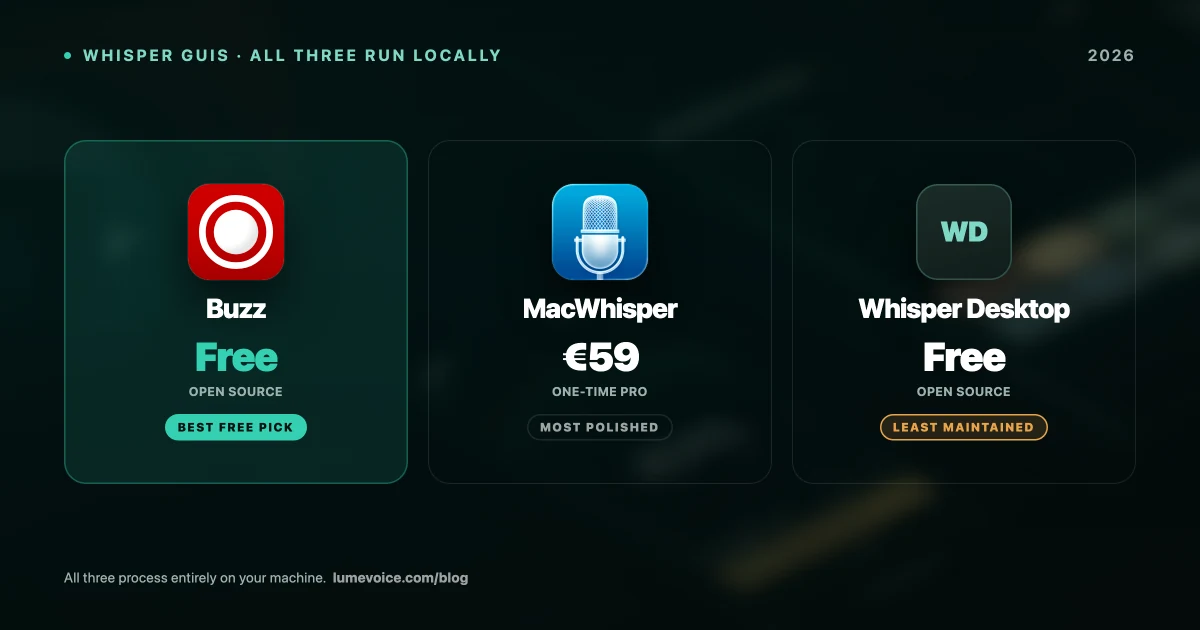
If you want to transcribe audio on a Mac without sending it to anyone's server, you need a local Whisper GUI. Three names come up repeatedly: MacWhisper, Buzz, and Whisper Desktop.
They all run the same underlying models, so this isn't really an accuracy comparison. It's about polish, stability, features, and whether you should pay.
Quick Comparison#
| MacWhisper | Buzz | Whisper Desktop | |
|---|---|---|---|
| Price | Free tier / €59 Pro | Free | Free |
| Open source | ❌ No | ✅ Yes | ✅ Yes |
| Processing | Local | Local | Local |
| Live recording | ✅ Yes | ✅ Yes | Limited |
| Batch files | ✅ Pro | ✅ Yes | Limited |
| SRT/VTT export | ✅ Pro | ✅ Free | Limited |
| Speaker diarization | ✅ Pro | ❌ No | ❌ No |
| Maintenance | Active | Active | Less active |
| Interface | Excellent | Functional | Basic |
Swipe to see all columns
The Thing That Matters More Than Which App#
All three wrap the same Whisper models. Your model choice affects speed and accuracy far more than your app choice.
| Model | Size | Practical RAM | Notes |
|---|---|---|---|
| Small | ~500MB | 8GB | Sensible default on 8GB |
| Medium | ~1.5GB | 8–16GB | Best balance for most |
| Large-v3 | ~3GB | 16GB+ | Accents, jargon, noisy audio |
Swipe to see all columns
Running Large-v3 on an 8GB MacBook Air will feel broken regardless of which of these three you installed. Apple Silicon also matters enormously — these tools use Metal and the Neural Engine, and the gap versus Intel is not subtle.
Get that right first, then pick an app.
1. MacWhisper — the polished option#
The best-looking and most stable of the three, and the one most people settle on.
Free tier: Small and Base models, single-file transcription, basic export. Genuinely usable.
Pro (€59 one-time, Gumroad): Whisper Large-v3, batch processing, system audio capture, speaker diarization, SRT/VTT export.
- Pros: Excellent interface, very stable on long files, speaker diarization is unique here
- Cons: Not open source, Pro costs money, macOS only. The Mac App Store edition is priced separately as a subscription — check both before buying
Full breakdown in our MacWhisper pricing guide.
2. Buzz — the best free option#
Buzz is fully open source, free, and covers most of what people pay MacWhisper for.
- Pros: Free, no account, SRT/VTT export included at no cost, supports multiple backends (whisper.cpp, faster-whisper), actively maintained, cross-platform
- Cons: Functional rather than attractive interface, can be unstable on very long recordings, no speaker diarization
The honest comparison: if you need subtitle export and batch transcription, Buzz gives you both free where MacWhisper charges €59. If you need speaker diarization or you're transcribing multi-hour files regularly, MacWhisper earns its price.
🎙️ Need to type with your voice rather than transcribe files? LumeVoice drops clean text into any app. Try it free →
3. Whisper Desktop — the lightweight one#
A simple, no-frills local Whisper client. Free and open source, and it does the basic job.
- Pros: Lightweight, free, straightforward
- Cons: Fewer features, basic interface, less active development than the others
In 2026 it's hard to recommend over Buzz, which does more and is better maintained. Worth knowing about, but Buzz is the better default for the same price.
Which Should You Pick?#
Free, and you want the most capable option: Buzz. Subtitle export and batch processing at no cost is a genuinely strong offer.
You transcribe regularly and want polish: MacWhisper Pro at €59. The stability and diarization justify it if this is real work rather than an occasional task.
You want to try before deciding: MacWhisper's free tier and Buzz are both free — install both, run the same file through each, and see which interface you prefer. Accuracy will be effectively identical at the same model size.
You want live dictation, not file transcription: none of these. They're built around loading audio and returning text, not typing at your cursor. VoiceInk and OpenSuperWhisper are built for that.
A Note on Privacy#
All three process locally, which is the strongest privacy position available — audio is never transmitted, so there's no retention policy to verify and no vendor to trust.
Two caveats worth knowing: MacWhisper's optional Assistant features are cloud-based and billed separately, so leave those off for confidential material. And verify locality yourself rather than trusting a description — turn Wi-Fi off and transcribe. If text still appears, it's genuinely local.
Our legal and medical privacy guide covers what to check before trusting any tool with confidential recordings.
Conclusion#
This comparison has a clearer answer than most: Buzz if you want free, MacWhisper if you'll pay €59 for polish and stability. Whisper Desktop is fine but Buzz does more for the same price.
Whichever you pick, spend your effort on model selection rather than app selection. A well-chosen model on the "wrong" app beats a badly-chosen model on the "right" one every time.
Transcribing Files Is a Different Job From Writing#
These tools turn recordings into transcripts. If what you actually want is to write faster, that's a different category.
LumeVoice turns your speech into clean, formatted text in any app on your Mac or Android phone — filler words removed, self-corrections resolved, no retyping. Zero cloud data retention, never used for training. Free to start, no card needed.