
Doctors have dictated for as long as there have been doctors with too much to write. The handheld recorder and the transcription service have mostly given way to speech recognition inside the electronic health record, and more recently to AI scribes that listen to the consultation and draft the note.
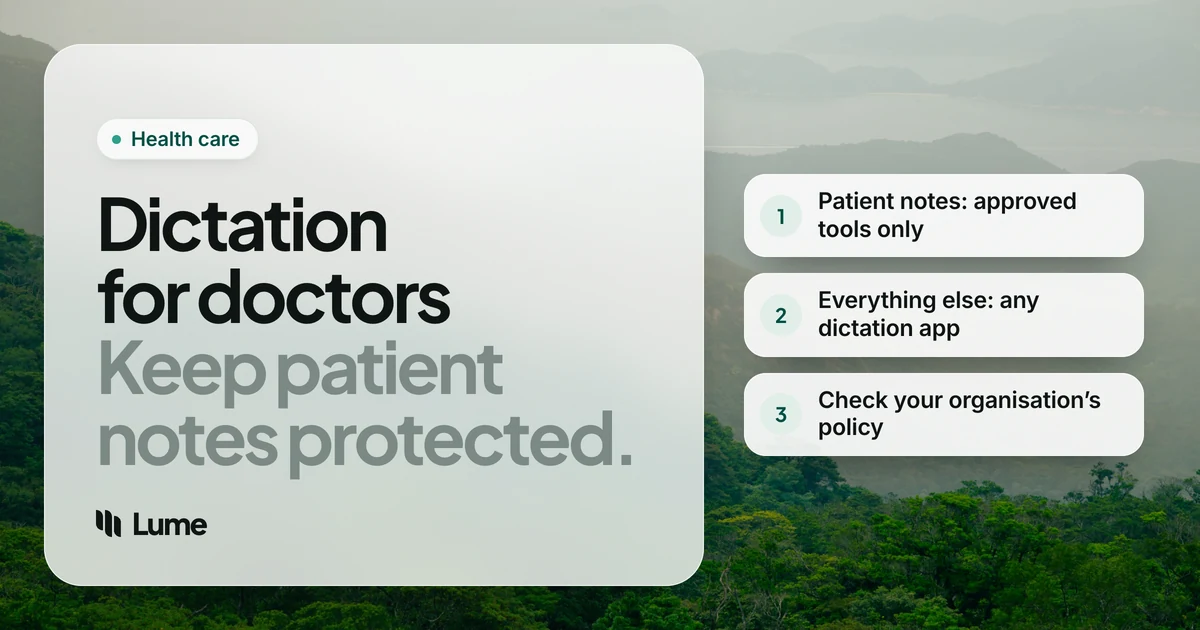
So when a physician searches for dictation software for doctors, the honest answer has two parts. For clinical documentation, the best tool is the one your organization has approved and contracted for. For everything else a doctor writes, and there's a lot of it, a general AI dictation app can help. We make LumeVoice, which belongs firmly in the second group. This guide keeps the two apart.
What doctors actually write#
Clinical writing:
- Progress notes, histories, discharge summaries and operative notes.
- Referral letters and replies to referrers.
- Results messages and patient portal replies.
- Orders, prescriptions and prior authorization requests.
Non-clinical writing:
- Emails to colleagues about rotas, meetings, teaching and service changes.
- Teaching material, lectures and slide notes for students and residents.
- Articles, conference abstracts, grant applications and peer reviews.
- Committee papers, guideline drafts and quality-improvement write-ups that don't identify anyone.
- Continuing medical education reflections and portfolio entries.
- Job applications, references for trainees and personal writing.
Every item in the first list contains patient information. Most items in the second list don't, as long as you keep it that way.
The rule that comes first#
If it contains patient information, it goes through a tool your organization has approved, and in the US that means a vendor that has signed a Business Associate Agreement (BAA). HIPAA treats a service that receives protected health information on your behalf as a business associate, and the contract has to be in place before any patient detail reaches it. Deleting audio after processing doesn't remove the need for that contract. Our guide to private dictation for legal and medical work explains the rules in more detail.
Outside the US, the names change (data processing agreements, NHS information governance, provincial health privacy law) but the principle is similar: your employer decides which tools may touch patient records.
This isn't legal or compliance advice. Check with your organization's privacy or compliance office.
Tools for clinical documentation#
Dictation built into your EHR. Start here. Many EHRs have speech recognition built in or integrate a medical dictation product, and the contract and security review have already been done. If you aren't sure what yours offers, ask your clinical informatics team.
Dragon Medical One. Sold to healthcare organizations by Microsoft. Its page, as of October 2026, lists PowerMic Mobile (your smartphone as a wireless microphone), voice commands for moving through patient charts, AutoText that can be shared across departments, and integrations with Epic, Oracle Cerner and MEDITECH. Microsoft also invites customers to "take your Dragon Medical One experience to the next level with Dragon Copilot." Price is by quote. Our Dragon pricing guide covers every edition.
Dragon Copilot. Microsoft describes it as an "AI clinical assistant" that turns conversations into specialty-specific notes. According to Microsoft's page, as of October 2026, the physician version runs in a web browser, a mobile app, a desktop app and inside supported EHRs, in the US, Canada, the UK, Ireland, France, Germany, Austria, Belgium, the Netherlands and Switzerland. It's priced by quote and sold to organizations.
General dictation apps with a BAA. Wispr Flow's help center describes signing a BAA in the app's Data & Privacy settings on Mac, Windows and iOS, and its Growth plan, at $18 per user per month billed annually, adds org-wide HIPAA enforcement with a signed BAA, single sign-on and admin controls, as of October 2026 (pricing details). A BAA makes a tool eligible; your organization still has to approve it.
Tools that process audio on your own computer. Superwhisper with its local models, MacWhisper and Apple Dictation (in the languages Apple processes on the device) don't send audio to a vendor. That removes the third-party problem but not the rest of your obligations: device encryption, access controls and your employer's rules on installing software still apply.
Where LumeVoice fits, honestly#
LumeVoice is AI dictation for Mac, Windows, iPhone and Android on one plan. Hold fn on a Mac or Ctrl + Win on Windows in any app, talk, and let go. Filler words go, self-corrections are applied, punctuation and paragraphs are added, and spoken lists become numbered lists.
It's cloud-based. Audio is sent for processing and isn't stored after processing, what you say is never used to train models, and your dictation history stays on your device. It needs an internet connection. It isn't certified under HIPAA, holds no medical certification and doesn't offer a BAA. Don't use it for anything that identifies a patient.
That still leaves the second list above, which for many doctors is hours a week:
- The email to the department about next month's teaching schedule.
- The first draft of a review article or a conference abstract.
- A reference letter for a resident.
- Your reflection after a CME course.
- Slide notes for a lecture to medical students.
Doctors who find typing hard because of hand or wrist pain may also find dictation useful for this kind of writing. Our RSI page covers lower-strain setups. This isn't medical advice.
What it sounds like (no patients involved)#
These examples are illustrative. They show what the cleanup does, not a measured result, and none of them contains patient information.
The teaching email#
Open Outlook or Gmail and talk the way you'd speak at handover.
You say (illustrative): "Hi all, um, quick update on teaching. The Thursday session moves to, uh, 1 pm, actually 12:30, from next week. Topics for the next three weeks are, one, acid-base, two, ECG interpretation, three, fluid prescribing. Please bring, you know, a laptop for the case quizzes."
What lands: Hi all,
Quick update on teaching. The Thursday session moves to 12:30 from next week. Topics for the next three weeks are:
- Acid-base
- ECG interpretation
- Fluid prescribing
Please bring a laptop for the case quizzes.
The article paragraph#
Use hands-free mode (double-press the shortcut) and explain the idea out loud, as you would to a registrar, then edit in Google Docs or Word.
You say (illustrative): "The main, uh, limitation of the existing guidance is that it was written before, sorry, it was written for inpatient settings, and most of these decisions now happen in clinic."
What lands: The main limitation of the existing guidance is that it was written for inpatient settings, and most of these decisions now happen in clinic.
The references, the doses and the exact numbers come in the editing pass, from the source. Dictation gets the argument down.
The CME reflection#
You say (illustrative): "Reflection on the airway course. What I learned, the main change to my practice will be, um, checking the equipment before every list rather than, like, assuming it's done. What I'll do next, book the follow-up simulation session."
What lands: Reflection on the airway course. The main change to my practice will be checking the equipment before every list rather than assuming it's done. Next, I'll book the follow-up simulation session.
Dictate the writing that isn't the chart
LumeVoice turns speech into clean text in Outlook, Word, Google Docs or any other app on Mac and Windows, with iPhone and Android on the same plan. Not for patient information. Try it with 3,000 free words, no card required.
A fair shortlist#
| You need | Look at |
|---|---|
| Clinical notes in your organization's EHR | Your EHR's built-in dictation, or what your informatics team has approved |
| Speech recognition across the chart with voice commands | Dragon Medical One (by quote) |
| An AI assistant that drafts notes from the conversation | Dragon Copilot (by quote), or another scribe your organization has contracted |
| A general dictation app with a BAA for a practice | Wispr Flow (BAA via its app settings; Growth plan for org-wide enforcement) |
| No audio leaving your computer | Superwhisper's local models, MacWhisper, Apple Dictation where processed on the device |
| Clean prose for emails, teaching and articles with no patient details | LumeVoice, Wispr Flow, or the free dictation already on your devices |
Swipe to see all columns
Competitor details as of October 2026, from each vendor's own pages as cited in our Dragon pricing and Wispr Flow pricing guides. For a feature-by-feature look at Dragon, see LumeVoice vs Dragon.
Habits that keep the line clear#
Separate the devices or at least the apps. If you use a personal dictation app, use it on your own laptop or phone for non-clinical writing, and keep clinical work in clinical systems. Mixing them is how patient details end up somewhere they shouldn't.
Strip identifiers before you start talking. If a quality-improvement write-up or a teaching case is based on real events, de-identify it in your head first. "A patient in their seventies" is still too close if the rest of the story makes them recognizable; your organization's rules on case reports apply.
Build a dictionary for the words you use outside the chart. On Mac and Windows, add drug classes, eponyms, your hospital's ward names and colleagues' names to LumeVoice's custom dictionary. It helps with teaching material and articles.
Use snippets for the repeated bits. Your email sign-off, your bleep number, the link to the teaching folder: say a short cue and the full text appears.
The short version#
- Clinical notes, letters and anything about a patient: your EHR's dictation, Dragon Medical One, Dragon Copilot, or another BAA-covered tool your organization approves.
- A small practice choosing its own cloud tool: get a signed BAA first, whichever vendor you pick.
- Emails, teaching, articles, CME and personal writing with no patient details: a general AI dictation app such as LumeVoice, if your organization allows it on the device you use.


