
Search for voice recognition software and you'll find dictation apps, smart speakers, bank security systems and accessibility tools all under one name. They do quite different jobs. This guide sorts them out so you can find the kind you actually need.
I make LumeVoice, which is one kind of voice recognition software. I'll be clear about where it fits and where something else is a better choice.
Speech recognition vs speaker recognition#
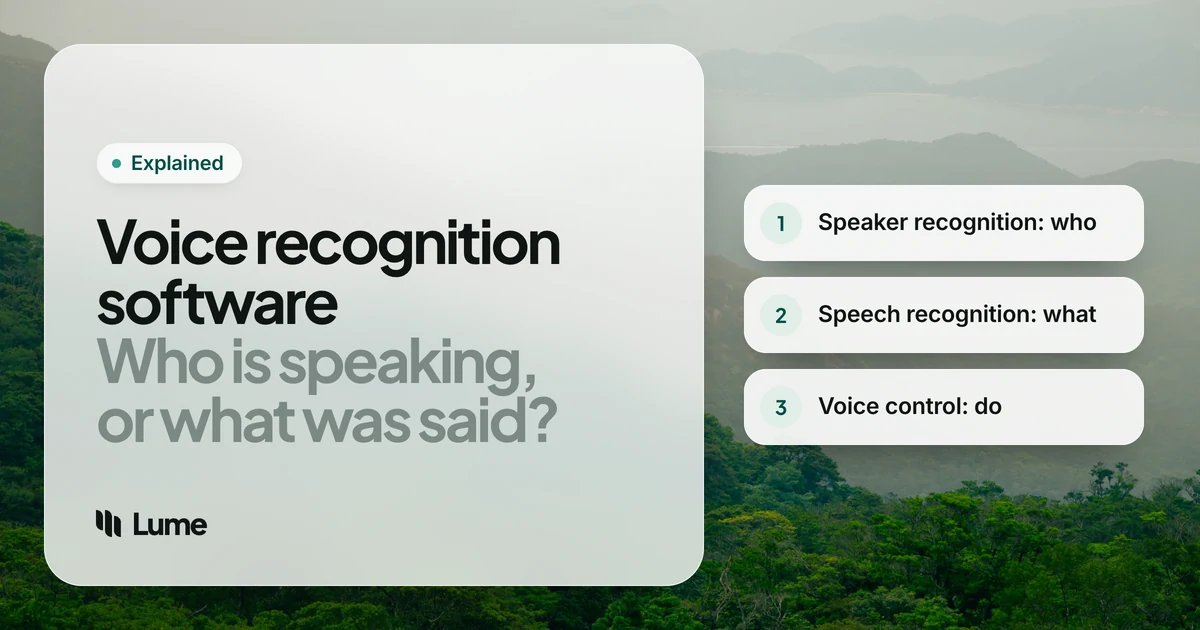
The phrase "voice recognition" gets used for two different technologies.
Speech recognition answers the question what was said? It turns spoken words into text. Dictation, voice typing, captions and transcription all rely on it. It doesn't care who's talking.
Speaker recognition answers the question who is speaking? It compares a voice with a known voiceprint. It comes in two main forms:
- Speaker verification: is this the person they claim to be? Used for voice ID on phone lines and some devices.
- Speaker identification: which of several known people is talking?
The US National Institute of Standards and Technology has run evaluations of speaker recognition systems since 1996, and describes the core task as deciding whether a given target speaker is talking in a segment of audio (NIST speaker recognition). That's a different problem from writing down the words.
A third related job is speaker diarization: working out when each different voice is talking in a recording, so a transcript can say "Speaker 1" and "Speaker 2". Transcription tools use it; dictation apps usually don't need it.
In everyday language, "voice recognition software" almost always means the first one: software that understands what you say. The rest of this guide focuses on that, with a short section on voice ID at the end.
The main kinds of voice recognition software#
1. Dictation software#
You speak, and text appears where your cursor is. This is what most people want when they search for voice recognition: a way to write emails, documents and messages without typing.
There are three broad groups as of October 2026:
- Built-in voice typing. Free and already on your device: Apple Dictation on Mac and iPhone (Apple), voice typing on Windows with Win + H (Microsoft), and the microphone in Gboard on Android (Google). Good for short text; most write down words as spoken, with limited cleanup.
- Classic professional dictation. Dragon is the long-standing name here, with deep custom vocabularies and specialist editions for fields like medicine and law. See our Dragon comparison and Dragon pricing.
- AI dictation apps. Newer apps pair a modern speech model with a language model that removes filler words, applies your corrections and formats lists. LumeVoice, Wispr Flow, Superwhisper and others sit here. Our best dictation software roundup compares them fairly, built-ins included.
2. Voice control and accessibility software#
These tools let you operate the computer by voice: open apps, click buttons, scroll, select and edit text. They matter most to people who can't use a keyboard or mouse comfortably.
- Voice Control on Mac and iPhone (Apple).
- Voice Access on Windows 11 (Microsoft), which replaces the older Windows Speech Recognition (alternatives).
- Voice Access on Android (Google).
- Talon, popular with programmers who code by voice (LumeVoice vs Talon).
Many people pair a voice control tool with a dictation app: one to navigate, one to write.
3. Transcription software#
For recordings rather than live speech: interviews, lectures, meetings and voice memos. These tools often add timestamps and speaker labels. Some run on your own computer (MacWhisper, Buzz), others in the cloud (Otter, Rev and similar). See best transcription software.
4. Voice assistants and AI voice modes#
Siri, Google Assistant, Alexa, and the voice modes in ChatGPT, Claude and Gemini use speech recognition as a first step, then answer you or take an action. They're for asking and doing, not for writing a document in another app. If you want the difference between dictating a prompt and talking to a voice mode, our guide to voice prompting covers it.
5. Speech APIs for developers#
Cloud services and open models that developers build into their own products. If you're building an app, you want one of these, not a dictation app.
6. Speaker recognition and voice ID#
Systems that verify or identify a person from their voice, used in phone banking, call centers and device security. These are bought by organizations, not installed by individuals to write with. They raise their own privacy questions, since a voiceprint is biometric data.
Which kind do you need?#
| You want to... | Look at |
|---|---|
| Write emails and documents by speaking | Dictation software |
| Use your computer without a keyboard or mouse | Voice control (often plus dictation) |
| Turn a recording into a transcript | Transcription software |
| Ask questions or get tasks done by voice | A voice assistant or AI voice mode |
| Add voice input to your own app | A speech API |
| Confirm who is speaking | Speaker recognition |
Swipe to see all columns
How to choose dictation software#
If you landed in the first row, these are the questions that matter most:
Where do you write? If it's all in one app, that app's own dictation may be enough. If you move between email, chat, documents and the browser, you want a system-wide tool.
Which devices? Built-in tools are tied to one platform. Some apps cover Mac, Windows, iPhone and Android on one plan.
How much editing will you tolerate? Plain transcription keeps every "um" and false start. AI cleanup turns speech into finished sentences, which matters more the longer you dictate.
Names and jargon. A custom vocabulary makes the biggest difference for specialist words.
Privacy and connectivity. Some tools process speech on your device and work without internet; others send audio to a server. Decide what's acceptable for what you'll say. Our speech to text guide explains the trade-off.
Accuracy in your conditions. Test with your own voice, microphone and vocabulary. Our article on AI dictation accuracy shows how to run a fair test at home.
Older software vs modern models#
If you last tried voice recognition years ago, a few things have changed.
- Less training. Older programs often asked you to read passages aloud so they could build a profile of your voice. Modern models are trained on large amounts of varied speech and usually work without that step.
- Punctuation from context. Older tools needed you to say every comma. Many modern ones add punctuation automatically, though spoken punctuation still works when you want control.
- Many languages. Recent models handle many languages and often detect which one you're speaking.
- Cleanup. The newest tools go a step further and tidy the text with a language model.
What hasn't changed: a good microphone and a quiet-ish room still help, and rare names still need a custom vocabulary.
What LumeVoice is, and isn't#
LumeVoice is AI dictation software, the first kind on the list above. You hold a key on Mac (fn) or Windows (Ctrl + Win), or use the Lume keyboard on iPhone or the floating bubble on Android, and speak. Clean, punctuated text appears in whatever app you're using, with filler words removed, corrections applied and lists formatted. It handles 100 languages, and the desktop apps also transcribe audio and video files.
What it isn't:
- Not voice control. It writes text; it doesn't click, open apps or run commands. Use Voice Control or Voice Access for that.
- Not speaker recognition. It doesn't identify or verify who's speaking.
- Not an assistant. It writes down what you said and never answers questions.
- Not usable without internet. It's cloud-based. If you need dictation with no connection, Apple Dictation on iPhone, Superwhisper or MacWhisper are better choices.
- Not on Linux or ChromeOS.
Your audio is sent for processing and isn't stored afterwards, it's never used to train models, and your dictation history stays on your device.
Voice recognition that writes in every app
LumeVoice turns what you say into clean text wherever your cursor is, on Mac and Windows, with iPhone and Android on the same plan. Start with 3,000 free words, no card required.
The short version#
- "Voice recognition" usually means speech recognition: turning speech into text.
- Speaker recognition, which identifies who's talking, is a separate technology.
- Decide the job first: writing, controlling the computer, transcribing recordings, asking questions, building an app or verifying identity.
- For writing, start with the free built-in tool, then try a dedicated dictation app if you dictate every day.


