Support work is writing work. Every ticket ends in a reply, and the reply is what the customer remembers: whether it answered the question, whether it sounded like a person, whether it arrived quickly. Agents write all day, often in short bursts, often explaining the same kind of thing to a different person in a slightly different way.
Dictation software for customer support helps with the part of that writing that can't be templated. Your help desk's macros handle the standard answers. What's left (the explanation for this customer, the apology that sounds sincere, the internal note for the next shift) is the part you'd naturally say out loud to a colleague. This guide covers how dictation fits next to the tools you already use, five options, and the data rules that come first.
We make LumeVoice. Other tools are described from their own pages and our existing comparisons, as of October 2026.
Where support writing goes#
- Ticket replies in Zendesk, Intercom, Freshdesk, Help Scout or Gorgias, usually in a browser.
- Live chat, where speed matters but so does sounding human.
- Internal notes on tickets, for the next agent or the escalation team.
- Bug reports to engineering, in Jira, Linear or Slack.
- Help center articles, when the same question keeps coming in.
- Shift handovers and team updates in Slack or Teams.
Macros vs dictation vs snippets#
These three overlap, so it's worth being clear about which does what.
Help desk macros (called macros, saved replies or canned responses depending on your tool) insert approved text and can also change the ticket: set a tag, assign it, change status. They're the right choice for standard answers that should read the same every time, and they're managed by your team. Dictation doesn't replace them.
Dictation writes the parts that aren't standard: the first line that shows you read the ticket, the explanation of what went wrong for this customer, the empathy that doesn't sound pasted.
Snippets in LumeVoice sit in between. You say a short cue, and it types a saved piece of text: your sign-off, a link to the status page, a help center URL. They're personal, not shared with your team, and they only type text; they can't touch ticket fields. Useful for things you type a dozen times a day that aren't worth a team macro.
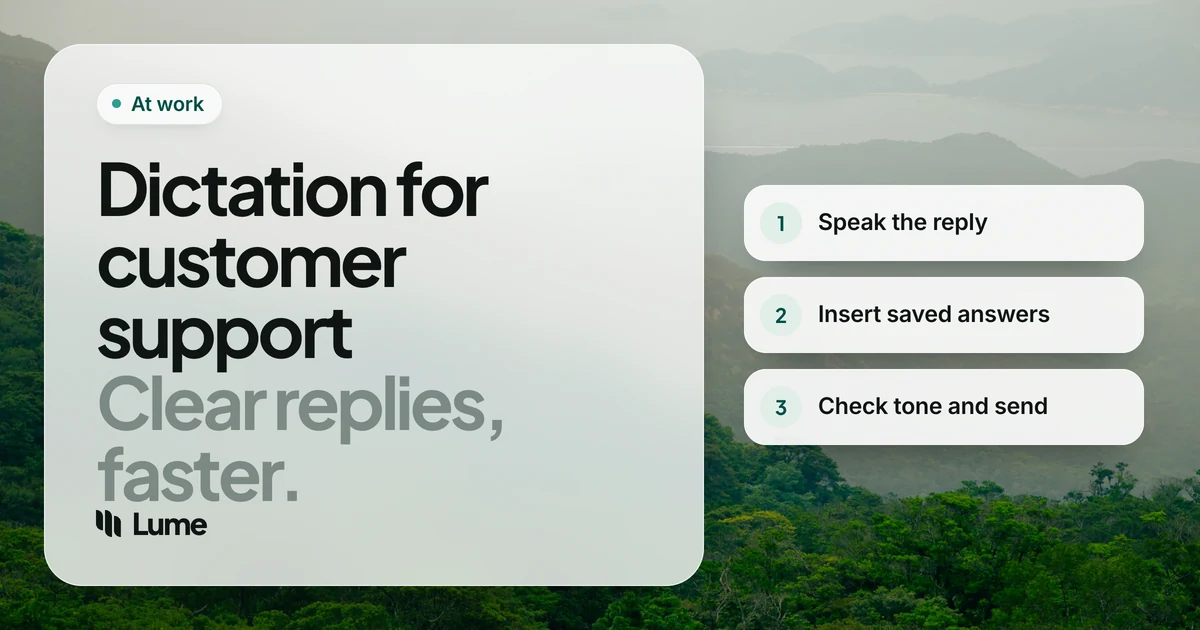
A typical reply: dictate the opening, apply a macro for the standard steps, dictate a closing line, and let a snippet add your sign-off.
What to look for#
Works in the browser. Most help desks are web apps. The tool must type into a browser text field, ideally in any browser.
Short bursts. You'll dictate a sentence or two, dozens of times a day. Push-to-talk (hold, speak, release) fits better than a tool you have to open and close.
Clean output. A support reply full of "um" or missing punctuation looks careless. Cleanup matters more here than in your own notes.
Product names. Your product, its features and plan names need to come out right every time.
Team and data controls. Some companies need to manage tools centrally. Know what you need before you choose.
The options#
Chrome's talk to type. Gemini-powered dictation in any text box in desktop Chrome. If your help desk runs in Chrome and you only dictate there, it's free and already installed. It doesn't help in a desktop Slack app or another browser.
LumeVoice. AI dictation for Mac, Windows, iPhone and Android on one plan. Hold fn on a Mac or Ctrl + Win on Windows in any app or browser, speak and let go: filler words and stutters go, self-corrections are applied, punctuation is added, and spoken lists become numbered steps. Add product and feature names to the custom dictionary on desktop. Snippets type text you repeat. It's cloud-based, needs a connection, has no browser extension, no help desk integration and no team plan or admin console: each agent has their own account.
Wispr Flow. Similar AI dictation on the same platforms, cloud-based. Pro is $15 a month or $144 a year. Its Growth plan, at $18 per user per month billed annually, adds single sign-on and admin controls, and Enterprise adds user provisioning and audit logs, as of October 2026 (pricing). If your support org wants to roll out dictation centrally, that's a real advantage.
Windows voice typing and Apple Dictation. Free, system-wide. Press Windows key + H on Windows. No filler removal and no custom vocabulary, so expect to tidy replies by hand, but they're a good free test.
Superwhisper. Can process entirely on your Mac with local models. Worth a look if your company won't allow audio to go to a cloud service (pricing).
Support writing, by voice#
These examples are illustrative: invented customers and products, showing what the cleanup does rather than a measured result.
A ticket reply#
Read the ticket, click into the reply box and answer it as if the customer were on the phone.
You say (illustrative): "Hi Sam, thanks for the screenshots, they made this, um, really easy to track down. The export failed because the file was over the 50 megabyte limit, sorry, the 25 megabyte limit on the Starter plan. Two options, one, split the export by date range, two, upgrade to Team, where the limit is higher. I've also, uh, flagged this so we can show a clearer error."
What lands: Hi Sam, thanks for the screenshots. They made this really easy to track down.
The export failed because the file was over the 25 megabyte limit on the Starter plan. Two options:
- Split the export by date range.
- Upgrade to Team, where the limit is higher.
I've also flagged this so we can show a clearer error.
Check facts like plan limits against your knowledge base before sending; dictation types what you said, including what you got wrong.
An internal note#
Internal notes are where agents cut corners, because nobody outside sees them. A dictated note tends to include the context the next agent needs: what you tried, what the customer said, what to do if they reply.
You say (illustrative): "Customer tried clearing cache and a different browser, uh, same error. Reproduced on my account. Logged it with engineering. If they reply before Thursday, um, offer the manual export workaround."
What lands: Customer tried clearing cache and a different browser, same error. Reproduced on my account. Logged it with engineering. If they reply before Thursday, offer the manual export workaround.
Live chat#
Chat needs short replies, fast. Hold the shortcut, say one or two sentences, release. If a customer is upset, saying the reply out loud is also a natural check on tone: if it sounds curt when you say it, it'll read curt.
Bug reports and help articles#
For bug reports in Linear or Slack, dictate the steps to reproduce as a spoken list. For a help center article, use hands-free mode (double-press the shortcut) and explain the fix as you have to a dozen customers already. Then edit and add screenshots.
Tone is still your job#
AI cleanup makes a reply readable. It doesn't make it kind, accurate or on-brand. LumeVoice won't rewrite "that's not how the feature works" into something gentler, because it doesn't rewrite what you said. Speak the reply you'd want to receive. Your company's tone guide still applies, and your macros still carry the approved wording for sensitive cases like refunds and outages.
Customer data and your company's policy#
Support agents see customer names, emails, order histories and sometimes much more. Before you dictate anything about a customer, check your company's policy on which tools may process customer data. Many companies keep an approved-software list, and some customer contracts restrict sub-processors.
- Never dictate payment card numbers, passwords or security answers into any dictation tool. Paste order numbers and IDs instead of reading them out.
- LumeVoice and Wispr Flow process audio in the cloud. Chrome's talk to type is a cloud feature too.
- Superwhisper's local models keep audio on your Mac.
LumeVoice sends your audio for processing and doesn't store it afterwards. It never uses what you say to train models, and your dictation history stays on your device, not our servers. It needs an internet connection and holds no compliance certifications, and there's no admin console for your IT team. If your company requires certifications or central management from every vendor, that decides it.
Reply like you'd say it, in any help desk
LumeVoice types clean replies into Zendesk, Intercom or any browser tab on Mac and Windows, with snippets for the lines you repeat. Check your company's policy, then try it with 3,000 free words, no card required.
Picking one#
- You only work in Chrome and want something free: Chrome's talk to type.
- Your company needs single sign-on and admin controls: Wispr Flow's team plans.
- Audio can't go to a cloud service: Superwhisper's local models.
- Just testing it: Windows voice typing or Apple Dictation.
- You want clean replies in any browser and app, with your product names right, on your own account: LumeVoice.