By the end of a long writing day, your hands can feel like they've run a marathon: heavy forearms, stiff fingers, a dull ache across the wrists. That's what most people mean by typing fatigue. It's not a diagnosis, and for most people it eases with rest. But it's a clear sign that your hands are doing more work than they'd like, and there's a lot you can do to lighten it.
This isn't medical advice. Sources were checked as of October 2026. If tiredness turns into pain, numbness, tingling or weakness, see a doctor rather than relying on the tips below.
Why typing wears you out#
A full day of writing means tens of thousands of small finger movements, with your forearm muscles holding your hands in position the whole time. Add a keyboard that's too high, a mouse at arm's length or a hunched posture, and those muscles work harder still. The NHS lists typing among the repetitive activities linked to repetitive strain injury, along with poor posture, though it notes that repetitive work doesn't always lead to RSI.
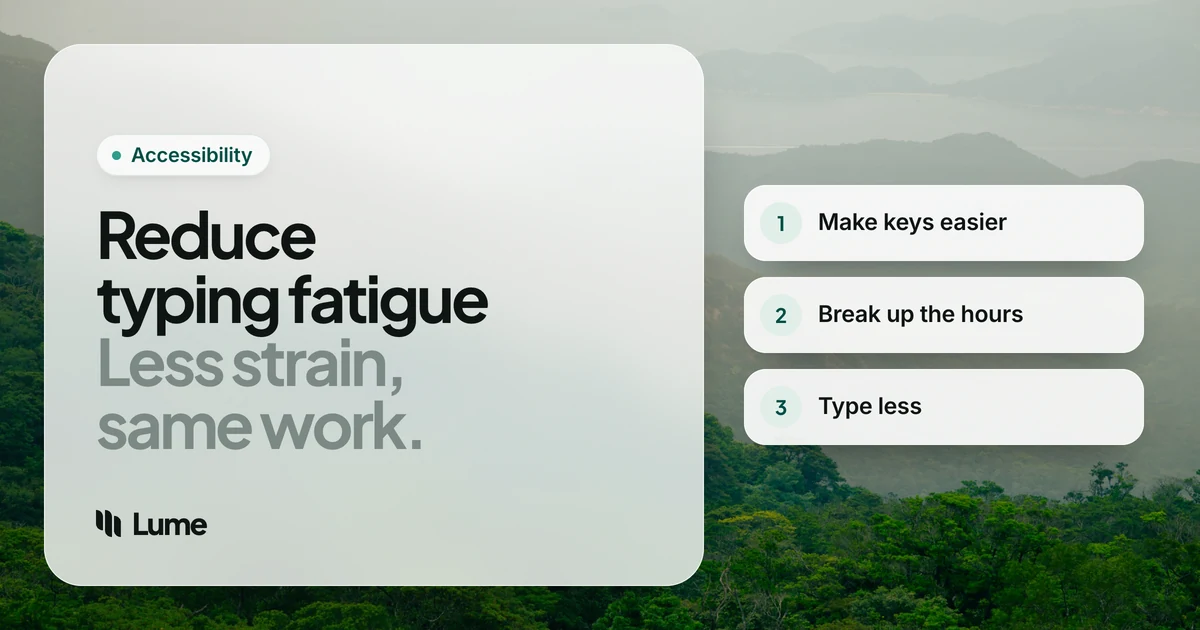
So the fixes fall into three groups: make each keystroke easier, break up the hours, and type less.
Make each keystroke easier#
1. Get the height right#
Your hands should sit at or slightly below elbow level, with relaxed shoulders and elbows close to your body (Mayo Clinic office ergonomics). A keyboard that's too high makes your shoulders and forearms hold your hands up all day. On a laptop, Mayo Clinic suggests a separate keyboard and mouse with the laptop raised on a stand.
2. Keep your wrists straight#
OSHA's keyboard guidance recommends wrists in a neutral position, in line with your forearms rather than bent up, down or to the side. If your keyboard's back feet tilt it toward you, fold them away. Use a palm rest for pauses rather than as an anchor while you type.
3. Press lightly#
Mayo Clinic's advice for reducing hand strain starts with using less force and relaxing your grip (Mayo Clinic). If you bottom out every key, a keyboard with lighter keys may help; so may simply noticing the habit. The same goes for the mouse: hold it, don't clutch it.
4. Bring the mouse closer#
Reaching for a mouse all day keeps your shoulder and arm working. Put it right next to the keyboard at the same height, and learn keyboard shortcuts for the actions you repeat most. If shortcuts mean awkward finger stretches, Sticky Keys on Mac and Windows lets you press them one key at a time.
Break up the hours#
5. Take a few minutes every hour#
Mayo Clinic notes that even a few minutes each hour away from repetitive hand work can make a difference. Breaks are easy to skip when you're busy, so attach them to things that already happen: the end of a meeting, a file uploading, refilling your water.
6. Alternate tasks#
Plan your day so long typing blocks alternate with work that uses your hands differently, such as calls, reading, reviewing or thinking on a walk. Save the heaviest writing for the time of day you feel freshest, rather than the end of the afternoon.
Type less#
7. Stop retyping the same things#
Text replacement on your phone and computer, saved replies in your email, and templates for documents you write every week can each save hundreds of keystrokes a day. Write them once, reuse them forever.
8. Speak your first drafts#
The biggest single change is moving long writing from your fingers to your voice. Speaking is usually much faster than typing: in a study led by Stanford researchers, speech input on a phone was about three times faster than typing on the phone's keyboard (Ruan et al., 2016). More importantly for tired hands, it can reduce how much you type. A useful split: speak the draft, then type the small edits.
Free voice typing is built into most devices:
- Apple Dictation on Mac and iPhone (Apple Support).
- Windows voice typing, Windows key + H, which needs an internet connection (Microsoft Support).
- Gboard voice typing on Android (Gboard Help).
LumeVoice is our app. Where it differs from built-in dictation is the cleanup: it removes "um"s and false starts, applies corrections you make as you talk ("the 14th, sorry, the 15th" becomes "the 15th"), adds punctuation and turns spoken lists into real lists. Less fixing afterwards means less typing afterwards. On Mac you hold fn and on Windows Ctrl + Win, or double-press the shortcut to talk without holding anything and press once to finish. On iPhone it's the Lume keyboard, and on Android a bubble over your usual keyboard. Read more on our Mac and Windows pages.
Let Your Voice Take the Long Drafts
LumeVoice turns speech into clean, punctuated text in any app on Mac, Windows, iPhone and Android.
- Write by talking: emails, messages, docs and AI prompts.
- Cleanup included: filler words, self-corrections and punctuation handled for you.
- Snippets: say a short cue to insert text you type every day.
- Start free: 3,000 free words, no card required.
9. Look after your voice, too#
If you start dictating a lot, your voice becomes a work tool. The NIDCD suggests drinking plenty of water and resting your voice through the day. Mixing voice and keyboard work spreads the load across both.
Don't forget your phone#
Phone typing adds up quietly. Thumbs do all the work, your wrists are often bent, and you're usually gripping the phone with the same hand that's typing. Small changes help:
- Rest the phone on something. A stand, a table or your lap means you aren't holding it while you type.
- Use both thumbs, or switch hands. If one thumb does all the work, it gets the fatigue too.
- Speak longer messages. The microphone on your keyboard, or a dictation keyboard like Lume's on iPhone, turns a long reply into a few seconds of talking.
- Use text replacement for the phrases you send most.
What a lower-fatigue day can look like#
There's no perfect schedule, but here's the shape that works for many people who write a lot:
| Time | What you do | What your hands do |
|---|---|---|
| First hour | Speak your replies and the day's first draft | Short edits only |
| Mid-morning | Calls, meetings, reading | Rest |
| Late morning | Focused writing, spoken draft then typed polish | Light typing |
| After lunch | Admin with shortcuts and templates | Mixed, with breaks every hour |
| Late afternoon | Review, planning, short messages by voice | As little as possible |
Swipe to see all columns
The point isn't the times; it's alternating heavy typing with something else, and moving the longest writing off your fingers.
A quick checklist#
- Keyboard at or below elbow height, wrists straight, shoulders relaxed.
- Light key presses and a relaxed grip on the mouse.
- Mouse right beside the keyboard.
- A few minutes away from the keyboard every hour.
- Templates and text replacement for repeated writing.
- Voice for first drafts, keyboard for edits.
- Water nearby if you're dictating a lot.
When it's more than fatigue#
Tiredness that goes away overnight is one thing. See a doctor or physiotherapist if you notice:
- Pain that lasts more than a few days or keeps getting worse (Cleveland Clinic).
- Numbness or tingling in your fingers, especially at night, which can be a sign of carpal tunnel syndrome (NHS).
- Weakness, dropping things, swelling or stiffness that doesn't settle.
Depending on the symptoms, these guides go further: wrist pain from typing, preventing carpal tunnel from typing and typing with arthritis.
If typing is hard for you#
If a disability, injury or health condition makes typing hard, LumeVoice offers 50% off Pro, with no proof needed. Email hello@lumevoice.com with a one-line request and we'll reply with a code for checkout on Mac or Windows. Our RSI guide and accessibility page explain more.
The short version#
Lower the keyboard, straighten your wrists, press lightly and keep the mouse close. Step away for a few minutes every hour and alternate your tasks. Then cut the keystrokes: reuse text, and speak your long drafts. If tiredness turns into pain or numbness, get it checked.