If your job means typing all day, it's natural to wonder how to prevent carpal tunnel from typing before it ever starts. The honest answer comes first: Mayo Clinic says there are no proven strategies to prevent carpal tunnel syndrome. What you can do is lower the strain on your hands and wrists, which is good practice whatever the cause. This guide sets out what reputable health and workplace sources recommend, and what to do if symptoms show up anyway.
This isn't medical advice. Sources were checked as of October 2026. If you already have numbness, tingling or weakness in your hand, see a doctor rather than relying on desk changes.
Already have symptoms and want to type less? Our carpal tunnel dictation guide has a full setup and daily routine.
What carpal tunnel syndrome is#
Carpal tunnel syndrome happens when the median nerve is squeezed where it passes through a narrow tunnel in the wrist (NIAMS). That nerve gives feeling to the thumb, index and middle fingers and part of the ring finger, so symptoms tend to show up there: tingling, numbness, pain and, later, a weaker grip. The NHS notes that symptoms often start slowly, come and go, and are usually worse at night.
Does typing cause it?#
It's less clear-cut than many people think. Carpal tunnel syndrome has several risk factors, including wrist anatomy, conditions such as diabetes and rheumatoid arthritis, fluid retention during pregnancy, and some types of repetitive or forceful hand work. Mayo Clinic says the link between computer use and carpal tunnel syndrome isn't firmly established, and that there's some evidence the mouse, rather than the keyboard, may be the bigger factor.
So typing isn't proven to cause carpal tunnel. But long hours of repetitive hand work can make symptoms worse once they start, and the steps that reduce strain are low-cost. That's the reasoning behind everything below.
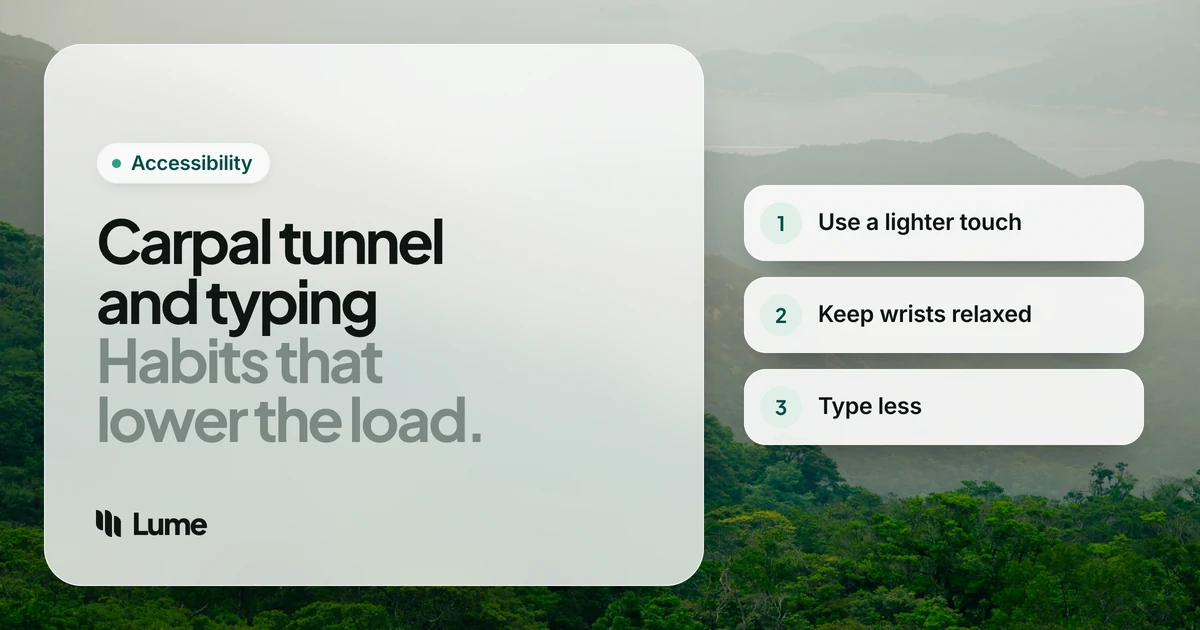
1. Use a lighter touch#
Mayo Clinic's first tip is to reduce force and relax your grip. On a keyboard, that means pressing keys softly rather than hammering them. Some practical ways to get there:
- Choose a keyboard with light, short key travel if your current one feels stiff.
- Notice whether you grip your mouse tightly, especially when you're concentrating. A larger mouse can let your hand rest on it instead of pinching.
- On a phone, set it on a stand so you aren't holding it in a tight grip while you type.
2. Keep your wrists in a relaxed, middle position#
Avoid bending your wrists all the way up or down while you type. Mayo Clinic suggests a relaxed middle position, with your keyboard at elbow height or slightly lower. OSHA's keyboard guidance adds that wrists should stay straight and in line with your forearms, not angled toward your thumb or little finger.
Quick checks:
- Chair and desk. If your elbows are below the keyboard, raise your chair (and add a footrest if your feet no longer reach the floor).
- Keyboard feet. Fold them away if they tilt the keys up toward you.
- Wrist rests. Use them for resting between bursts, not as a pivot while you type. Pressing the underside of your wrist into a rest adds pressure right over the carpal tunnel.
3. Take short, frequent breaks#
NIAMS lists resting your hands periodically and taking short breaks during repetitive tasks among the steps for managing early symptoms. Mayo Clinic says even a few minutes each hour can make a difference, and suggests gently stretching and bending your hands and alternating tasks when you can.
Breaks are easy to forget, so build them into the work: stand for phone calls, read documents instead of rewriting them, or set a quiet reminder on your watch.
4. Don't forget the mouse#
Given that some evidence points to the mouse, treat it with as much care as the keyboard. Keep it close so you aren't reaching, at the same height as the keyboard, and pick one that fits your hand. Move from your elbow rather than flicking your wrist. Mayo Clinic also suggests a mouse that is comfortable and doesn't strain your wrist.
5. Watch your posture and keep your hands warm#
Slouching rolls your shoulders forward, which can affect your neck and the nerves running down your arms. Mayo Clinic suggests a posture that avoids that, and also notes that keeping your hands warm may help with pain and stiffness if you work in a cold room.
6. Reduce the amount of typing#
The NHS suggests cutting down on activities that make you bend your wrist often or grip hard. For a keyboard worker, the biggest lever is simply typing less:
- Keyboard shortcuts and text replacement for phrases you type every day.
- Templates for routine emails.
- Voice typing for anything longer than a sentence or two.
Voice typing doesn't prevent or treat carpal tunnel syndrome, but it can reduce how much you type, which lines up with the advice above. Free options are built in: Apple Dictation on Mac and iPhone, Windows voice typing (Windows key + H, needs internet) and Gboard voice typing on Android. If the mouse is your main concern, Apple's Voice Control and Windows 11's Voice Access can click and scroll by voice.
LumeVoice, our app, is a dictation tool for Mac, Windows, iPhone and Android that cleans up as you talk, so you do less correcting by hand: filler words go, punctuation goes in, and spoken lists become real lists. You start it with a press: hold fn on a Mac or Ctrl + Win on Windows, or double-press to keep talking without holding a key, then press once to stop. It writes text only; it doesn't move the mouse.
Fewer Keystrokes, Same Writing
LumeVoice turns speech into clean, punctuated text in any app on Mac, Windows, iPhone and Android.
- Talk without holding a key: double-press the shortcut, speak, press once to finish.
- Less editing: filler words, restarts and punctuation handled for you.
- Your words aren't used for training, and audio isn't stored after processing.
- 50% off Pro for anyone who finds typing hard, no proof needed.
Laptops and phones need the same care#
Most of the advice above assumes a desk, but a lot of typing happens elsewhere.
- Laptops. A laptop forces a choice between a screen that's too low and a keyboard that's too high. Mayo Clinic's office ergonomics guide suggests raising the laptop on a stand and using a separate keyboard and mouse when you're at a desk.
- Sofas and beds. Typing with the laptop on your knees usually bends your wrists sharply. Keep long writing for a table, or speak it instead.
- Phones. Holding a phone and typing with the same thumb combines a grip with repeated movement. Rest the phone on a stand or table and use the keyboard's microphone for longer messages.
A simple weekly check#
Habits slip, so run through this once a week:
- Is the keyboard still at or below elbow height?
- Are your wrists straight while you type, or have you started resting on the heel of your hand?
- Is the mouse within easy reach?
- Did you take breaks most hours, or only when you remembered?
- What did you type this week that you could have spoken, templated or skipped?
Warning signs: when to see a doctor#
Don't wait for symptoms to become constant. NIAMS stresses that early diagnosis and treatment help avoid further damage to the median nerve, and Cleveland Clinic advises seeing a provider as soon as you notice symptoms or any change in how you can feel or use your hand. Book an appointment if you have:
- Numbness or tingling in your thumb, index, middle or ring finger, especially at night.
- Pain that spreads from your wrist into your hand or up your arm.
- A weaker grip, or you drop things more than you used to.
- Symptoms that keep coming back or aren't improving.
Your doctor may suggest a night splint, changes at work, or other treatment; the NHS and NIAMS both describe the options. If your pain is more of a general ache across the wrists and forearms than tingling in the fingers, our guide to relieving wrist pain from typing may fit better.
The accessibility discount#
If carpal tunnel symptoms make typing hard, you qualify for 50% off LumeVoice Pro. It's trust-based, so there's nothing to prove: email hello@lumevoice.com with a one-line request and we'll reply with a code for checkout on Mac or Windows. Details are on the accessibility page.
The short version#
You can't guarantee you'll never get carpal tunnel syndrome, and anyone who promises otherwise is overselling. You can type with a lighter touch, keep your wrists straight, take a few minutes off every hour, treat the mouse with care and type less overall. And if tingling or numbness appears, see a doctor early.