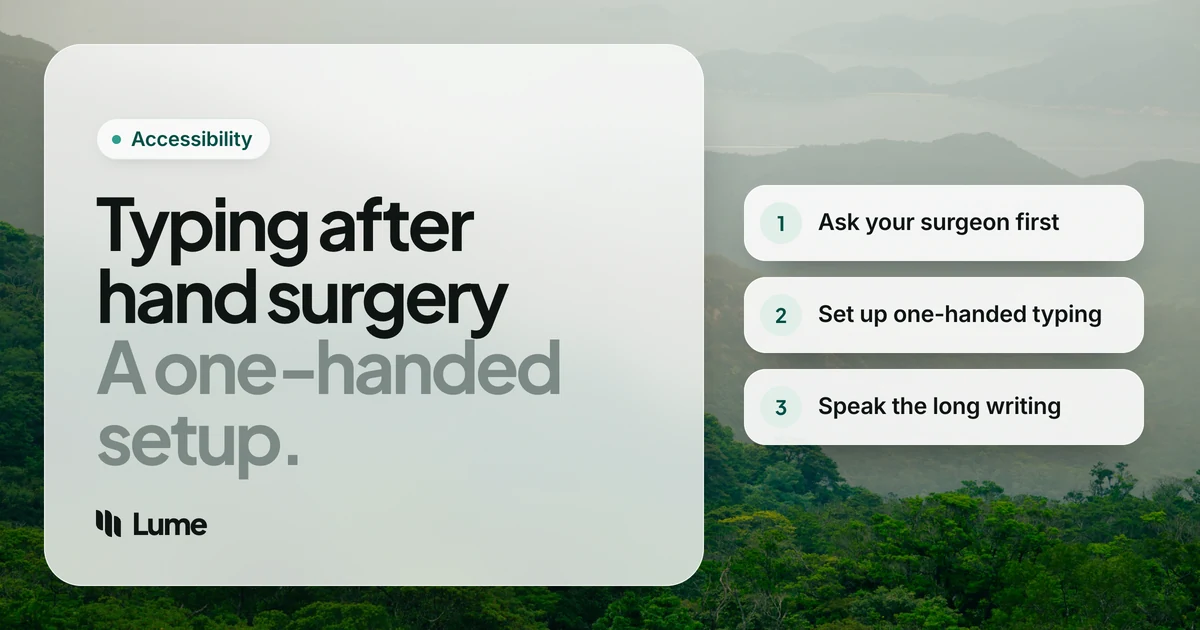
Hand surgery tends to arrive with a strict list of don'ts, and "don't use the hand" can be a problem when your job, your studies or your family group chat runs on a keyboard. Knowing how to type after hand surgery isn't about working around your surgeon's instructions. It's about setting up your computer and phone so you can keep writing within them, usually with one hand and your voice.
This isn't medical advice. Your surgeon's and hand therapist's instructions come first, every time. If anything here conflicts with what they've told you, follow them. Sources were checked as of October 2026.
Before anything else: ask about typing#
Recovery depends on the operation, the hand, and how you heal. The NHS says it can take about a month to get back to normal activities after carpal tunnel surgery, and repairs to tendons, bones or joints often involve longer periods of protection in a splint or cast.
Before you leave the hospital or at your first follow-up, ask:
- When can I type with this hand, and for how long at a time?
- Is the mouse or trackpad OK? What about a phone?
- Can I rest my hand on the desk, or should it stay raised?
- Which exercises should I do, and which movements should I avoid?
- What signs mean I should call you?
Write the answers down. "Light use" means different things to different people.
Set up your computer for one hand#
Most of the work is a few minutes in settings, done before surgery if you can.
Sticky Keys: one key at a time#
Shortcuts like Ctrl + C, Command + Tab or Ctrl + Alt + Delete normally need two or three fingers. Sticky Keys lets you press them in sequence instead.
- Mac: System Settings > Accessibility > Keyboard > Sticky Keys (Apple Support).
- Windows 10 and 11: Settings > Accessibility > Keyboard > Sticky keys, or press Shift five times (Microsoft Support).
Windows also has Filter keys, and the Mac has Slow Keys, which help if your typing hand is less precise than usual and you brush neighboring keys.
Move the mouse to the other side#
If your dominant hand is the one in a splint, put the mouse on the other side and swap the primary button in your mouse or trackpad settings, so the main click sits under your index finger. A trackpad or a large mouse is usually easier for a non-dominant hand than a small one. Slow the pointer speed down while you get used to it.
Position the keyboard for your working hand#
Center the half of the keyboard you'll use most in front of that hand, keep your wrist straight, and keep the keyboard at or slightly below elbow height (Mayo Clinic office ergonomics). Your other hand is doing double duty, so give it the same care you'd give the injured one.
Set up your phone for one hand#
- iPhone: touch and hold the emoji or globe key and choose the left- or right-handed keyboard, which shifts the keys toward one side (Apple Support). Touching and holding the space bar turns the keyboard into a trackpad for moving the cursor.
- Android: turn on one-handed mode in Settings to bring the screen within reach of your thumb (Android Accessibility Help). Many keyboards, including Gboard, have their own one-handed layout too.
- A stand helps. Put the phone on a stand or table so your good hand isn't also holding it.
Use your voice for the long writing#
One-handed typing works for short replies. For emails, reports or essays, dictation can reduce how much you type with the hand you've got left, which is especially useful when that hand is also doing everything else.
Free, built-in options:
- Apple Dictation on Mac and iPhone. Tap the microphone on the iPhone keyboard (Apple Support) or press the Microphone key on a Mac (Apple Support).
- Windows voice typing. Press Windows key + H (Microsoft Support). It needs an internet connection.
- Gboard voice typing on Android. Tap the microphone (Gboard Help).
If you can't use a mouse either, voice control tools go further: Voice Control on Mac and iPhone, and Voice Access on Windows 11 and Android, let you open apps, click buttons and scroll by voice.
Where LumeVoice fits#
LumeVoice is our app. It's a dictation tool for Mac, Windows, iPhone and Android that cleans up as you talk: it removes filler words, applies corrections you make mid-sentence and adds punctuation, so there's less to fix with one hand afterwards. Some details that matter after surgery:
- Choose a shortcut your good hand can reach. On a Mac the default is fn; on Windows it's Ctrl + Win. You can change it in Settings, and on Windows that includes a single key such as Right Ctrl, Right Alt or an F-key, which is handy if you're working left- or right-handed only.
- Don't hold the key. Double-press the shortcut to keep talking without holding anything, then press once to finish.
- On your phone, switch to the Lume keyboard on iPhone and tap Start Lume, or tap the floating bubble on Android.
It still needs that one press or tap to start, and it writes text only; it doesn't click, scroll or open apps. Pair it with Voice Control or Voice Access if you need those.
Keep Writing While You Heal
LumeVoice lets you write emails, messages and documents by talking, on Mac, Windows, iPhone and Android.
- One press to start: pick a single key your good hand can reach, double-press and talk.
- Less one-handed fixing: punctuation, filler words and self-corrections handled for you.
- One plan, every device: buy once and use it on your computer and phone.
- 50% off Pro during recovery, no proof needed.
If you can, set it all up before surgery#
Changing settings one-handed, with a sore hand and painkillers in your system, is harder than doing it the week before. If your surgery is planned:
- Turn on Sticky Keys and try it for a day so it isn't a surprise.
- Move the mouse to the side you'll use, and swap the button if needed.
- Set up dictation on your computer and phone, and practise on a few emails so you're comfortable with it before you need it.
- Change your dictation shortcut to a key your good hand can reach easily.
- Add text replacements for your email address, phone number and the replies you send most.
- Tell your employer or school what you'll be able to do and for how long, so expectations are clear. Ask whether they can adjust deadlines or let you take more calls instead of writing.
A one-handed day that works#
What a typical day might look like while your operated hand is resting:
- Email: click into a reply, start dictation, say the whole message, and correct a word or two with your good hand.
- Chat apps: short replies typed one-handed, longer ones spoken.
- Documents: speak the draft in sections, then tidy formatting with the keyboard and mouse.
- Navigation: keyboard shortcuts with Sticky Keys, or Voice Control and Voice Access if the mouse is hard too.
- Breaks: more than you think you need, because your good hand is doing two hands' work.
Ease back in#
When your surgeon or therapist clears you to type with the operated hand, ease in rather than jumping back to a full day:
- Start with the amount of time they suggest, and stop if pain increases.
- Keep dictating the long pieces for a while, and use the hand for short edits.
- Keep up with any exercises your hand therapist gave you.
- Take regular breaks. Mayo Clinic notes that even a few minutes each hour away from repetitive hand tasks can make a difference (Mayo Clinic).
When to call your surgeon or doctor#
Follow the warning signs and phone numbers you were given at discharge; they're specific to your operation. As a general guide, NHS hospital advice lists redness or soreness around the wound, skin that feels hot or swollen, pus, the wound opening, and feeling feverish or unwell as possible signs of infection that need prompt advice (Guy's and St Thomas' NHS). Also call if pain or numbness is getting worse rather than better. If your other hand or wrist starts to hurt from the extra work, mention that too.
The accessibility discount#
Recovery after surgery counts. Anyone who finds typing hard because of an injury or health condition can get 50% off LumeVoice Pro, with no proof needed. Email hello@lumevoice.com with a one-line request and we'll reply with a code for checkout on Mac or Windows. The accessibility page has the steps.
The short version#
Ask your surgeon exactly what's allowed. Then turn on Sticky Keys, move the mouse, switch your phone to one-handed mode, and use dictation for anything long. Ease back in when you're cleared, and call your care team if something doesn't look or feel right.