Wrist pain from typing usually creeps up: a dull ache by late afternoon, a twinge when you reach for the mouse, stiffness when you start again the next morning. Often it settles with a few changes. Sometimes it's the first sign of something that needs a doctor. This guide covers both: what you can do today, how to change the way you work so the pain has less to feed on, and the signs that mean you should get checked.
This isn't medical advice. Health sources are linked and were checked as of October 2026. If you're unsure what's causing your pain, a doctor or physiotherapist is the right first stop.
For a longer look at RSI and a full voice typing setup, see our RSI guide.
Why typing makes wrists hurt#
Typing is many small, repeated movements, often with the wrists bent and the same muscles working for hours. The NHS lists typing among the repetitive activities linked to repetitive strain injury (RSI), with symptoms such as aching or throbbing pain, stiffness, weakness, tingling, cramps and swelling. It also points out that repetitive work doesn't always cause RSI.
Wrist pain at the keyboard can come from different places, and the cause matters. Cleveland Clinic notes that a long day of typing can cause temporary pain on the little-finger side of the wrist. Longer-lasting pain may come from tendinitis, carpal tunnel syndrome or arthritis, which need different care. That's why pain that doesn't settle deserves a proper diagnosis.
First steps for mild pain#
For general RSI-type pain, the NHS suggests:
- Stay active. Avoid resting the area for more than a few days, which can make it weaker and less flexible. Start with less activity and build up gradually.
- Cold pack. Wrap a cold pack or a bag of frozen peas in a towel and hold it on the sore area for up to 20 minutes every 2 to 3 hours.
- Pain relief. Paracetamol or anti-inflammatories such as ibuprofen (tablets or gel) may help. Ask a pharmacist what's suitable for you.
- Talk to your employer about changing how you work or, if needed, your hours.
If pain keeps coming back, the NHS describes physiotherapy and occupational therapy as next steps; in many parts of England you can refer yourself to NHS musculoskeletal services.
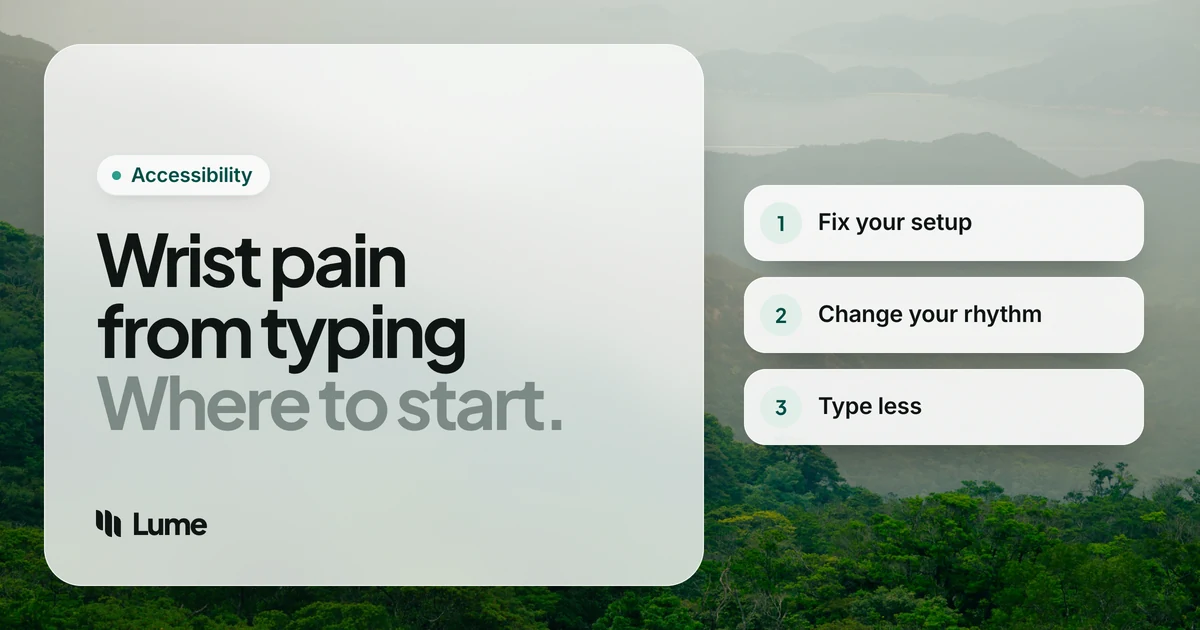
Fix the setup that's loading your wrists#
Pain relief helps you through the day, but the setup decides what happens tomorrow. Using OSHA's computer workstation guidance and Mayo Clinic's office ergonomics advice:
- Keyboard height. Hands at or slightly below elbow level, shoulders relaxed.
- Straight wrists. Not bent up, down, or sideways toward the little finger. If you angle your hands outward to reach the keys, a wider or split keyboard may help.
- Flatten the keyboard. Fold the back feet away if they push your wrists upward.
- Rest between bursts, not during. Use a palm rest when you pause; float your hands while you type.
- Laptop users: raise the laptop on a stand and use a separate keyboard and mouse.
The mouse deserves equal attention#
People blame the keyboard, but the mouse often does more harm. In a study of new computer workers, mouse use with the wrist bent sideways toward the thumb was associated with more hand and arm symptoms (Marcus et al., 2002). Keep the mouse close and level with the keyboard, move from the elbow rather than the wrist, and don't grip it tightly. Using keyboard shortcuts for common actions can cut mouse work, and Sticky Keys on Mac or Windows lets you press those shortcuts one key at a time.
Change the rhythm of your day#
Hours of uninterrupted typing are hard on any wrist. Mayo Clinic suggests short, frequent breaks and switching tasks when possible, noting that even a few minutes each hour can make a difference.
Some ways to make that realistic:
- Group your typing into blocks with something else in between: a call, reading, a walk to refill water.
- Take calls on a headset so your hands are free.
- Save the longest writing for the time of day your wrists feel best.
Type less#
The most direct way to give a sore wrist less work is to ask it for fewer keystrokes.
- Text replacement and snippets for addresses, sign-offs and phrases you type every day.
- Templates for routine replies.
- Voice typing for anything longer than a quick fix.
Voice typing can reduce how much you type; it doesn't treat whatever is causing the pain. Built-in options are free: Apple Dictation on Mac and iPhone, Windows voice typing (Windows key + H, needs internet) and Gboard voice typing on Android. If moving the mouse hurts, Apple's Voice Control and Voice Access on Windows 11 let you click and scroll by voice.
LumeVoice is the app we make. It types into any app on Mac, Windows, iPhone and Android and tidies your words as it goes: no "um"s, proper punctuation, and "send it Monday, no, Tuesday" comes out as "Send it Tuesday." That matters for sore wrists because every correction you don't have to make is typing you don't have to do. On a computer you hold a shortcut (fn on a Mac, Ctrl + Win on Windows) or double-press it to talk without holding anything, then press once to finish. It writes text; for the mouse, use one of the tools above.
Give Your Wrists Less to Do
LumeVoice turns what you say into finished text in any app on Mac, Windows, iPhone and Android.
- Hands-free once started: double-press the shortcut and talk; press once to stop.
- Cleanup included: filler words, self-corrections and punctuation handled for you.
- Snippets: say a short cue to insert text you type often.
- 50% off Pro if typing is hard for you, no proof needed.
Phone typing counts too#
If your wrist hurts by evening, look at your phone as well as your desk. Holding a phone in one hand while that thumb types keeps the wrist bent and the hand gripping at the same time. Put the phone on a stand or table when you can, switch hands, and use the microphone on your keyboard for anything longer than a quick reply. The free voice typing on iPhone and Android works in almost any app, and so does a dictation keyboard such as Lume's.
A workday with less load on your wrists#
Here's one way to put all of this together. Adjust it to your job and to whatever your doctor or physiotherapist has told you.
- Start by speaking. Answer the overnight email and messages by voice while your wrists warm up, and type only the small corrections.
- Block your typing. Do focused writing in blocks of no more than an hour, with something hands-free between them: a call, reading, a short walk.
- Draft by voice, edit by hand. Speak the first version of a document or report, then tidy it on the keyboard.
- Let shortcuts and snippets handle routine text. Addresses, links, sign-offs and standard replies shouldn't be typed out fresh every time.
- Check your setup after lunch. Chairs sink and keyboards drift. A ten-second check of height, wrist angle and mouse position catches it.
- Wind down lightly. Leave the heaviest typing for when your wrists feel best, which for many people isn't the end of the day.
Keep a quick note of when the pain is worse and what you were doing. If you do see a doctor or physiotherapist, that record is far more useful than "it hurts sometimes".
When to see a doctor#
Get your wrist checked if:
- Pain doesn't improve within a few days, or keeps getting worse (Cleveland Clinic).
- You have numbness or tingling in your fingers, especially your thumb and first two fingers, which can point to carpal tunnel syndrome.
- Your grip is weaker, you're dropping things, or you can't move your wrist or fingers normally.
- There's swelling, redness or a change in skin color around the wrist.
- The pain started after a fall or injury.
Go to an emergency department for extreme pain, swelling that's rapidly worsening, or if you suddenly can't move part of your hand or arm (Cleveland Clinic).
If tingling is the main symptom, read how to prevent carpal tunnel from typing and our carpal tunnel guide alongside your doctor's advice.
The accessibility discount#
If wrist pain makes typing hard, you qualify for 50% off LumeVoice Pro. It's trust-based: email hello@lumevoice.com with a one-line request and we'll reply with a code to use at checkout on Mac or Windows. The accessibility page explains how.
The short version#
For mild pain: keep moving gently, use a wrapped cold pack, and ask a pharmacist about pain relief. Then change what caused it: straight wrists, a lower keyboard, a closer mouse, regular breaks and fewer keystrokes. And don't sit on pain that lasts, spreads or comes with numbness. That's a job for a doctor.