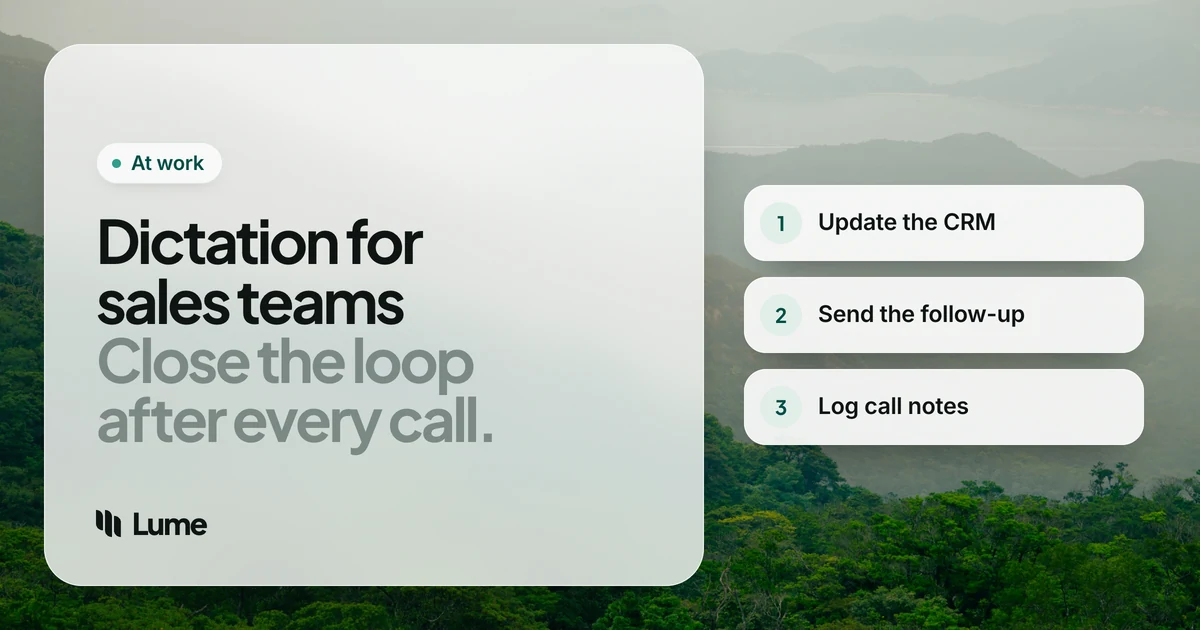
Ask a sales rep what slows them down and the answer is rarely the calls. It's what comes after: the CRM update nobody wants to do, the follow-up email that should go out within the hour, the Slack message to the deal desk, the note to remember that the champion is going on leave in March. Pipeline reviews run on that writing. When it's thin or late, forecasts get fuzzy.
Dictation software for sales teams targets that after-call writing. But before comparing tools, there's a distinction that trips up a lot of buyers.
First: recorder or dictation?#
Two kinds of voice tools get lumped together in sales:
- Meeting and call recorders. Tools like Otter.ai and conversation-intelligence platforms like Gong join or record the call, transcribe everyone on it and produce summaries. They capture the conversation. They usually need to be set up for your meeting platform, and recording calls brings consent rules that vary by location.
- Dictation software. Tools like LumeVoice and Wispr Flow capture your voice only, when you choose, and type the result into whatever app you're using. They're for the writing you do yourself.
They're different tools for different jobs, not substitutes. A recorder can tell you what the customer said. It can't write your follow-up in your own words, update the next-step field the way your manager wants it, or reply to a Slack thread. If your team already has a recorder, dictation fills the gaps around it. If you're choosing between them, decide which problem you're solving. Our LumeVoice vs Otter.ai page goes into the difference.
The rest of this guide is about dictation. We make LumeVoice; other tools are described from their own pages as of October 2026.
What reps write after every call#
- CRM notes and fields: next steps, close date changes, stakeholder notes, objections.
- Follow-up emails: recap, next steps, the resource you promised.
- Internal messages: deal-desk requests, pricing approvals, handoffs to solutions engineers or customer success.
- Prospecting messages: personal first lines on email and LinkedIn.
- Mobile updates: notes between field visits or from the car (parked).
What a sales team should look for#
Works where reps work. Salesforce and HubSpot in the browser, Gmail or Outlook, Slack, LinkedIn, and the CRM's phone app. A system-wide tool covers all of them.
Cleanup. Reps talk fast and casually. Filler words and false starts in a customer-facing email are a problem; AI cleanup removes them.
Your vocabulary. Product names, competitor names and customer names. A custom dictionary keeps them spelled right.
Rollout and admin. For a team, ask who buys it, who manages seats and whether IT needs single sign-on. This is where tools differ most.
Data policy. Customer names, deal sizes and contract terms are sensitive. Know where audio goes and whether it's kept.
The options#
Chrome "talk to type" (free). Gemini-powered dictation in any text box in desktop Chrome, on Mac, Windows, Linux and ChromeOS. If your reps live in Salesforce, HubSpot and Gmail in Chrome, it's a capable free starting point. It doesn't reach desktop apps outside Chrome, such as the Slack or Outlook desktop apps.
Built-in Mac and Windows dictation (free). Apple Dictation on Mac and iPhone, and Windows voice typing (Win + H), work system-wide at no cost. Windows voice typing needs internet; on Copilot+ PCs, Fluid dictation (English) removes filler words and fixes grammar. No custom vocabulary on either, so expect to fix product and customer names. Compare in LumeVoice vs Apple Dictation.
LumeVoice. AI dictation for Mac, Windows, iPhone and Android, one plan for all four. Hold fn on a Mac or Ctrl + Win on Windows, talk, let go; on iPhone use the Lume keyboard, and on Android the floating bubble over your usual keyboard (iPhone, Android). It removes filler words, applies self-corrections, turns spoken lists into lists and works in 100 languages. The desktop custom dictionary handles product and competitor names; snippets insert your meeting link or a standard paragraph from a short cue. It's cloud-based and needs a connection. For teams, the honest limitation: there's no team plan or admin console, so each rep buys and manages their own account.
Wispr Flow. A polished AI dictation app on all four platforms, cloud-only, with a dictionary and snippets. Pro is $15 a month or $144 a year. Its Growth plan, at $18 per user a month billed annually, adds single sign-on and admin controls (pricing details). If you're rolling dictation out to a whole sales org with IT involved, that's a strong reason to choose Wispr Flow. See LumeVoice vs Wispr Flow.
Otter.ai (as a complement). Not a dictation tool, but worth naming: it joins Zoom, Teams and Meet calls, transcribes and summarizes. Basic is free with 300 minutes a month; Pro is $16.99 a month as of October 2026. Pair it with dictation if you want both the record and your own write-up. More options in our Otter.ai alternatives guide.
Workflows that stick#
These examples are illustrative. They show what the cleanup does, not a real deal or a measured result.
The two-minute CRM update#
Right after the call, open the opportunity and dictate into the notes or next-steps field.
You say (illustrative): "Discovery call with Jordan, VP of ops. Main pain is, um, manual invoice matching, about two people full time. They're evaluating us and one other vendor. Next steps, one, technical demo with their IT lead next Thursday, two, send the security questionnaire, three, Jordan to confirm budget owner, uh, by end of month."
What lands: Discovery call with Jordan, VP of Ops. Main pain is manual invoice matching, about two people full time. They're evaluating us and one other vendor.
Next steps:
- Technical demo with their IT lead next Thursday.
- Send the security questionnaire.
- Jordan to confirm the budget owner by end of month.
The follow-up email within the hour#
Open Gmail or Outlook and say it the way you'd say it to the customer on the phone.
You say (illustrative): "Hi Jordan, thanks for the time today. As promised, I'm attaching the case study from the, uh, logistics customer we talked about. Let's lock in the demo for Thursday at two, sorry, Thursday at three, I'll send an invite to you and Sam."
What lands: Hi Jordan, thanks for the time today. As promised, I'm attaching the case study from the logistics customer we talked about. Let's lock in the demo for Thursday at three; I'll send an invite to you and Sam.
Say your snippet cue for your signature and meeting link, read it once, and send.
The deal-desk request#
Pricing approvals stall on missing context. Dictate the full picture into Slack or Microsoft Teams: the deal, the ask, why it's justified and when you need an answer. A complete request usually gets a faster yes than a one-liner followed by five questions.
Prospecting first lines#
Personalized first lines are what get cut when you're typing your fortieth message. Speak one or two specific sentences per prospect, then insert your standard paragraph with a snippet. The personal part stays personal and the rest stays consistent.
Between field visits#
For field reps, the phone is the CRM. Park, open the CRM app, switch to your dictation keyboard and log the visit before you drive to the next one.
Data and privacy#
Sales data is customer data. Before your team dictates deal details into any tool, check your company's policy and, if you use call recording, the consent rules where you and your customers are.
LumeVoice sends audio to the cloud for processing and doesn't store it afterwards. What you say is never used to train models, and your dictation history stays on your device, not our servers. It holds no compliance certifications, so your company's rules decide whether it's approved for customer data.
If audio must never leave the device, Apple Dictation on iPhone can work without a connection in many languages, and Superwhisper can run fully offline (pricing).
Update the CRM before the next call starts
LumeVoice types clean notes and follow-ups into Salesforce, HubSpot, Gmail and Slack on Mac and Windows, with iPhone and Android on the same plan. Every new account gets 3,000 free words, no card required.
Which fits your team?#
- You need a record of the call: a meeting recorder such as Otter.ai or Gong, with consent handled.
- Reps live in Chrome and you want free: Chrome's talk to type.
- Rolling out to a whole team with IT, SSO and central billing: Wispr Flow's team plans.
- Individual reps who write across desktop, browser and phone and want names spelled right: LumeVoice.
- Just testing the habit: Apple Dictation or Windows voice typing.
Whatever you choose, tie it to one habit: update the CRM before the next call starts. That's where dictation pays for itself.