Attorneys get most of the attention in legal dictation, but paralegals do a different kind of writing, and more of it. Intake notes from a first call. Summaries of a stack of medical records. The fourth "please find enclosed" letter of the morning. Docket notes, billing narratives, follow-ups to opposing counsel's assistant about a date.
Dictation software for paralegals has to fit that work: short, frequent, structured writing spread across many systems, most of them in a browser. This guide covers what to look for, the realistic options, and a workflow for each kind of writing. We make LumeVoice; the other tools are described from their own pages and our existing comparisons, as of October 2026. For the attorney's side of the desk (briefs, memos, Dragon Legal's drafting features), see our guide for lawyers.
What paralegals write#
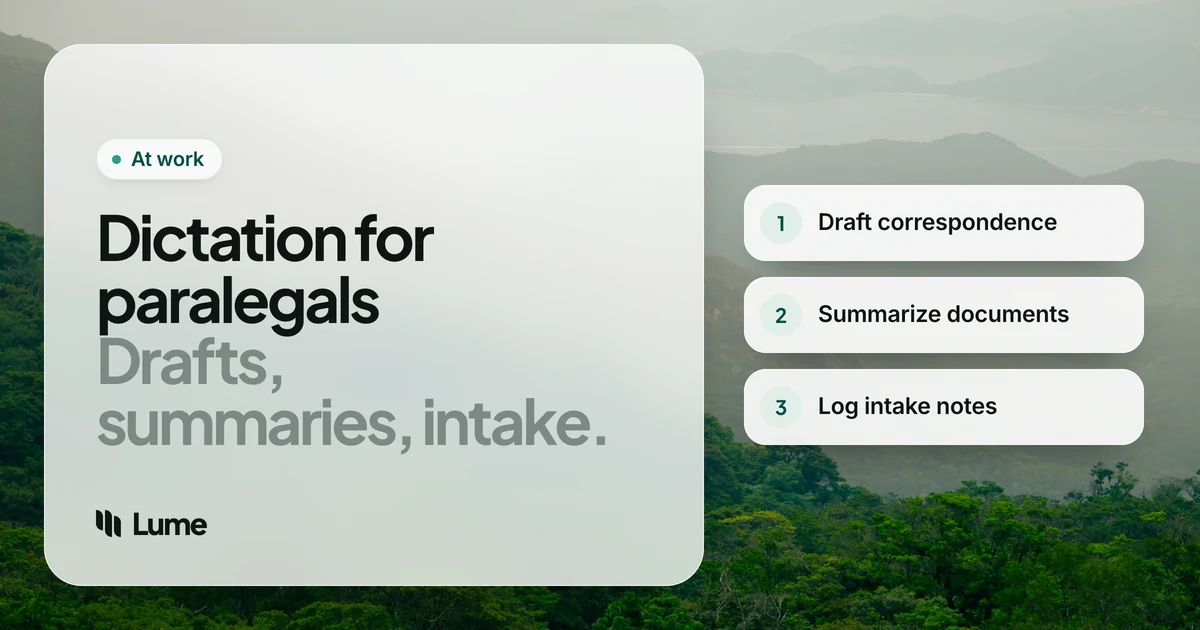
- Client intake. Facts, dates, parties and documents from the first conversation, entered into the case management system.
- Document summaries. Medical records, deposition transcripts, discovery productions: what's there, what matters, where to find it.
- Correspondence. Cover letters, scheduling emails, records requests, reminders to clients about what to bring.
- Docket and calendar notes. What was filed, what's due, who's responsible.
- Time entries. Billing narratives that need to say what you actually did.
- Internal updates. Messages to the attorney about where a matter stands.
Much of this is semi-structured: the same headings, the same kinds of facts, slightly different every time. That's where dictation earns its keep, because you're describing, not composing.
What matters for paralegal work#
Works in every system. Case management, document management, billing and e-filing tools are often web apps. A dictation tool that only works in Word leaves most of your day uncovered.
Lists and structure. Summaries and intake notes are full of lists. A tool that turns "one... two... three..." into a real numbered list saves formatting.
Names and terms. Client names, opposing parties, providers, medical terms in records summaries. You need a way to teach the tool.
No admin rights needed, but permission is. Paralegals often can't install software. Some tools need admin rights; some don't. Either way, your firm decides.
A predictable data flow. You handle a lot of client information. Know where the audio goes before you start.
The options#
Your firm's Dragon licence, if there is one. If the firm already runs Dragon Legal on Windows, ask for a seat. Its legal vocabulary, shared word lists, voice commands and macros that insert standard text are all useful for paralegal work, and Nuance says it formats legal citations automatically. It's Windows only and priced by quote (Dragon pricing).
LumeVoice. Types cleaned-up text into any app on Mac and Windows, plus iPhone and Android, on one plan. Filler words and stutters go, self-corrections are applied, and spoken lists become numbered or bulleted lists. On desktop, add client and provider names to the custom dictionary so they're passed to speech recognition. Snippets type text you repeat, such as your firm's address or a standard enclosure line, from a short spoken cue. On Windows it installs per user, without admin rights. It's cloud-based, has no voice commands, no legal vocabulary built in and no team plan.
Wispr Flow. Similar AI dictation on the same platforms, cloud-based, with snippets and a dictionary. Pro is $15 a month or $144 a year; its Growth plan adds single sign-on and admin controls, as of October 2026 (pricing). A better fit if the firm wants to manage dictation centrally.
Windows voice typing and Apple Dictation. Free and already on your computer. Press Windows key + H on Windows. No cleanup and no custom vocabulary, but a fine way to find out whether dictation suits you before asking the firm for anything.
MacWhisper or Superwhisper's local models. For transcribing recordings, or dictating, entirely on a Mac with nothing sent to a server. If your firm allows dictation but not cloud processing, look here.
Paralegal work, by voice#
These examples are illustrative: invented names and facts, showing what the cleanup does rather than a measured result.
Intake notes#
During or right after the first call, click into the intake notes field and talk through what you learned in the order the form asks for it.
You say (illustrative): "Potential client Marcus Lee, um, slip and fall at the Riverside Mall on June 9th, no, June 10th. Went to urgent care the same day, then his own doctor. Documents he has, one, urgent care discharge papers, two, photos of the floor, three, a, uh, text from the store manager. Statute date to calendar."
What lands: Potential client Marcus Lee, slip and fall at the Riverside Mall on June 10th. Went to urgent care the same day, then his own doctor.
Documents he has:
- Urgent care discharge papers
- Photos of the floor
- A text from the store manager
Statute date to calendar.
Note what the cleanup did with "June 9th, no, June 10th". That's usually what you want, but in intake it's worth a glance: if the client corrected themselves, the original date might matter. Dictate it as "client first said June 9th, then corrected to June 10th" when it does.
Document summaries#
Work through the records with the summary open in Word beside them. Read a section, then dictate your summary of it: date, provider, what it shows, where it is. Spoken lists keep each entry tidy. Bates numbers, page and line references are easier to type or paste; dictation is for the description.
You say (illustrative): "Visit of August 2nd, orthopedics, Dr. Patel. Complains of, uh, lower back pain radiating to the left leg. MRI ordered. Recommends physical therapy twice a week for six weeks."
What lands: Visit of August 2nd, orthopedics, Dr. Patel. Complains of lower back pain radiating to the left leg. MRI ordered. Recommends physical therapy twice a week for six weeks.
Add recurring provider names and medical terms to the custom dictionary on desktop before you start a long records review. You still check every summary against the source. Dictation changes how fast you write it down, not what the records say.
Routine correspondence#
Cover letters and scheduling emails are mostly the same few sentences. Save the fixed parts as snippets (the firm's address block, "Please find enclosed", your signature) and dictate only the part that changes: what's enclosed, the date, the deadline. In Outlook or Gmail, that's often a single sentence of real dictation.
Docket notes and time entries#
Docket notes and billing narratives are short, but there are many of them, and they're easy to put off until Friday. Dictate each one when the task ends. A specific spoken narrative ("Reviewed 140 pages of records from Riverside Urgent Care and prepared chronology through August") is usually better than the vague one you'd type from memory at the end of the week. Check your firm's billing guidelines for the wording clients expect.
Updates to the attorney#
When the attorney asks "where are we on Lee?", a dictated Teams or Slack message with three numbered points answers faster than a meeting. See voice for Slack messages.
Client data: check before you speak#
Paralegals see the most sensitive parts of a file: medical records, financial details, personal identifiers. Before you dictate any of it, ask the firm whether the tool is approved. Your firm, its clients and your jurisdiction's professional rules decide what's acceptable for confidential and privileged information, not the dictation vendor.
Data flow, plainly:
- Dragon Legal desktop is installed on your Windows PC; Nuance lists a connection for activation, not for dictation itself.
- MacWhisper and Superwhisper's local models keep audio on your Mac.
- LumeVoice and Wispr Flow process audio in the cloud.
LumeVoice doesn't store your audio after processing and never uses it to train models, and your dictation history stays on your device. It needs an internet connection and holds no legal or compliance certifications. It doesn't offer a Business Associate Agreement, so it shouldn't be used for patient health information covered by HIPAA. A sensible split many firms land on: cloud dictation for correspondence and internal notes with no confidential detail, approved tools for the rest. Our privacy guide for legal and medical work has the questions to ask.
Fewer keystrokes for the forms and letters
LumeVoice types clean text into your case management system, Word or Outlook on Mac and Windows, with snippets for the lines you repeat. Check your firm's policy, then start with 3,000 free words, no card required.
Picking one#
- Your firm already licenses Dragon Legal: ask for a seat.
- Firm won't allow cloud processing: MacWhisper or Superwhisper's local models on a Mac.
- Firm wants to roll out one managed tool: Wispr Flow's team plans.
- Trying the habit first: Windows voice typing (Windows key + H) or Apple Dictation.
- You want clean text in every browser tab and app, and your firm approves a cloud tool: LumeVoice.