"My Mac keeps typing the wrong words."
Before you switch apps, know this: most dictation accuracy problems are fixable without changing tools, and the fixes are not the ones people usually try. Here are nine, ordered by how much difference each one actually makes.
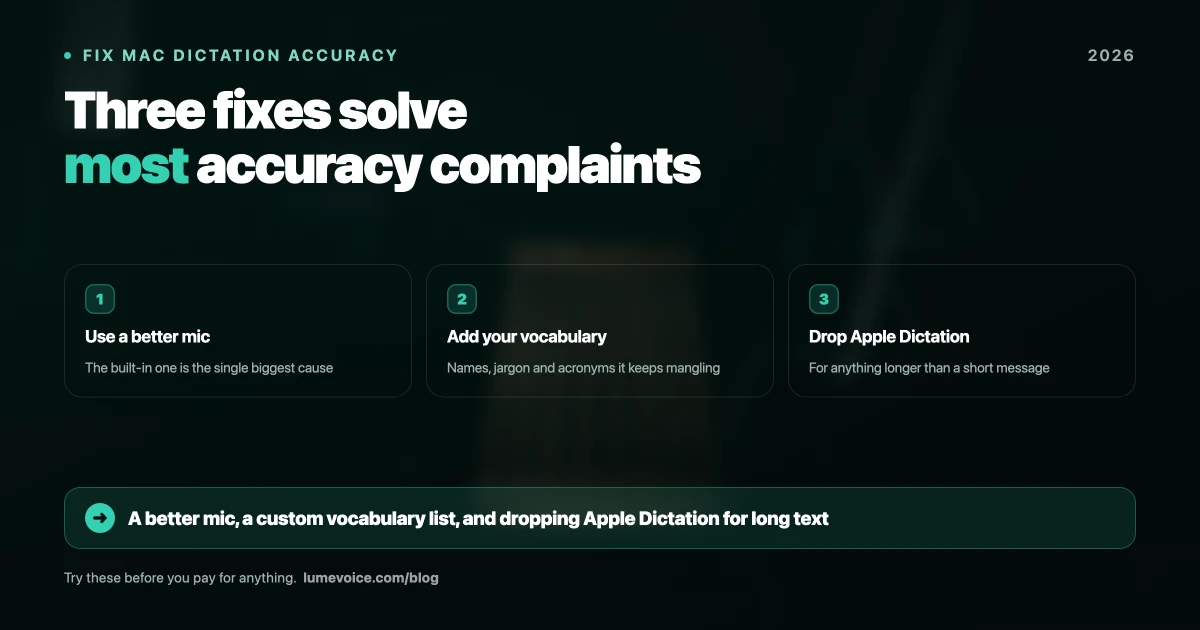
1. Fix Your Microphone First#
This is the single highest-impact change, and it's the one people skip because it isn't a software setting.
Your MacBook's built-in mic sits behind the keyboard, pointing away from your mouth, in a room with hard surfaces. It picks up reflections, fan noise, and your own keystrokes. No model fixes bad input.
In order of improvement:
- AirPods or any headset mic — close to your mouth, suppresses room noise. Free if you own them.
- A cheap USB condenser mic — $40–60 and better than AirPods for desk work.
- Anything but the built-in mic in a room with hard floors and bare walls.
In a reflective room this single change can roughly halve your error rate. Try it before touching anything else.
2. Add Your Vocabulary#
Speech models have never heard of your company, your framework, or your colleague Siobhán. Faced with an unfamiliar word, they substitute the nearest common one — kubectl becomes "cube control", PostgreSQL becomes "post grey sequel".
Every serious dictation tool has a custom vocabulary or dictionary feature. Apple Dictation does not. Almost nobody sets it up, and it's the difference between usable and infuriating if you work in a specialised field.
Spend ten minutes adding:
- Product and company names you say often
- Technical terms, libraries, CLI tools
- Colleagues' and clients' names
- Internal acronyms
3. Stop Using Apple Dictation for Long-Form Work#
Apple's built-in dictation is genuinely fine for a short message. It's free, it processes on-device, and it needs no setup.
It's the wrong tool for a work email or a technical document. It sits around 7.8% word error rate on standard English, degrades sharply on technical vocabulary and accented speech, and offers no custom vocabulary to fix that. It also cuts you off on longer passages.
If most of your dictation is real work, this is where switching tools genuinely helps — see the most accurate dictation app for Mac for the comparison.
🎙️ Tired of correcting the same words? LumeVoice supports custom vocabulary and removes filler words automatically. Try it free →
4. Speak Normally, Not Slowly#
The instinct is to help the model by enunciating carefully:
"Hi… John… I… am… sorry… for… the… delay."
This makes accuracy worse. Modern models use surrounding words to resolve ambiguity. Break the sentence into isolated words and you remove the context they rely on. Speak at your normal conversational pace, in complete thoughts.
5. Stop Dictating Punctuation#
Saying "comma" and "full stop" out loud is a habit from the Dragon era. Current engines infer punctuation from phrasing and pauses, and speaking the marks interferes with that.
Just talk. If your tool needs you to dictate punctuation, that's a signal it's an older engine.
6. Check Which Model You're Running#
If your app lets you choose a Whisper model — Superwhisper, MacWhisper, Buzz, VoiceInk all do — model choice matters more than most settings.
| Model | Practical RAM | When it's right |
|---|---|---|
| Tiny / Base | Any Mac | Testing only |
| Small | 8GB | Reasonable default on 8GB |
| Medium | 8–16GB | Best balance for most people |
| Large-v3 | 16GB+ | Accents, jargon, noisy audio |
Swipe to see all columns
Running Large-v3 on an 8GB MacBook Air causes swapping and feels broken. Running Tiny and blaming the app for errors is equally common. Match the model to your hardware.
7. Fix the Room, Not Just the Mic#
Hard floors, bare walls, and a large desk surface all create reflections that reach the mic milliseconds after your voice. Models handle noise better than they handle echo.
Cheap fixes: talk closer to the mic, put something soft on the desk, avoid dictating in an empty room with tile or wood floors.
8. If You Have an Accent, the Engine Matters More Than Anything#
This is under-discussed. In our accent testing, Apple Dictation's error rate rose from 7.8% to over 30% on Pakistani English. Modern transformer-based models degraded far less on the same audio.
If you speak English as a second language and dictation has felt unusable, the problem is very likely the engine rather than your pronunciation. Our accuracy benchmark covers the accent results in detail, and this guide covers using dictation as a non-native speaker.
9. Decide Whether You Want Accuracy or Finished Text#
These are different problems, and conflating them causes a lot of frustration.
A perfectly accurate transcript still contains every "um", every false start, and the sentence you abandoned halfway. That's not an accuracy failure — it's a faithful record of how people actually talk.
If what frustrates you is editing rather than errors, no amount of microphone tuning fixes it. You need a tool with a cleanup layer that removes filler words and resolves mid-sentence corrections. That's a product category difference, not a settings change.
Quick Diagnostic#
| Symptom | Most likely cause |
|---|---|
| Random wrong words throughout | Microphone or room echo |
| Technical terms consistently wrong | No custom vocabulary |
| Worse on long passages | Apple Dictation's cutoff |
| Homophones wrong ("their"/"there") | Speaking too slowly, losing context |
| Everything wrong, heavy accent | Wrong engine for accented speech |
| Accurate but full of "um" | Working as designed — you want a cleanup layer |
Swipe to see all columns
Conclusion#
Work through it in order: microphone, custom vocabulary, then the app. Most people do it backwards, switching tools first and staying frustrated because the real problem was a mic pointing at a hard wall.
If you've done all three and it still isn't right, the issue is probably the last item on the list — you don't want a more accurate transcript, you want text you can send without editing.
Accuracy Is Only Half the Problem#
Getting every word right still leaves you deleting "um" and rewriting the sentence you restarted.
LumeVoice turns your speech into clean, formatted text in any app on your Mac or Android phone — filler words removed, self-corrections resolved, custom vocabulary for your terminology. Zero cloud data retention, never used for training. Free to start, no card needed.